66
If you finish prepare PCB to pogramming procedure then you can switch on TV-set to normal operating
mode (not stand by mode!!!).
Additional information:
AppsTest mode you can received during normal operating of TV-set if you will follow procedure:
- step 1 - add jumper J2,
- step 2 - push switch SW1,
- step 3 - remove jumper J2.
After this 3 steps you don’t need to switch ON (mark) option AppsTest at DAEWOO GProbe application.
6. Chassis SL-150 programming procedure for Genesis IC - application part.
If you want to use batch file, you need to prepare special .txt file.
Below you can find listing of example batch file:
debugon
Setbuffer 0x2000 0x800
delay 200
Setdelay 60000
Reset 0
RAMWrite „Hudson2_isp_spi_ext.hex”
Run 0x500
delay 100
Flasherase
delay 100
Setdelay 5000
FastFlashWrite „sl150_20inches_4by3.hex”
delay 500
Reset 1
In case of manual mode you should follow to the instruction from point 4.
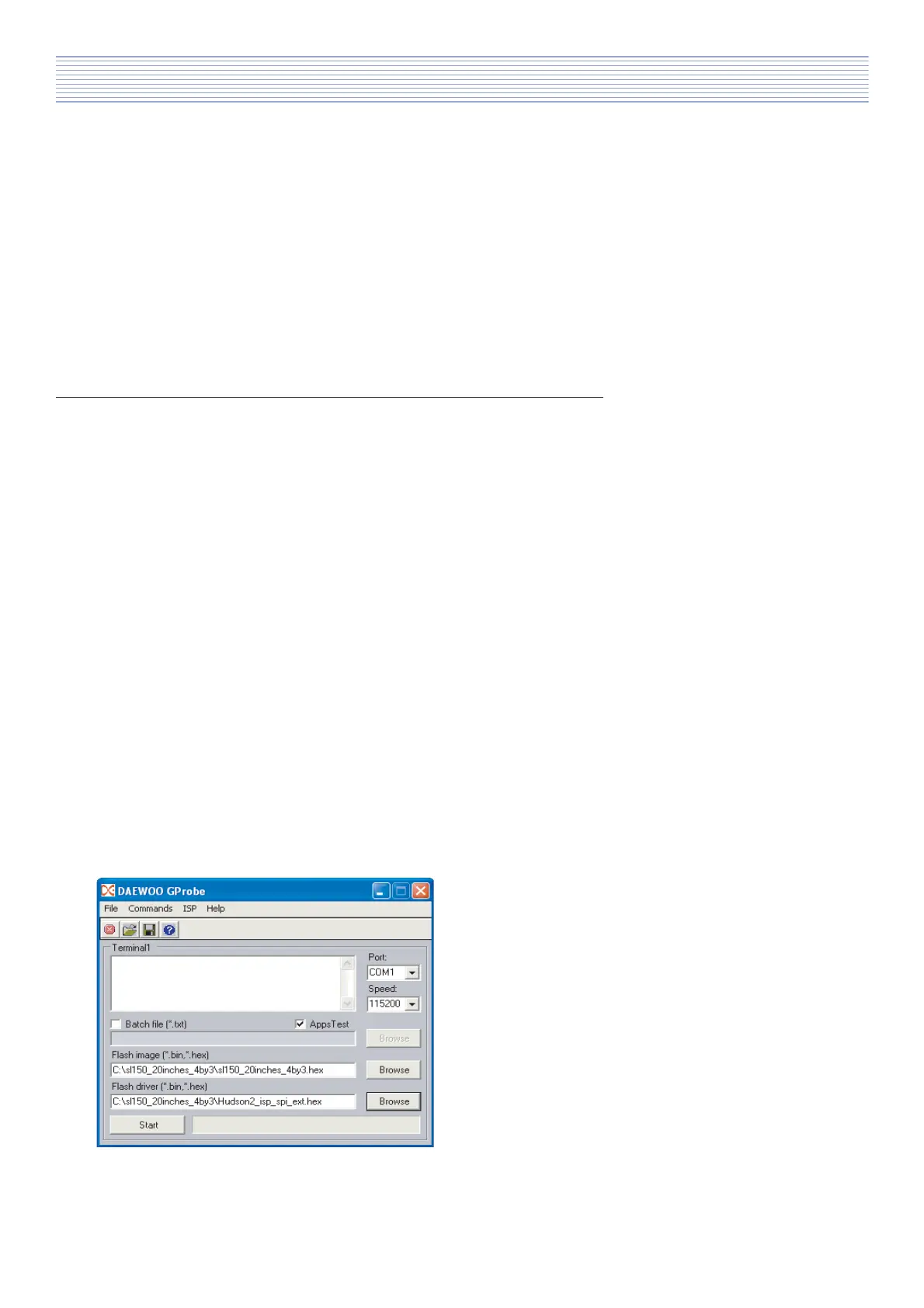
So you need to choose correct value for Port, Speed, AppsTest and then you need to select correct version
of MICOM software and Driver.
a). Example of correctly adjusted DAEWOO GProbe
application.
After that you can start programming procedure by pressing Start button.
Software Install & Upgrade



 To Next Page