67
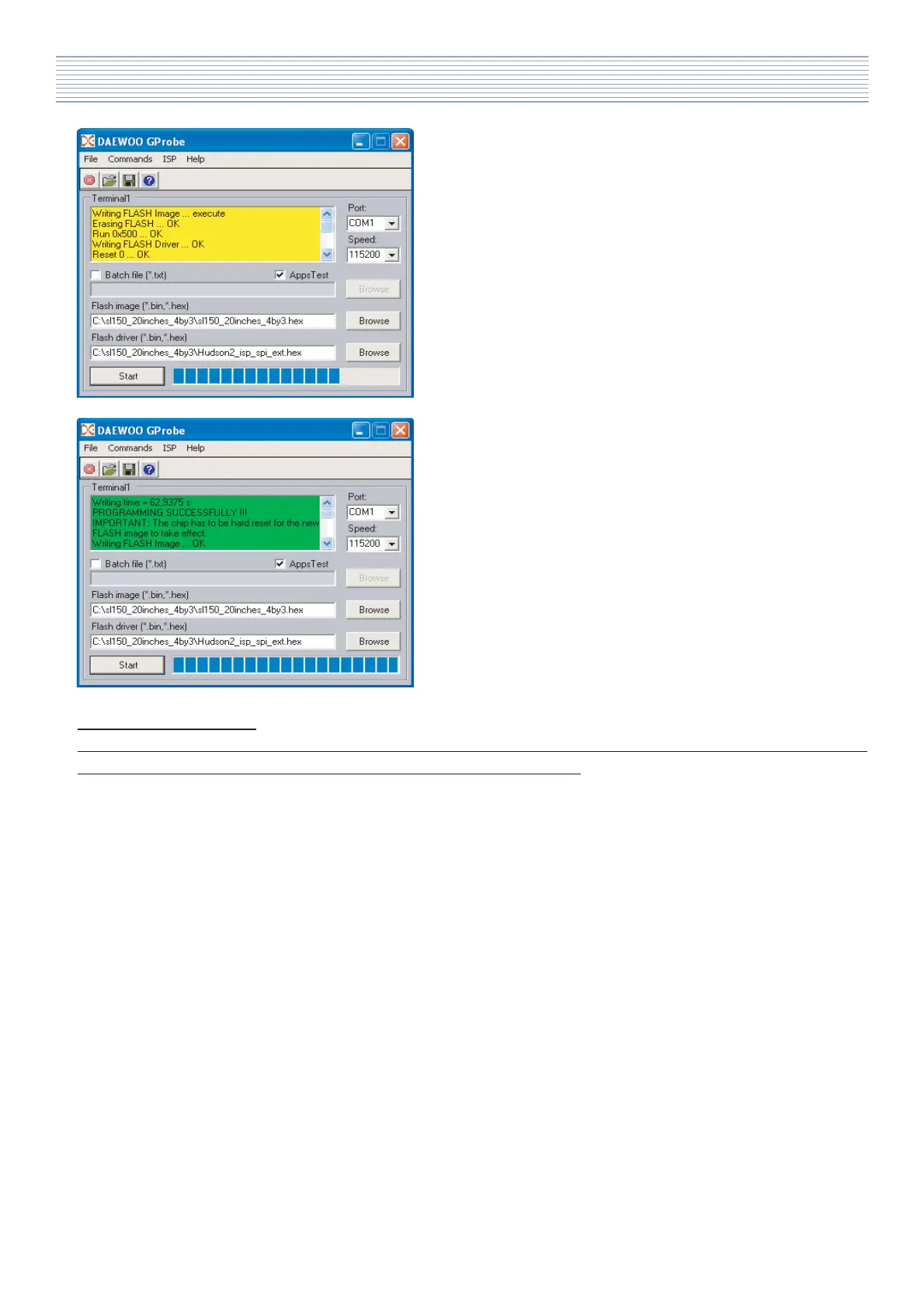
b). During programming you will see yellow information
window with text about current state and commands
results.
You can see also progress bar.
c). If programming procedure successfully finish then
the colour of text window will change to green. As a
summary you will see writing time and text
„PROGRAMMING SUCCESSFULLY!!! „.
Important information!!!
If you finish upgrading software to newer version it is needed to make NVM reset by command „NVRAM Fill”.
Desctription how to make it you can find in next point of instruction.
After finish programming you should:
- switch off the TV-set,
- restore configuration of PCB jumpers J1,
- replace 4-pins connector port P1 with original one - see PCB photo 1 (in some cases 4-pins connector - PCB
photo 1 -> point 4 - will be not present),
- assembly backover and switch on TV-set
Software Install & Upgrade



 To Next Page