72
Software Install & Upgrade
6. Chassis SL-150 programming procedure for Genesis IC - application part.
*First you need to finish operations from point 4 and 5.
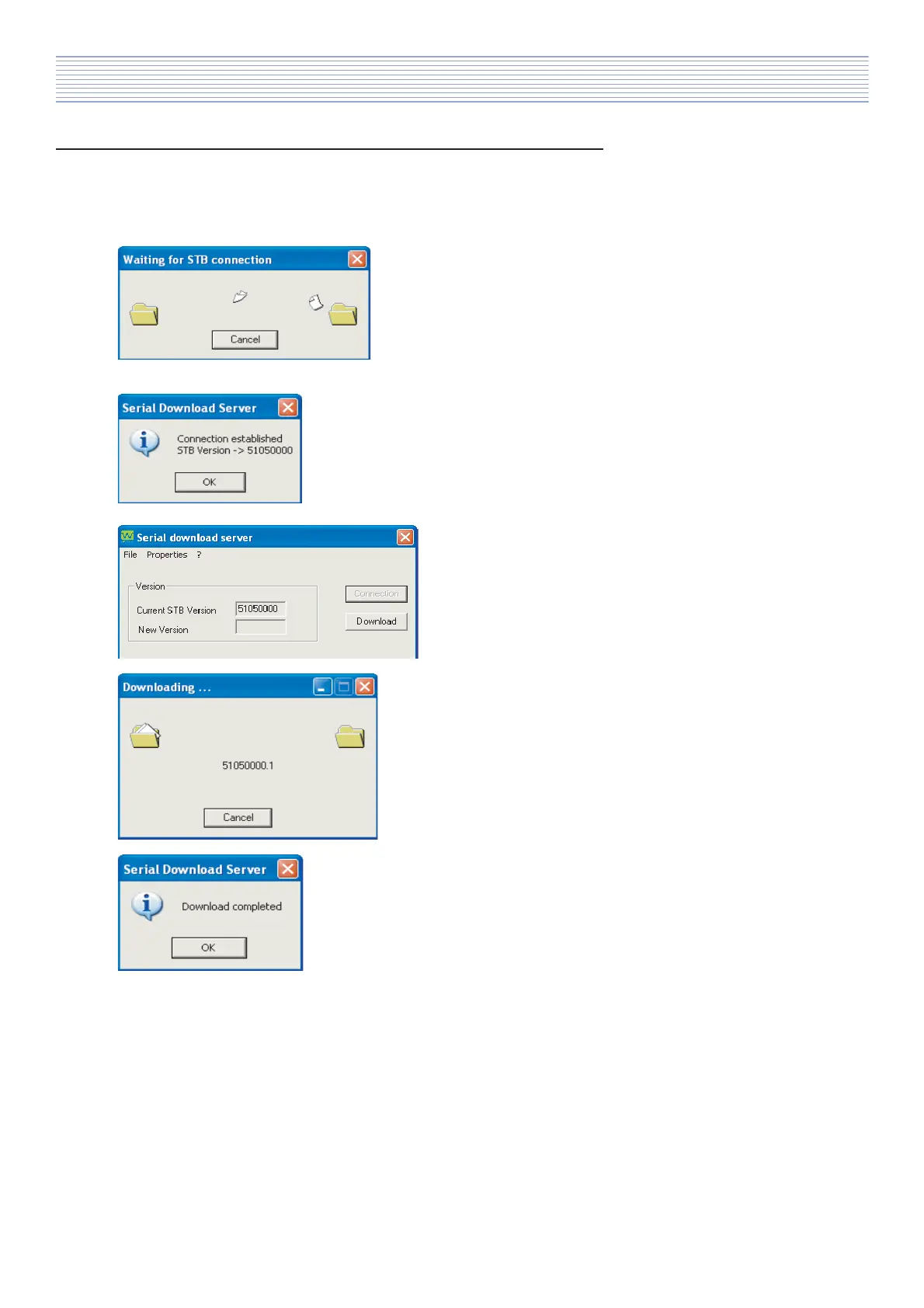
a). Press „Connection” button on ‚”Serial download
server” application. It should appears window
“Waiting for STB connection”.
Now you need to press jumper SW2 on PCB (PCB photo
3, point 1).
b). If operation is successful then you will see info
„Connection established” .
Press „OK” button.
c). Press „Download” and choose upgrade folder with
digital software files.
d). During programming procedure you will see info
about downloading files.
e). If programming procedure successfully finish then
appear information „Download completed”.
After finish programming you should:
- switch off the TV-set,
- restore configuration of PCB jumpers J1,
- remove RS232 upgrade JIG connector from port P2,
- assembly backover and switch on TV-set.



 To Next Page