41
PC
CLOCK 1 2 : 0 0
HDMI
CLOCK 1 2 : 0 0
Component
CLOCK 1 2 : 0 0
Selection of AV and
Multimedia Input Signal
When connecting PC, STB, DVD with Multimedia
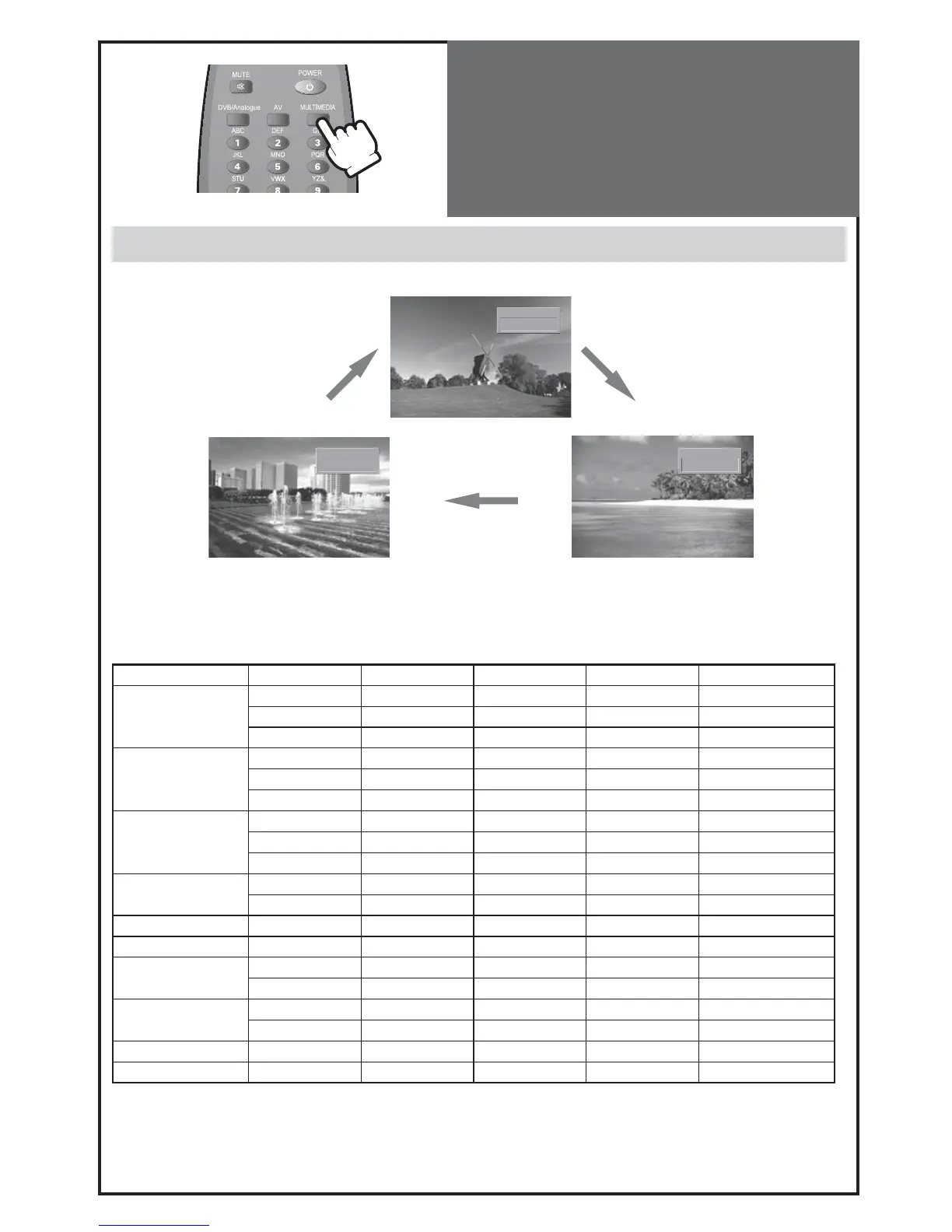
1. Pressing the “MULTIMEDIA” button on the remote controller.
• The screen changes as follows:
PC => HDMI => Component => PC
HDMI & PC mode
1. For optimum picture quality, use 1360(6)x768 computer or set top box output at a 60Hz refresh rate. Using other
formats or refresh rates may result in reduced picture quality.
2.
If the message ‘No signal’ appears on the screen, adjust the PC output to a format listed in the Multimedia Input table.
Multimedia Input Format
Resolution V-freq HDMI PC(D-Sub) Component Standard
640 x 480
60Hz o o x
72Hz o o x
75Hz o o x VESA Standard
800 x 600
60Hz o o x VESA Standard
72Hz o o x VESA Standard
75Hz o o x
1024 x 768
60Hz o o x VESA Standard
70Hz o o x VESA Standard
75Hz o o x VESA Standard
1360(6) x 768
60Hz o o x
75Hz o o x
720 x 480 60Hz o x o
720 x 576 50Hz o x o
1280 x 720
50Hz o o o
60Hz o o o
1920 x 1080i
50Hz o x o
60Hz o x o
720 x 480i 60Hz x x o
720 x 576i 50Hz x x o
Note :
• 1280 x 720 mode is commonly used for Component.
• So if this mode is used at PC mode, the screen can be enlarged.



 To Next Page