46
PR/PAGE
SELECT
PR/PAGE
PR/PAGE
SELECT
PR/PAGE
SOUND MODE NORMAL
EQUALIZER
BALANCE 0
POSITION ACCESS EXIT
SOUND
SOUND MODE NORMAL
EQUALIZER
BALANCE 0
POSITION ACCESS EXIT
SOUND
3D-PANORAMA ON
Sound Adjustment
When adjusting sound to taste
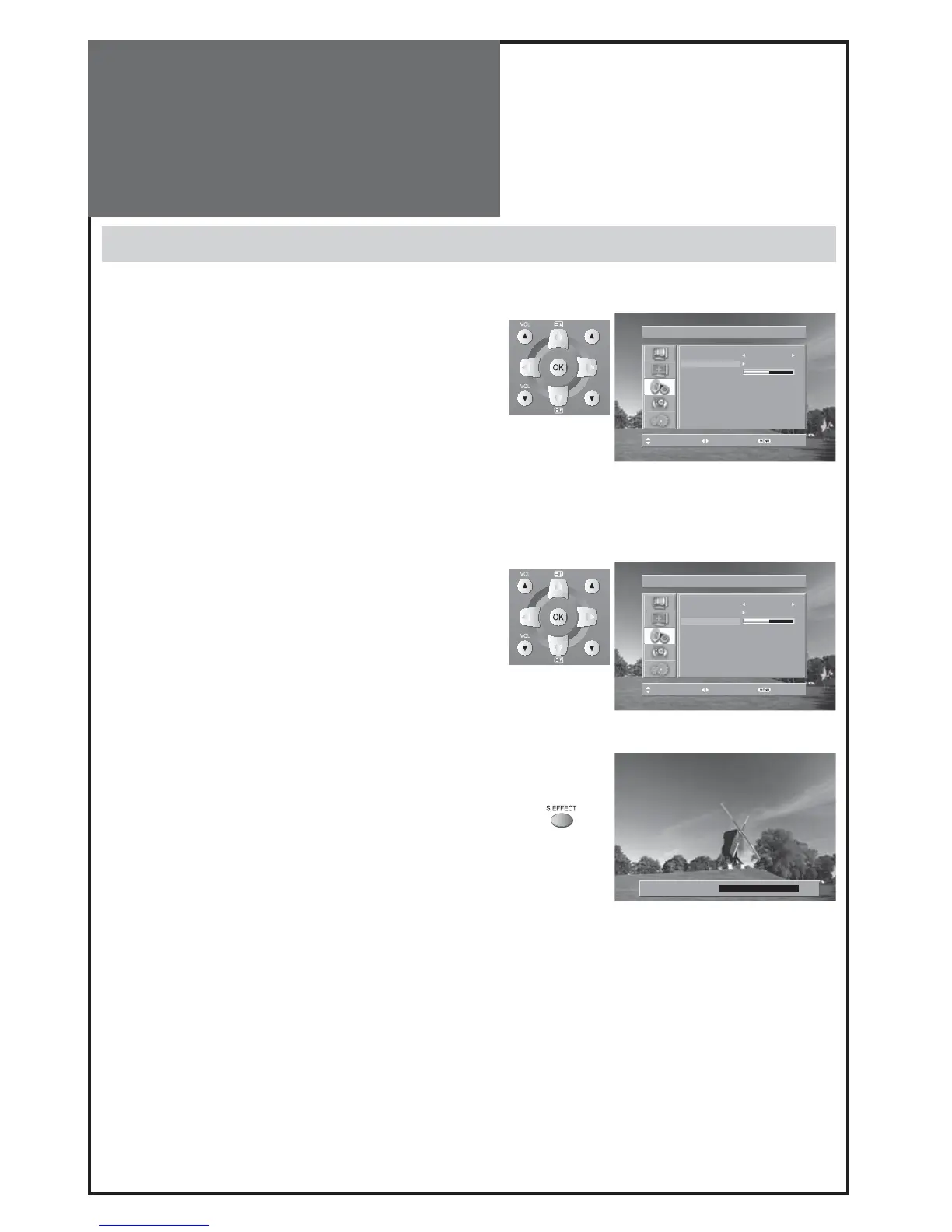
- The user can enjoy various sounds by adjusting Sound Mode, Equalizer, Balance and Amp Speaker.
1. To adjust the audio equalizer
• Move to Equalizer in the Sound menu.
• Select and use the relevant frequency by pressing the ”/”
button.
• You can adjust the degree of the frequency by using the ”/”
button.
Note :
• Whenever you adjust the audio equalizer, it stores in the Fa-
vourite mode.
• Equalizer: High quality sound range adjustment method used
for audio product.
120Hz, 500Hz: Low sound range / 1.5KHz, 5KHz: Middle sound
range / 10KHz: High sound range
2. Select Balance Mode
• Move to Balance in the Sound menu.
• Select “Balance” by pressing ”/” button, then the sound
balance of left and right speaker is Adjusted.
3. Select S.EFFECT Mode
• Select either ON or OFF using „S.EFFECT” button on the re-
mote control.
Note :
• 3D PANORAMA: This function generates virtual surround sound
from the left and right speaker by developing the existing sur-
round system function.



 To Next Page