• 11 •
PREPARATIONS BEFORE OPERATION
This part introduces the work to be done before operating the unit.
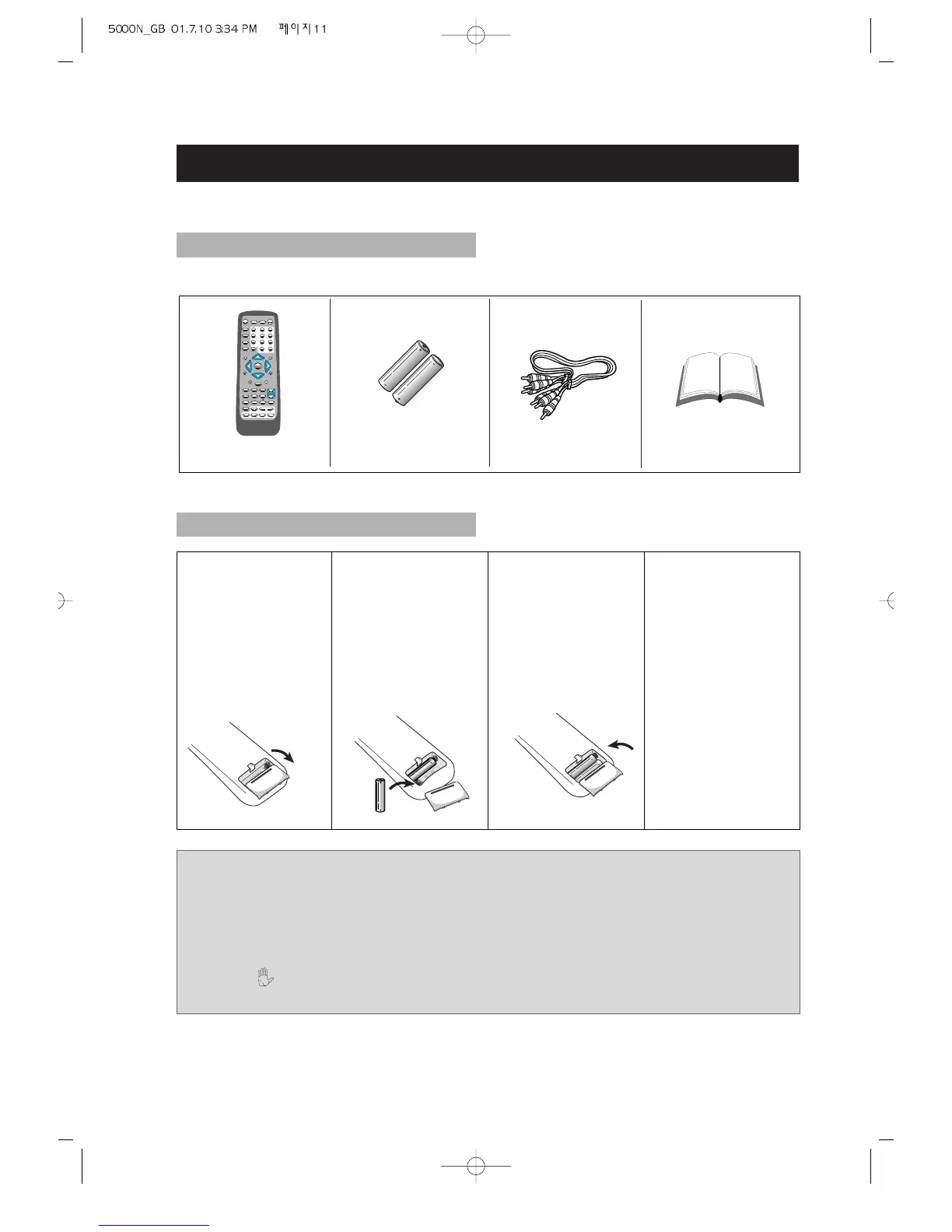
Check if you have all the accessories after the carton is opened.
CHECK ACCESSORIES
USE REMOTE CONTROL
Notes:
1. Batteries can generally last for about 6 months. Change the batteries if the
remote control does not work, or the operating range reduces.
2. If the remote control is not used for a long time, remove the batteries to prevent
battery leakage.
3. When appears on the TV screen by pressing any button, the disc does not have
the pertinent function.
1. Open the battery
compartment.
2. Insert two AAA
batteries, make
sure to
match"+"and "-
"of the batteries
to the marks in
the battery
compartment.
3. Close the battery
compartment.
4. Point the remote
control at the
remote sensor.
It will operate up
to a range of 7
metres and an
angle of 30°
either side of the
remote sensor on
the front of the
player.



 To Next Page