The functions of the control panel
Press this switch to turn the power on or off.
Operation and temporary stop is repeated as it is pressed.
When you want to change program in operating;
press the “Start/Pause” button → Select the program that you want to change →
press the “Start/Pause” button again.
You can select the course you want, and each lamp is turned on when that course
is selected.
For the more detailed information, please refer to the page 15~30.
It can be used to adjust temperature of water according to types of the load to be
washed.
As the button is pressed, temperature of water is selected by
Cold → 20°C → 40°C → 60°C → 95°C
By pressing the spin button, the spin speed can be chosen.
If press "spin button" spin RPM change.
You can select the course you want, and each lamp is turned on when that course
is selected.
As the button is pressed, the wash course is selected by
Prewash → Soak → Wash
You can select the course you want, and each lamp is turned on when that course
is selected.
As the button is pressed, the wash course is selected by
Cupboard → Very → Iron → Low → Time
To pre-engage time for washing.
As the button is pressed, the delayed time is longer.
* CHILD LOCK
Push the Time Delay button for 3 sec to set Child Lock.
During the Child Lock, can not touch any button during operation.
* SUPER EXPRESS
Reduce the laundry time and the number of rinsing. Recommend 3~4kg mild dirty laundry.
* MUTE
Push the Clean jet or Super Express button for 3 sec to set Mute.
During the Mute, can not sound any button.
Using the program used recently.
By selecting Rinse+ function, the number of rinsing is increased.
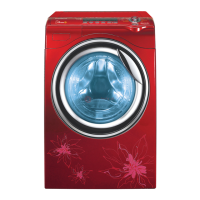
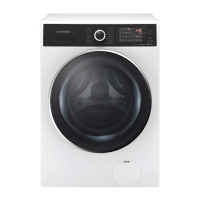
■ DWC-ED1432



 To Next Page