LL 66 22 88
88 88 88 00
22 44 HH 88
II 44 00 00
II 44 22 55
ENGLISH
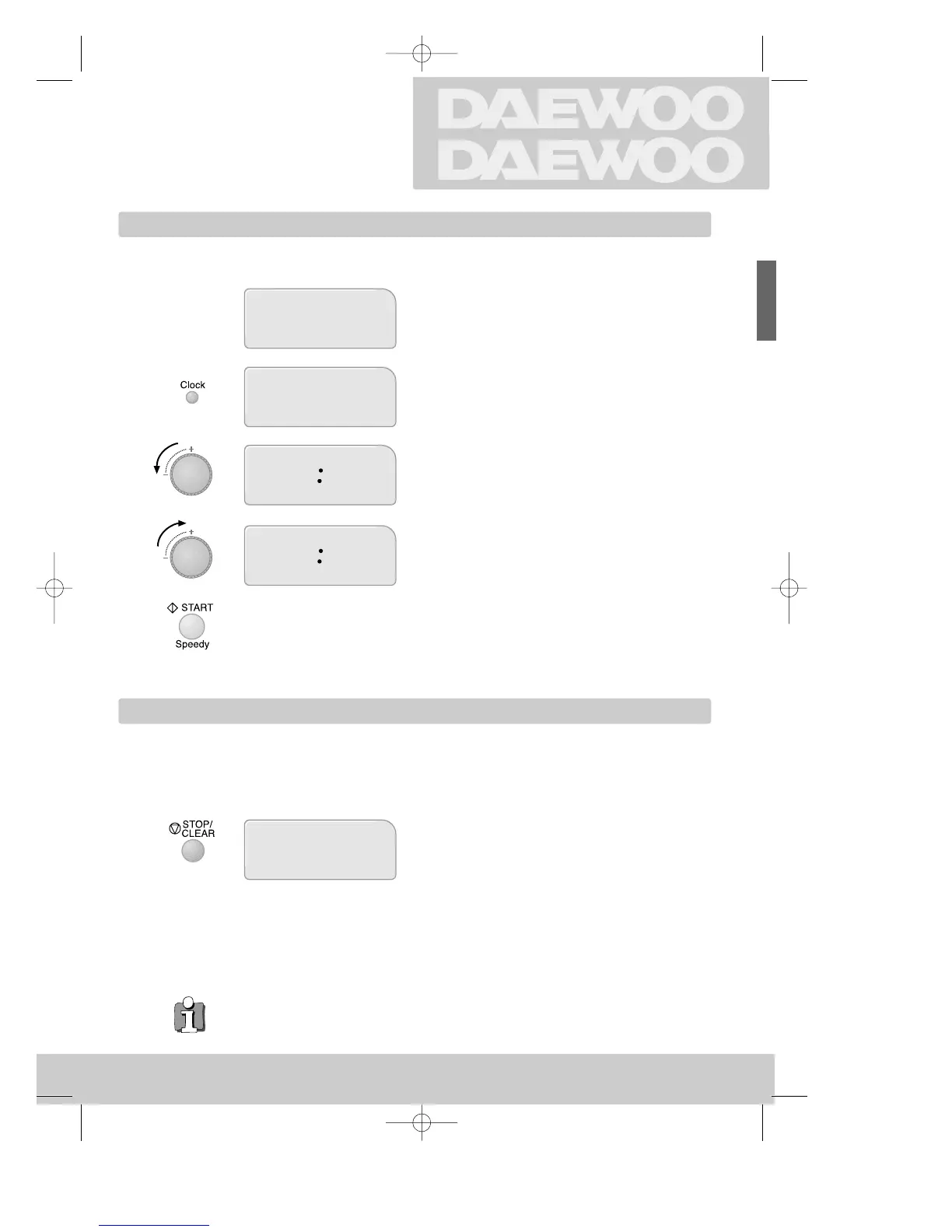
Setting the clock
Child lock
Using the
OVEN
When not in use the display shows the time.
When first connected to the mains, the display
looks like this (also after power disconnection).
Press the button once for 24 hour clock (twice for
12 hour clock).
Turn the dial left to adjust hours.
Turn the dial right to adjust minutes.
Start the clock. The two dots flash each second.
The child lock prevents the oven from being used. For example because children could hurt
themselves on hot liquids etc.
Hold the button pressed for a number of
seconds,
when loc appears in the display, the oven is locked.
Hold the button for a few seconds to release the
lock.
When the time appears in the display, the oven is again
available for normal use.
◆ To display the time when the oven is operating, press the Clock button. The clock will
appear for a few seconds. You can adjust the time using the dial as described above.
5
3 sec.
2_KOC-970T_englisch_UK 01.8.18 12:45 PM Page 5

 To Next Page
 Loading...