AA CC —— 22
AUTO
COOK
▲
ENGLISH
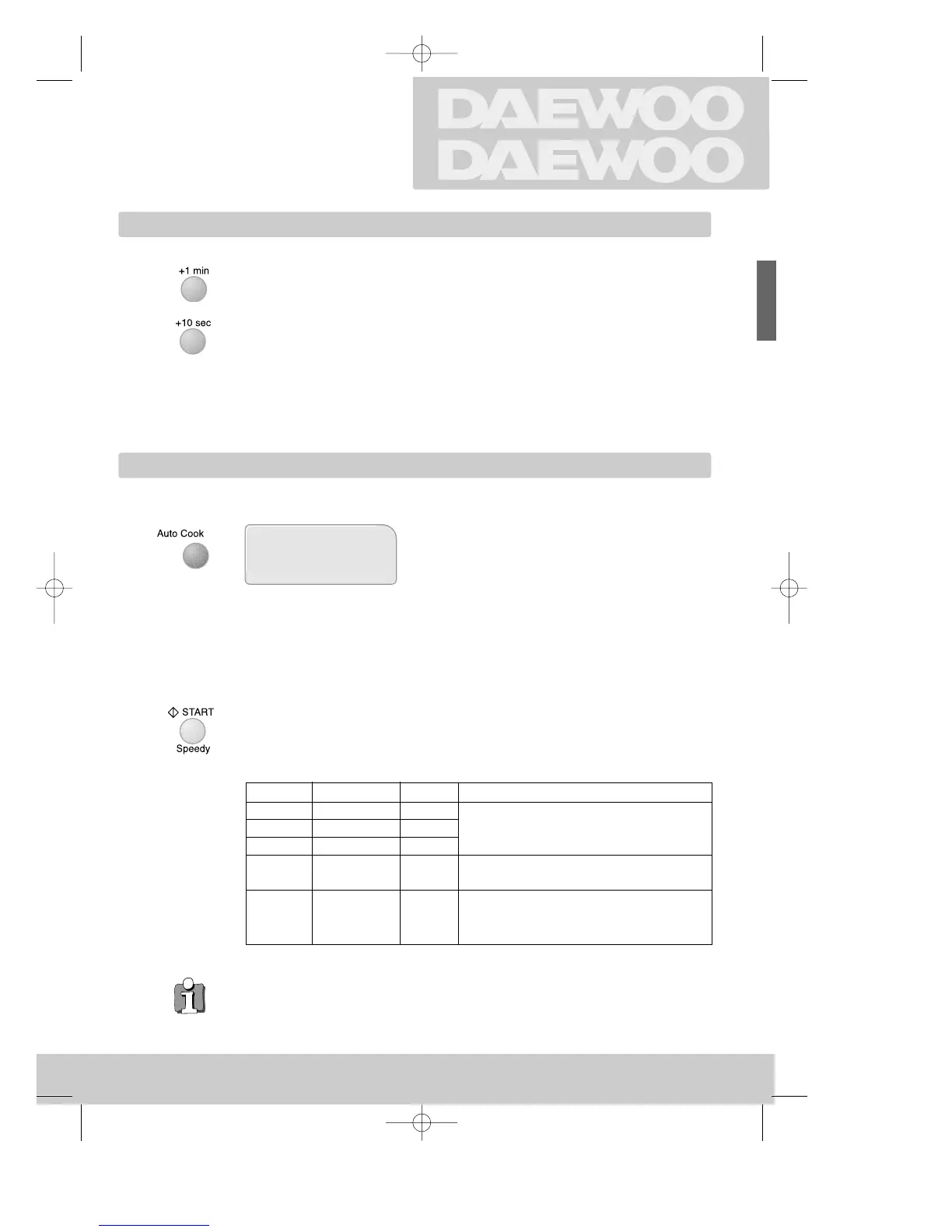
Adding time
Programmed cooking
MICROWAVES
Cooking with
Each press adds 1 minute to cooking time.
Each press adds 10 seconds to cooking time.
The cooking time can be extended during cooking (except Speedy cooking).
◆ When the operation is finished the oven beeps four times, the clock appears in the
display, the rotating plate stops turning and the oven light turns off.
◆ The cooling fan continues to run for 5 minutes after cooking has stopped ("cool").
◆ Opening the oven door interrupts any operation except cooling fan. To cancel the
operation, press STOP. To continue the operation, press START.
Start the operation.
"▼" flashes above "AUTO COOK" in the display and the
cooking time is also displayed.
Cooking programs:
AC-1 ➪ Roast beef (1.3 kg) ➪ 36 minutes
AC-2 ➪ Roast pork (1.3 kg) ➪ 37 minutes
AC-3 ➪ Roast chicken (1.3 kg) ➪ 38 minutes
AC-4 ➪ Fish fillets (450 g) ➪ 7 minutes
AC-5 ➪ Vegetable (450 g) ➪ 5,5 minutes
Select one of the five menu programs.
Select by pressing the button 1 - 5 times.
You need set neither power nor time.
7
1-5x
Category Food Quantity PREPARE
AC-1 Roast Beef 1.3 kg Place roasts fat-side up and whole
AC-2 Roast Pork 1.3 kg poultry breasts-up on a matal
AC-3 Roast Chicken 1.3 kg turntable
AC-4 Fish Filtets 450 g Arrange filtets in a baking dish, turning any
thin pieces un der. Cover with wax paper.
AC-5 Vegetable 450 g Trim and wash the mixed vegetable.
Place them in the squarer dish.
Add to 2Tbsp. water.
2_KOC-970T_englisch_UK 01.8.18 12:45 PM Page 7

 To Next Page
 Loading...