| 13 |
| 13 |
Directions on
Detergent and Softener
Containers
Wait! Please read the following instructions before applying detergent.
- Do not add detergent more than once to the detergent container. If the washer is not heavily
loaded, a half-full detergent container is sufficient for washing.
- Remove detergent remnants from the door or control panel immediately. Such contamination may cause
damage to the washer.
- Wet detergent container may harden the contents. Wipe the container with a dry cloth carefully before adding
powder detergent.
- Overloading may cause the following problems and malfunctions.
• Overloaded detergent causes excessive foam, which lengthens the rinse cycle and disturbs the normal rinse
and spin cycles.
• Foam may remain on clothes even after rinsing.
- Detergent container is exposed to contamination or detergent remnants. You can keep it clean with weekly
cleanings.
- Water may remain in the container after a wash cycle. As it is caused by the process of cleaning detergent and
softener containers, it is not the remnant of detergent or softener. Remove water before starting a wash cycle.
Caution
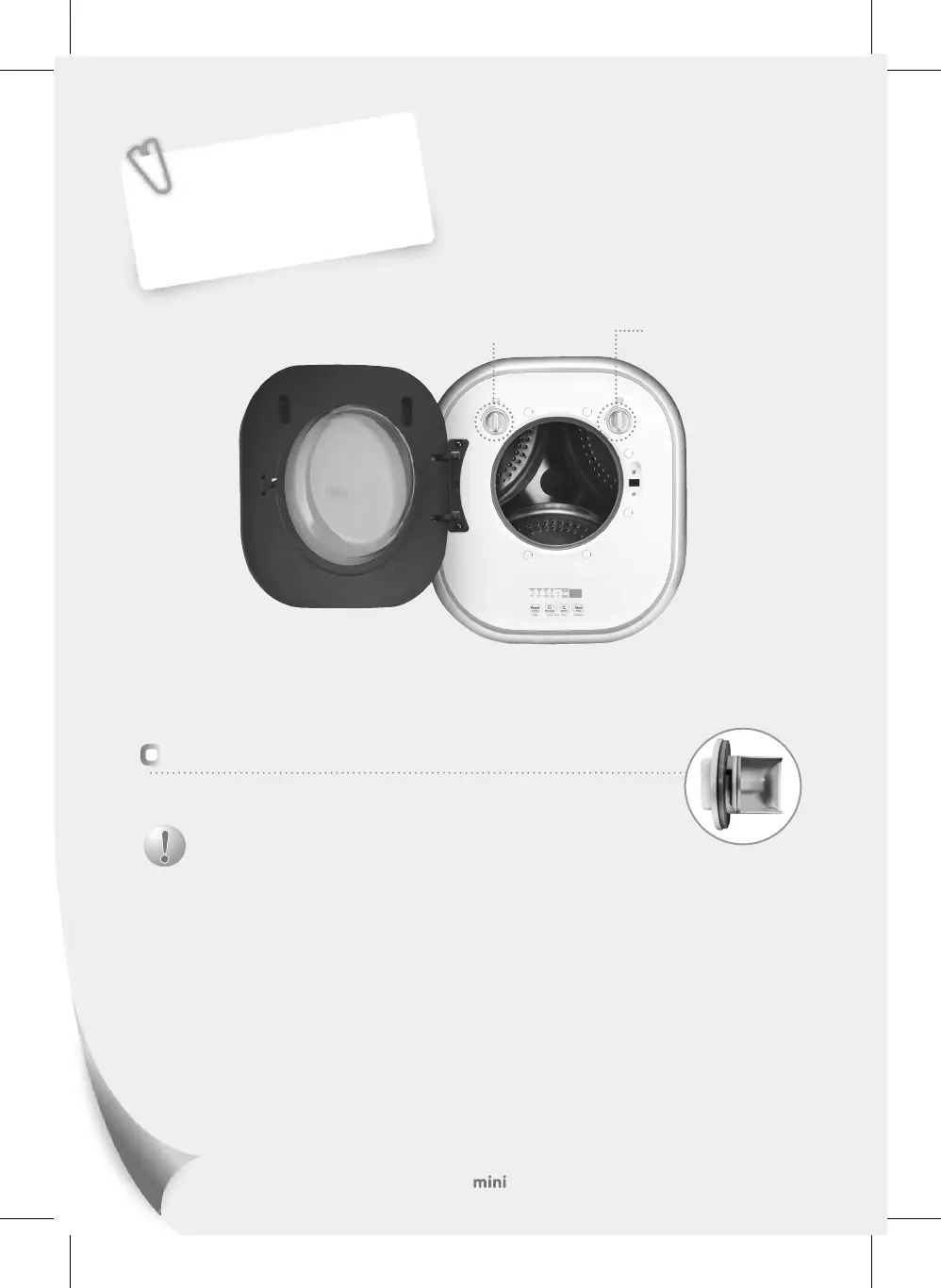
■ Open :
Turn the detergent and softener containers counterclockwise and then pull them.
■ Close :
Turn the detergent and softener containers clockwise to close them tight and then run the washer.
Spoon-Shaped Detergent
Container
Softener Container
Addition of Detergent
Add detergent as recommended to the detergent container.
미니(1.5)_DWD-CV702WP(영).indd 13 2017-11-24 오후 6:37:24



 To Next Page