User’s Manual
116
Day & Night
Configure the color and black&white mode of the image. This setting is not
affected by the configuration files. The default setting is
.
Color: The camera outputs color image only.
Auto: Depends on the camera, such as overall brightness and whether
there is an IR light, either color image or black&white image is output.
B/W: The camera outputs Black and white image only.
By Time: The camera outputs image according to the configured sunrise
time and sunset time.
Click Apply to complete the settings.
5.5.2 Configuring Encode Settings
5.5.2.1 Encode
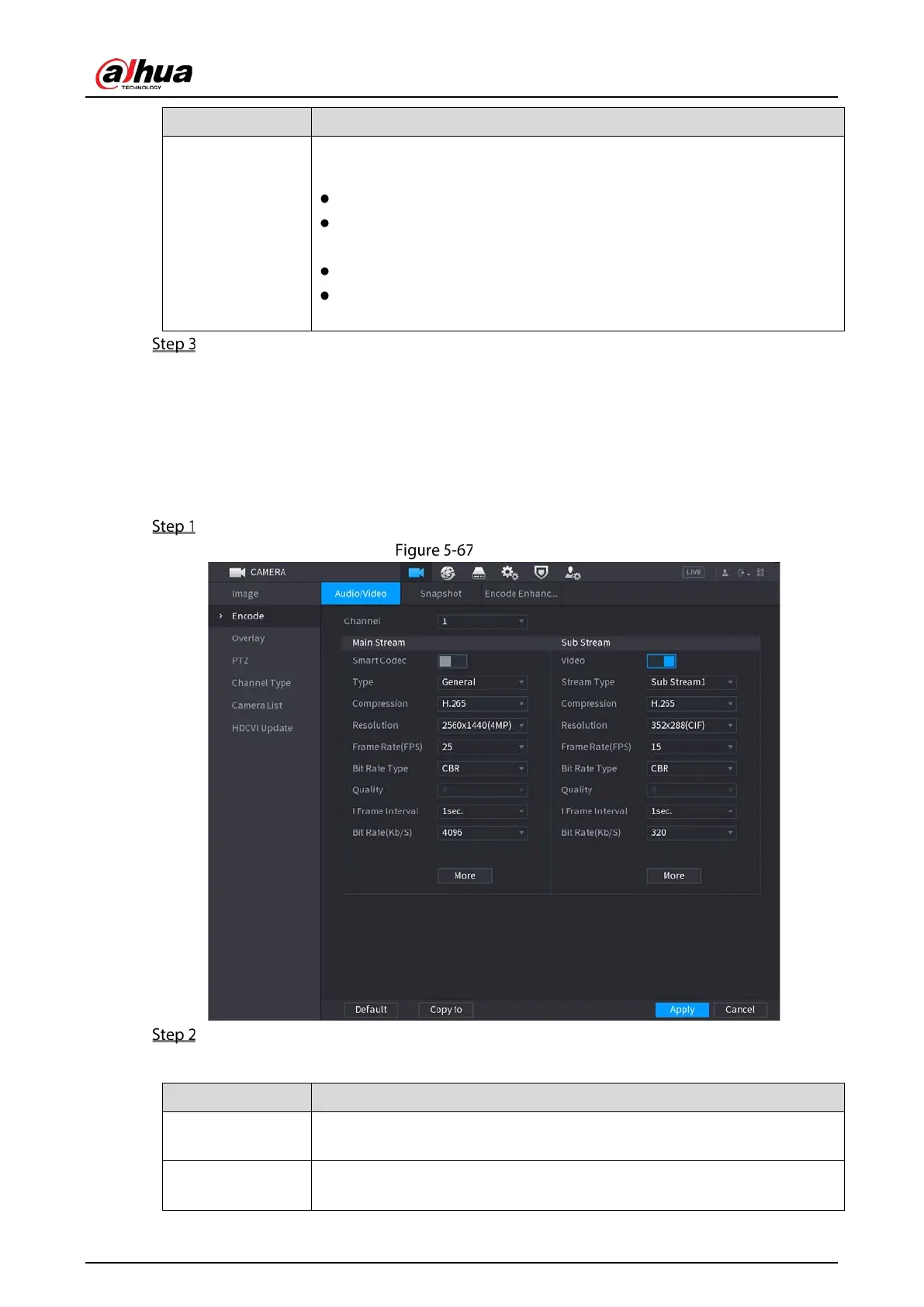
Select Main Menu > CAMERA > Encode > Audio/Video.
Encode
Configure the settings for the main/sub streams parameters.
Table 5-25 Main and sub stream parameters
Channel
In the
list, select the channel that you want to configure the
settings for.
Smart Codec
Enable the smart codec function. This function can reduce the video bit
stream for non-important recorded video to maximize the storage space.


 To Next Page
 Loading...