User’s Manual
245
the IP address on the WAN.
Preparation for Configuration
Log in to the router to set the WAN port to enable the IP address to connect into the WAN.
Enable the UPnP function at the router.
Connect the Device with the LAN port on the router to connect into the LAN.
Select Main Menu > NETWORK > TCP/IP, configure the IP address into the router IP address
range, or enable the DHCP function to obtain an IP address automatically.
Configuration Steps
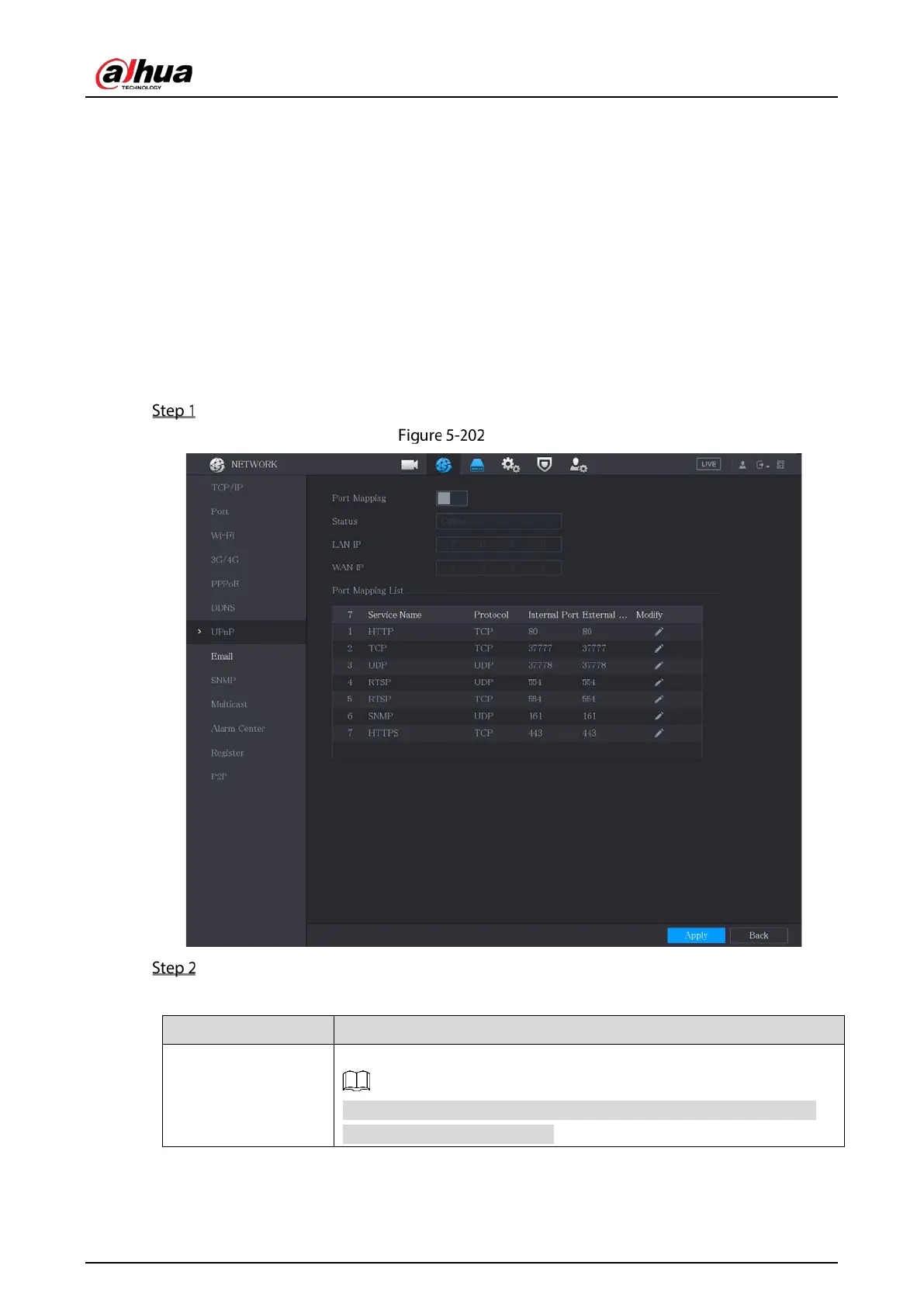
Select Main Menu > NETWORK > UPnP.
UPnP
Configure the settings for the UPnP parameters.
Table 5-63 UPnP parameters
Port Mapping
Enable the UPnP function.
After it is enabled, the intranet services and ports shall be mapped to
extranet, proceed with caution.


 To Next Page
 Loading...