User's Manual
130
Splice video file. For details about splicing video file, see "5.9.3.4 Clipping Recorded
Video."
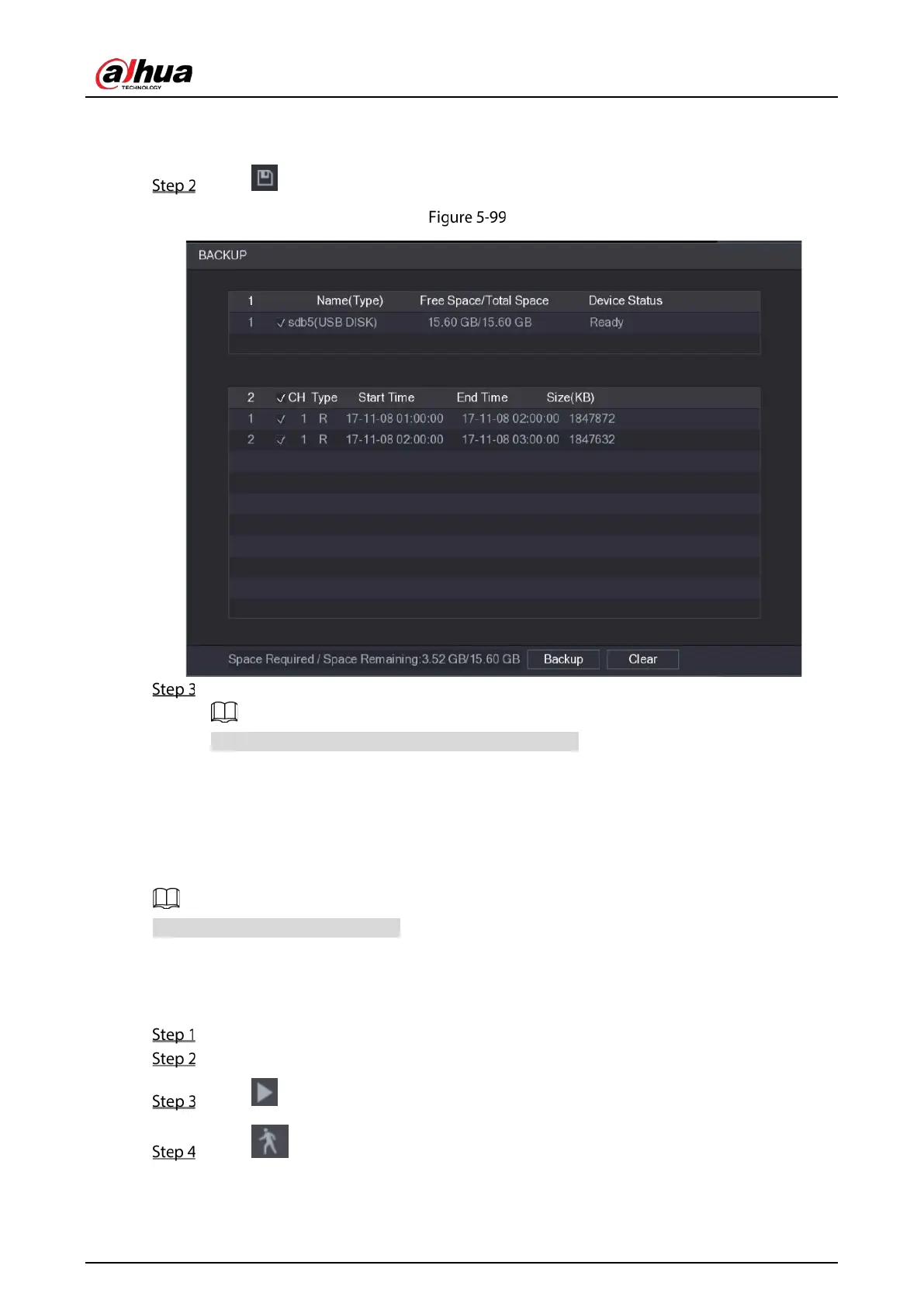
Click .
Backup
Click Backup.
If you do not want to back the file, clear the check box.
5.9.4 Smart Search
During playback, you can analyze a certain area to find if there was any motion detection event
occurred. The system will display the images with motion events of the recorded video.
Not all models support this function.
To use the Smart Search function, you need to enable the motion detection for the channel by
selecting
Main Menu > ALARM > VIDEO DETECT > Motion Detect.
To use the Smart Search function, do the following:
Select Main Menu > VIDEO, the video search interface is displayed.
In the CAME NAME list, select the channel(s) that you want to play.
Click or double-click anywhere in the time bar colored area to start playback.
Click .
The grid is displayed on the screen.


 To Next Page
 Loading...

