User's Manual
133
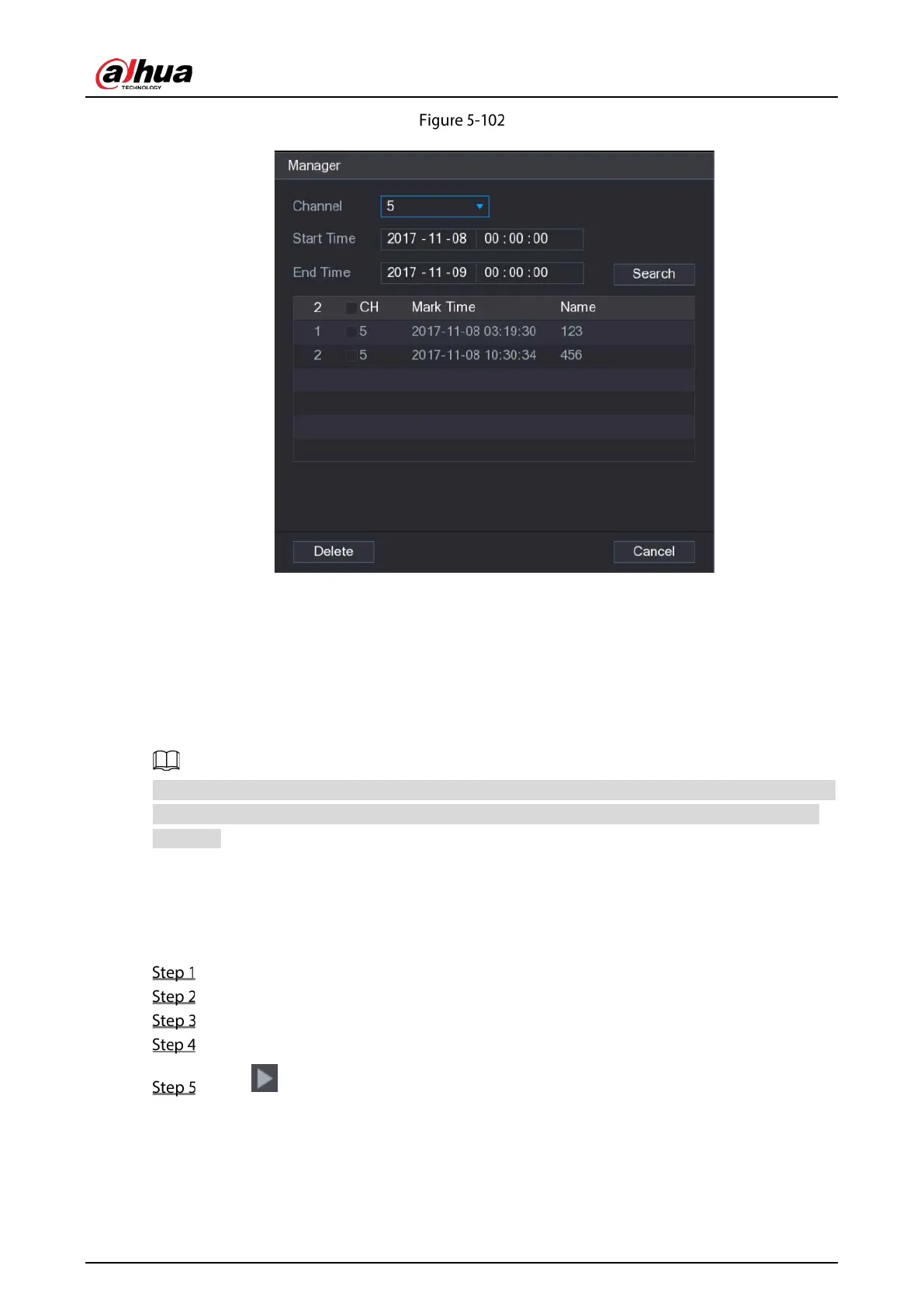
Manager
Be default, it manages all the marked videos of the selected channel.
To search the marked video, select channel number from the Channel list, enter time in Start
Time box and End Time box, and then click Search.
All the marked videos display in time order.
To modify the name of marked video, double-click a marked video, the Edit Mark dialog box is
displayed.
To delete the marked video, select the marked video, and then click Delete.
After opening the Manger interface, the playback will pause until exiting this interface. If the marked
video that was in playing back is deleted, the playback will start from the first marked video in the
Mark List.
5.9.6 Playing Back Snapshots
You can search and play back the snapshots.
Select Main Menu > VIDEO, the video search interface is displayed.
In the Search Type list, select PIC.
In the Channel list, select a channel number.
In the Calendar area, select a date.
Click .
The system starts playing snapshots according to the configured intervals.


 To Next Page
 Loading...

