User's Manual
158
5.10.3 Face Detection
You can configure the face detection settings and search the detected faces in the defined time period.
5.10.3.1 Configuring Face Detection Settings
When the Device detects the human faces, the system activates alarms.
Not all models support this function.
Smart IPC must be equipped with face detect function.
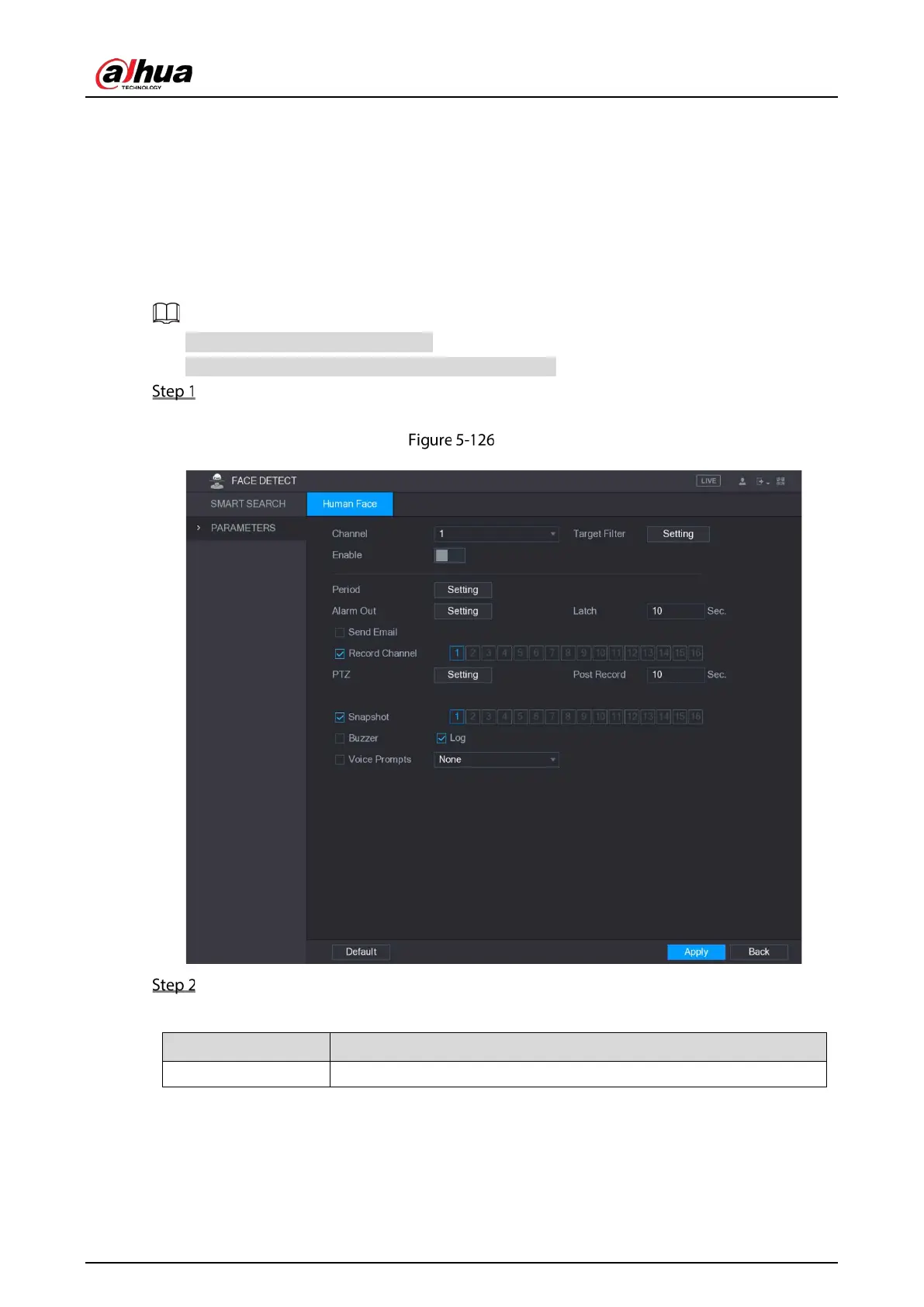
Select Main Menu > FACE DETECT > Parameters.
The Human Face interface is displayed.
Human face
Configure the settings for the face detection parameters.
Table 5-43 Face detection parameters
Channel In the
list, select a channel to set the face detection.


 To Next Page
 Loading...

