User's Manual
245
5.17.6 Configuring Quota Settings
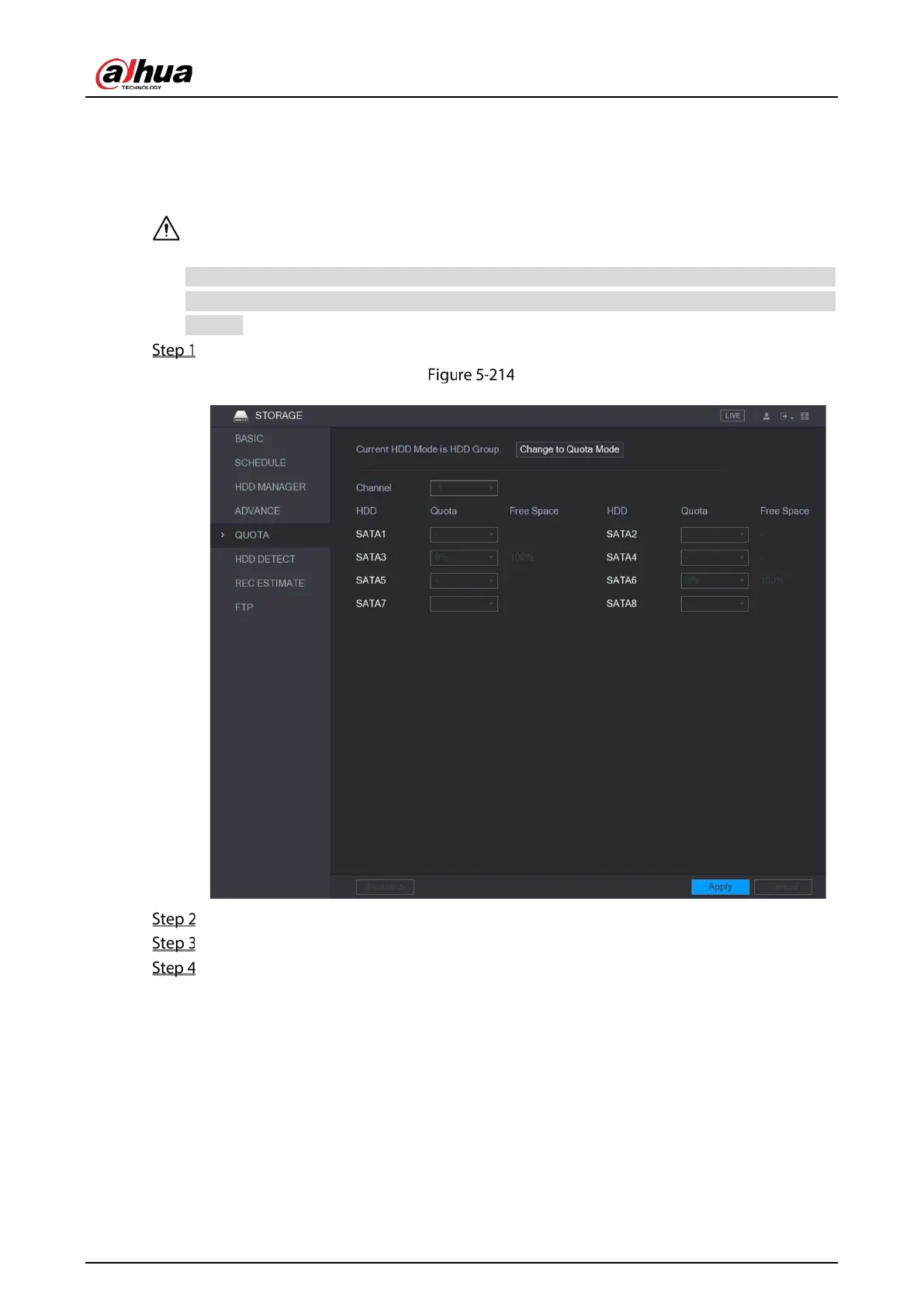
You can configure the quote for each channel to be saved into each HDD.
If "Current HDD Mode is HDD Mode" is shown on the interface, you need to switch to Quota mode.
You can enable either HDD Mode or Quota Mode at one time. The system reboots to activate the
settings.
Select Main Menu > STORAGE > QUOTA.
Quota
In the Channel list, select the channel that you want to configure.
In the SATA list, select the quota for the selected channel.
Click Apply to complete the settings.
Click Statistics to view the quota of each channel.


 To Next Page
 Loading...

