User's Manual
166
Send Email
Select the
check box to enable the system to send an email
notification when an alarm event occurs.
To use this function, make sure the email function is enabled in
Main
Menu > NETWORK > EMAIL
.
Buzzer Select the check box to activate a buzzer noise at the Device.
Log Select the check box to enable the Device to record a local alarm log.
Voice Prompts
Select to enable audio broadcast/voice prompts in response to a user
account alarm event.
Click Apply to complete the settings.
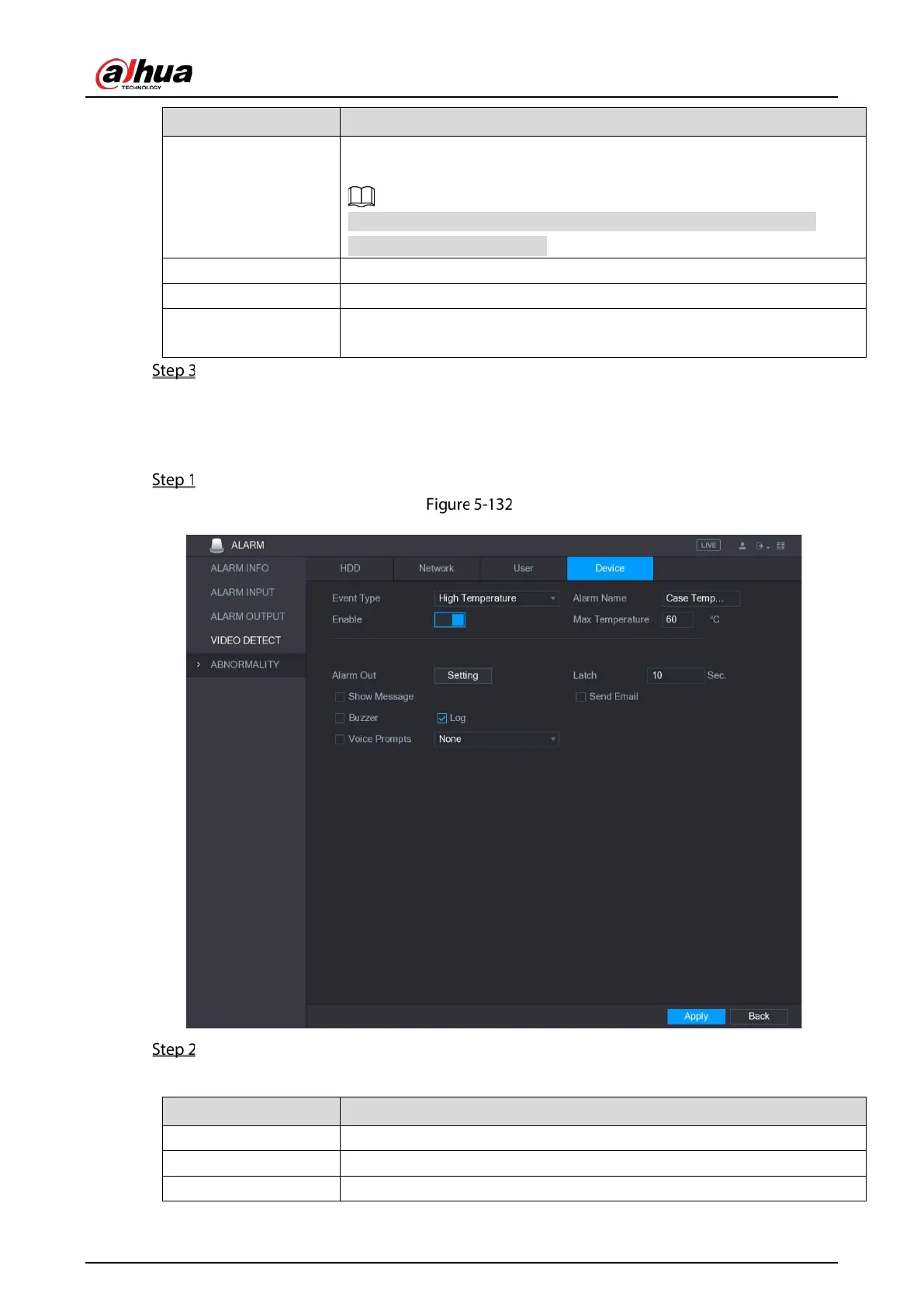
5.10.4.4 Configuring Device Event Settings
Select Main Menu > ALARM > ABNORMITY > Device.
Device
Configure the settings for the device event.
Table 5-47 Event settings
Event Type In the Event Type list, select High Temperature or Fan Speed Abnormal.
Alarm Name Enter the name for the event type.
Enable Enable the device event detection function.


 To Next Page
 Loading...

