User's Manual
194
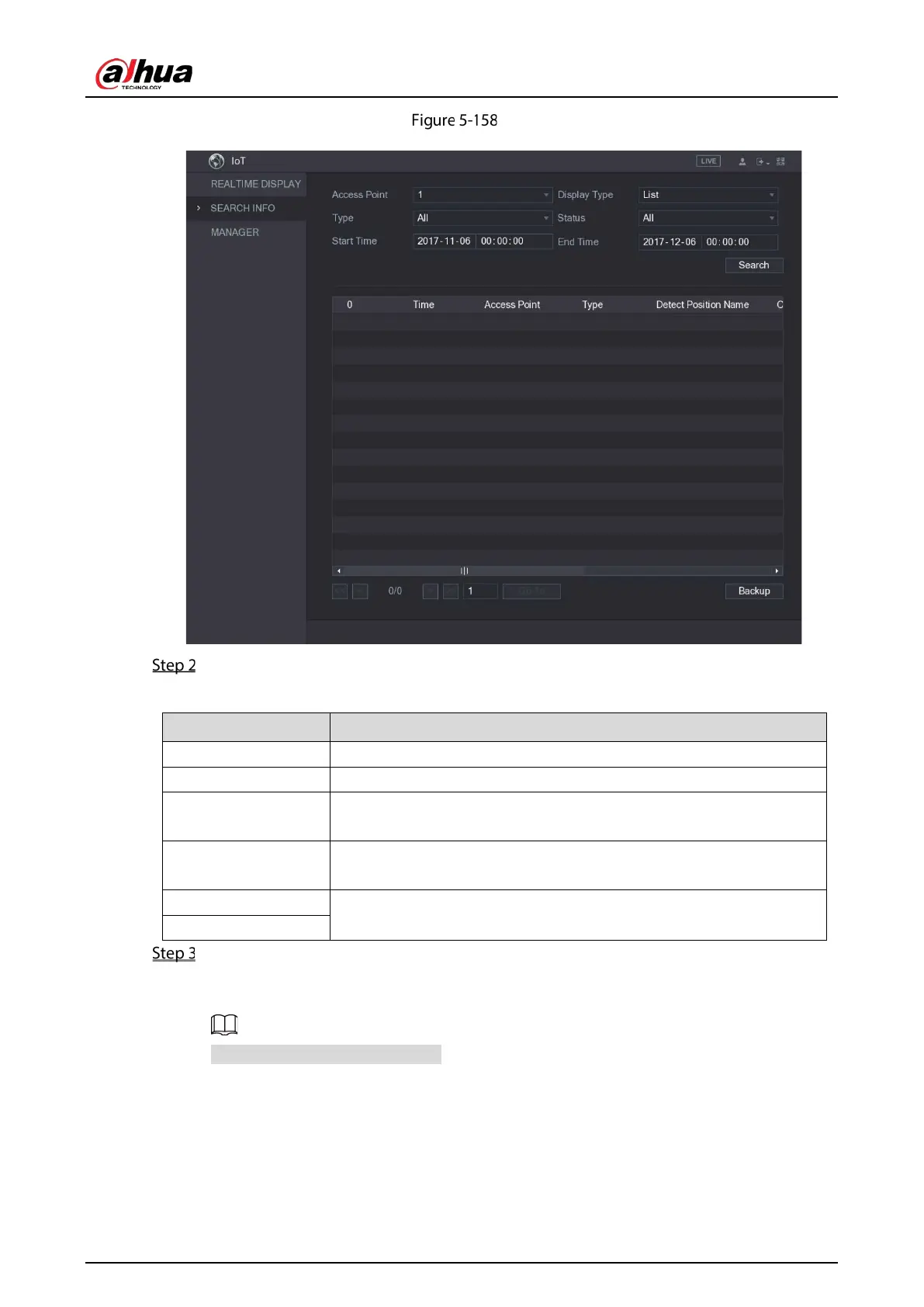
Search info
Configure the parameters settings.
Table 5-55 Parameters
Access Point Indicates the channel that the camera is connected to.
Display Type In the
list, select
or
.
Type
Select the information type that you want to search. You can select
or
.
Status
Select the information state that you want to search.
This option is available when you select
in the
list.
Start Time
Enter the start time and end time for the information that you want to
search.
End Time
Click Search. The system starts search according to your parameters settings.
After searching is finished, the result displays.
For the data displayed in list, see the following figure.
Click Go To to switch result pages.


 To Next Page
 Loading...

