User's Manual
253
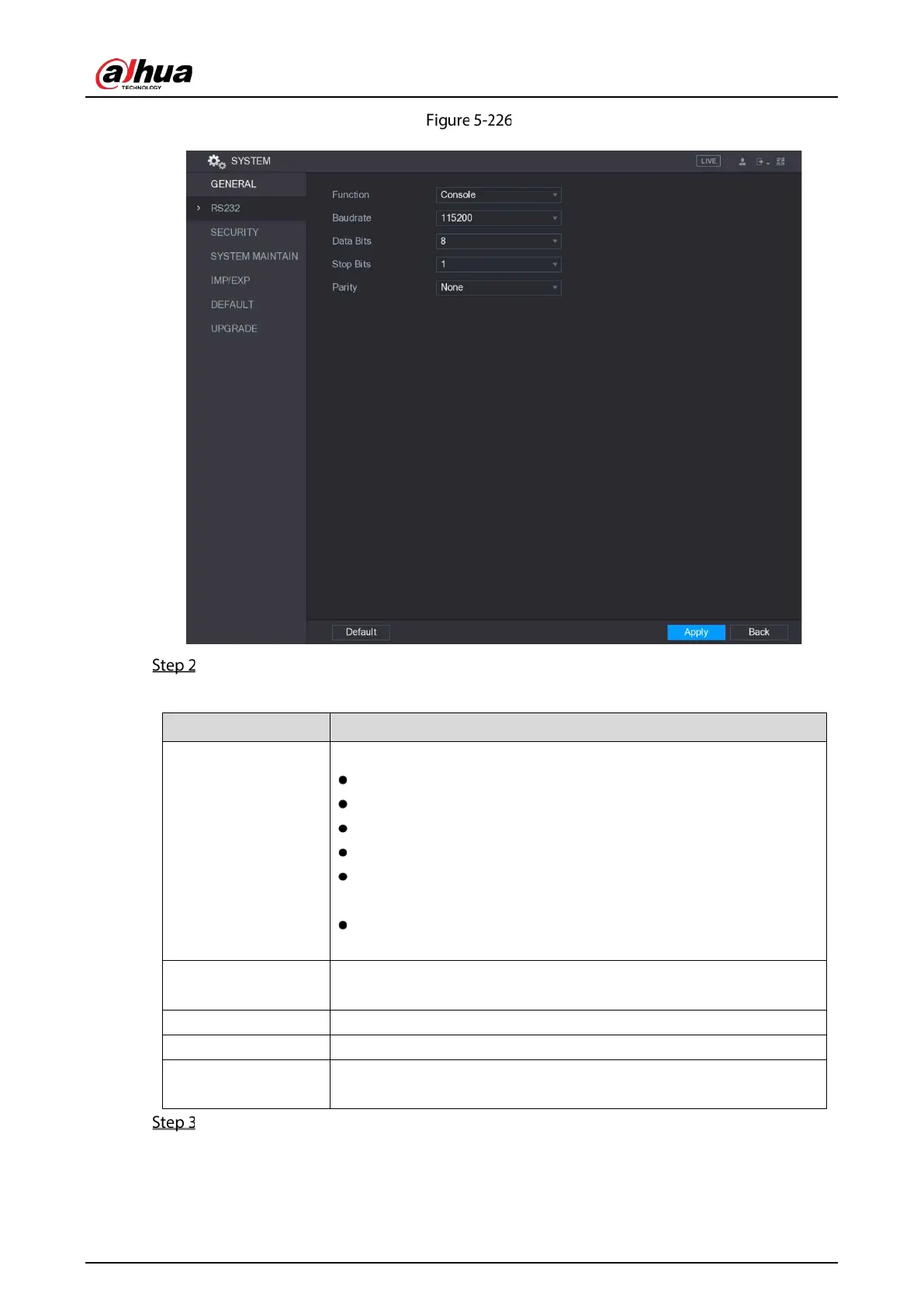
RS-232
Configure the settings for RS-232 port parameters.
Table 5-73 RS-232 parameters
Function
In the Function list, select the protocol for the port.
Console: Debug by connecting a mini terminal software.
Keyboard: Control the Device by connecting a dedicated keyboard.
Adapter: Transit data by connecting to PC.
Protocol COM: This function is for card overlay.
NetKeyboard: Control the Device by connecting a dedicated
keyboard to the LAN port.
PTZ Matrix: Connect the video matrix for control.
The default setting is
.
Baudrate
In the
list, select a value for baudrate length. The default
setting is
.
Data Bits In the
list, select
,
,
, or
. The default setting is
.
Stop Bits In the
list, select
,
, or
.
Parity
In the
list, select
,
,
,
, or
. The default
setting is
.
Click Apply to complete the settings.


 To Next Page
 Loading...

