User's Manual
87
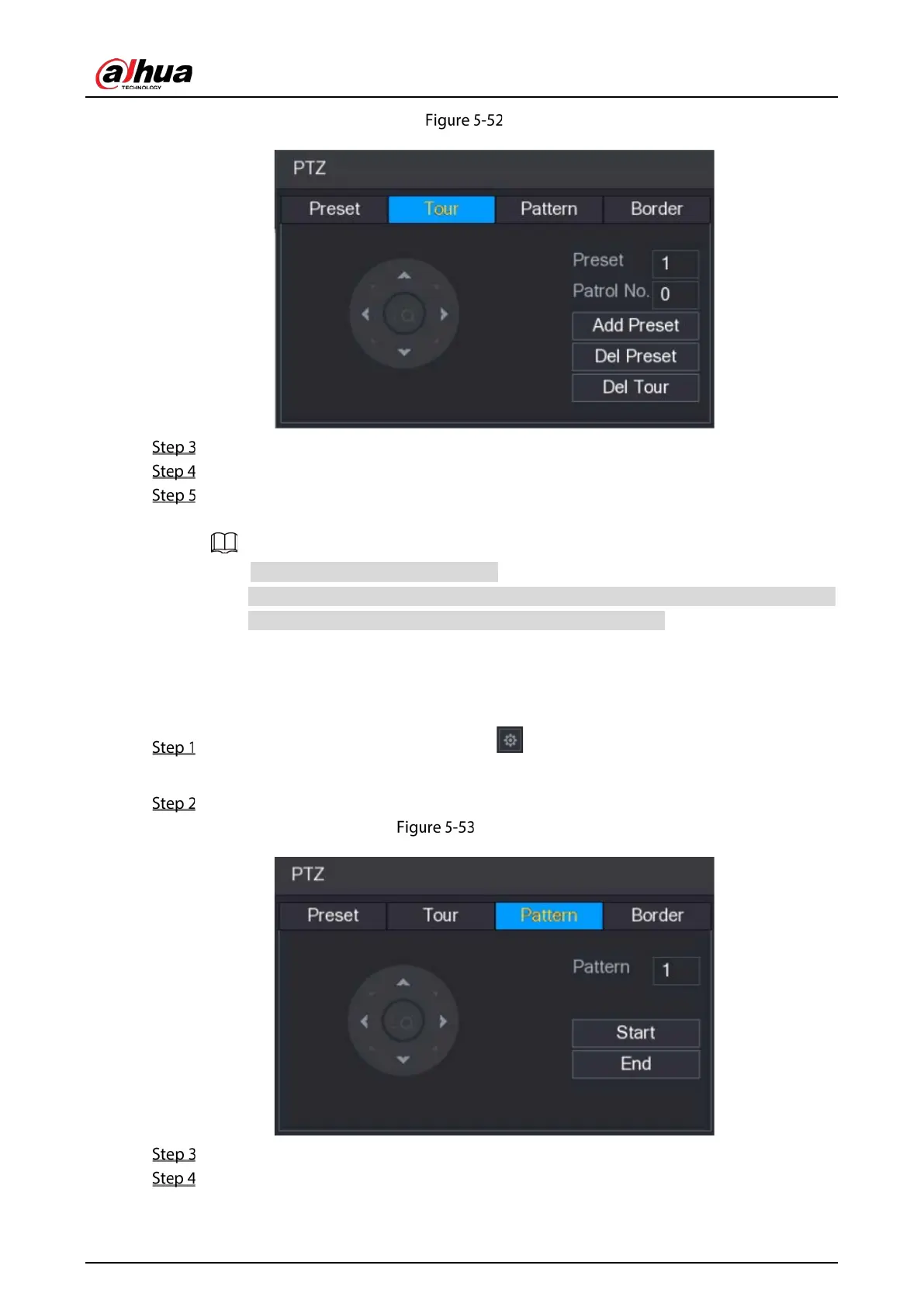
Tour tab
In the Patrol No. box, enter the value for the tour route.
In the Preset box, enter the preset value.
Click Add Preset.
A preset will be added for this tour.
You can repeat adding more presets.
Click Del Preset to delete the preset for this tour. This operation can be repeated to
delete more presets. Some protocols do not support deleting.
5.4.3.3 Configuring Patterns
On the expanded PTZ control panel, click .
The PTZ interface is displayed.
Click the Pattern tab.
Pattern interface
In the Pattern box, enter the value for pattern.
Click Start to perform the directions operations. You can also go to the PTZ Control Panel to
perform the operations of adjusting zoom, focus, iris, and directions.


 To Next Page
 Loading...

