
 Need help?
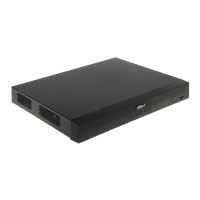
Do you have a question about the Dahua Technology XVR5232AN-I3 and is the answer not in the manual?
Introduces the functions and operations of the DVR devices.
Explains signal words and their meanings for hazard warnings and tips.
Guidelines for proper installation and operation of the device.
Safety precautions regarding battery, power cables, and grounding.
Describes the device as a digital monitor product for security and its applications.
Lists AI Function, Real-time Surveillance, IoT Management, and Sensor Integration capabilities.
Instructions to check package, labels, and device appearance upon receipt.
Guidance on installing HDD, recommending official HDDs and warning against PC HDDs.
Describes the components and ports on the front panel of various DVR models.
Illustrates the general connection diagram for the device and peripherals.
Details on connecting cameras and monitors for video and audio input/output.
Notes on manual figures, function applicability, and mouse conventions.
Describes viewing live video, channel names, numbers, and status icons.
Steps to access the main menu via right-click on the live view screen.
Configures PTZ connection settings for local and remote connections.
Adjusts video image color effects like sharpness, brightness, contrast, and hue.
Adds remote devices by IP address, including device search and initialization.
Controls recording operations manually or automatically, including HDD formatting check.
Configures snapshot quantity, channel, type, size, quality, and frequency.
Searches and plays back recorded video saved on the device.
Allows searching, viewing, and backing up alarm information.
Enables AI modes like SMD, Face, or IVS&SMD for AI functions.
Connects external sensors via USB gateway or camera gateway to activate alarm events.
Searches transaction records using fuzzy search by receipt, amount, or product name.
Detects USB storage devices and provides shortcuts for backup and upgrading.
Ensures network interworking by configuring IP address, DNS, and other network parameters.
Adds, modifies, and deletes user accounts, setting permissions and validity periods.
Adds, listens to, renames, deletes audio files, and configures audio volume.
Configures disk full status, video file length, and deletion of old files.
Provides a view of device security status, scanning user, service, and module status.
Configures device basic settings, time settings, and holiday settings.
Views version details like device model, system version, and build date.
Logs out, reboots, or shuts down the device from the main menu.
Connects the device to the network using factory default IP or configured settings.
Accesses the device interface via a web browser using the device's IP address.
Lists compatible USB storage devices with manufacturer, model, and capacity.
Lists compatible SD cards with manufacturer, standard, capacity, and card type.
Lists compatible portable HDDs with manufacturer, model, and capacity.
Explains surge phenomena, sources, effects, and protection measures.
 General
| Brand | Dahua Technology |
|---|---|
| Model | XVR5232AN-I3 |
| Category | DVR |
| Language | English |



 To Next Page