User’s Manual
35
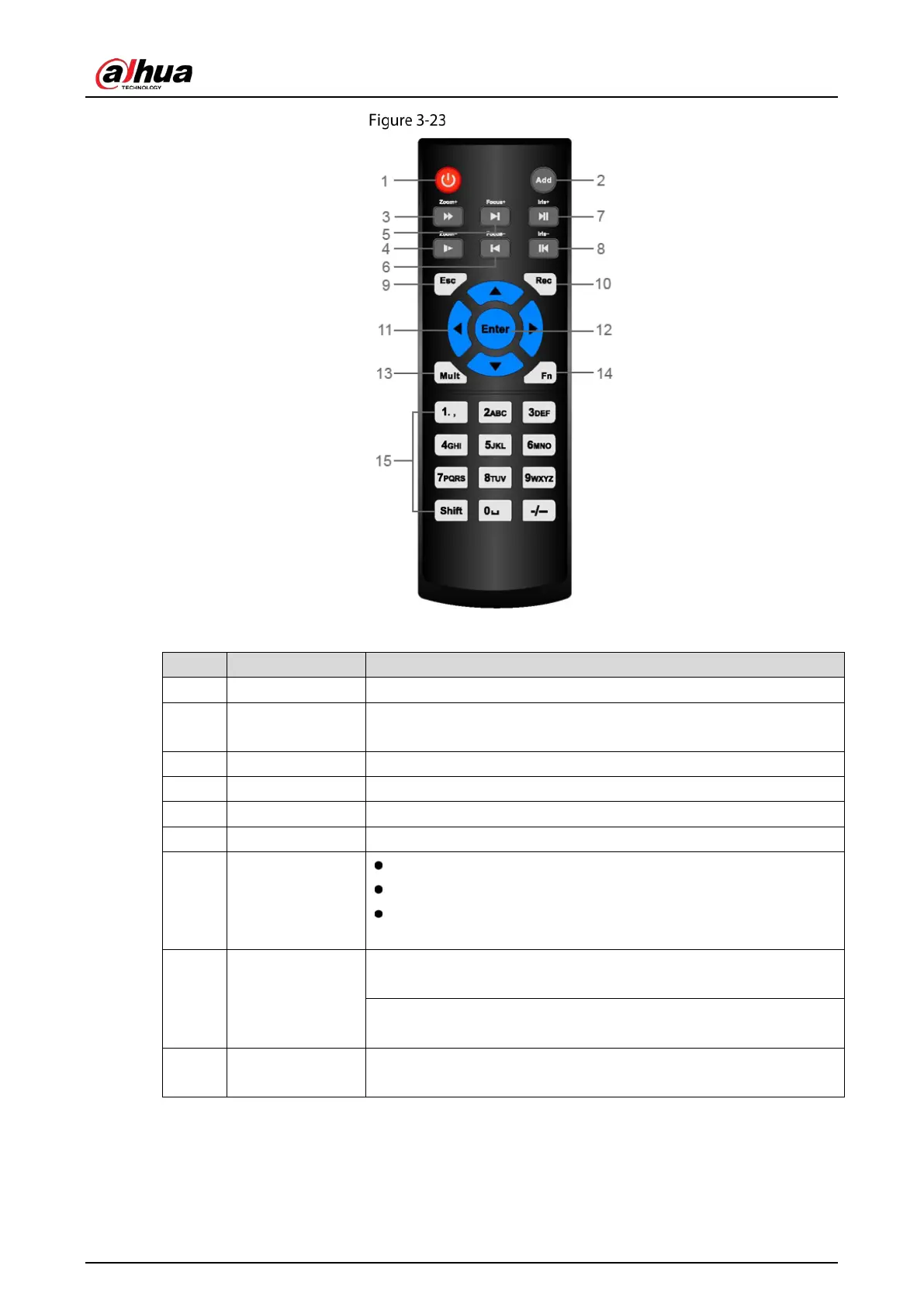
Remote control
Table 3-20 Remote control description
No. Name Function
1 Power button Press this button to boot up or shut down the device.
2 Address
Press this button to input device serial
control the Device.
3 Forward Multi-step forward speed and normal speed playback.
4 Slow motion Multi-step slow motion speed or normal playback.
5 Next record In playback state, press this button to play back the next video.
6 Previous record In playback state, press this button to play back the previous video.
7 Play/Pause
In normal playback state, press this button to pause playback.
In pause state, press this button to resume to normal playback.
In live view window page, press this button to enter video search
menu.
8 Reverse/pause
In the reverse playback state, press this button to p
playback.
In the reverse playback pause state, press this button to resume to
playback reversing state.
9 Esc.
Go back to previous menu or cancel current operation (close front
page or control).


 To Next Page
 Loading...