Installation 14
Installing VTO 4.2
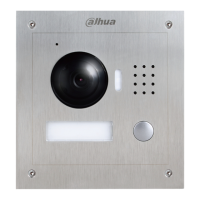
4.2.1 VTO1220A/VTO1210A-X
VTO1220A/VTO1210A-X installation Figure 4-2
Table 4-1 Item list
Cut an opening with the size of the mounting box on the wall, and then drill screw holes Step 1
in the opening according to the position of the screw holes on the mounting box.
Put the expansion tubes in the screw holes. Step 2
Connect the ports on the rear panel to those in the wall through the mounting box. See Step 3
the details in "2.4 Connecting Cable."
Fix the mounting box in the opening with the ST3×18 screws. Step 4
Fix the VTO in the mounting box with the M3×16 screws. Step 5
Apply silica gel to gaps between the device and the wall. Step 6
Liquid sodium silicate is recommended.



 To Next Page
 Loading...