Q-222-036
12
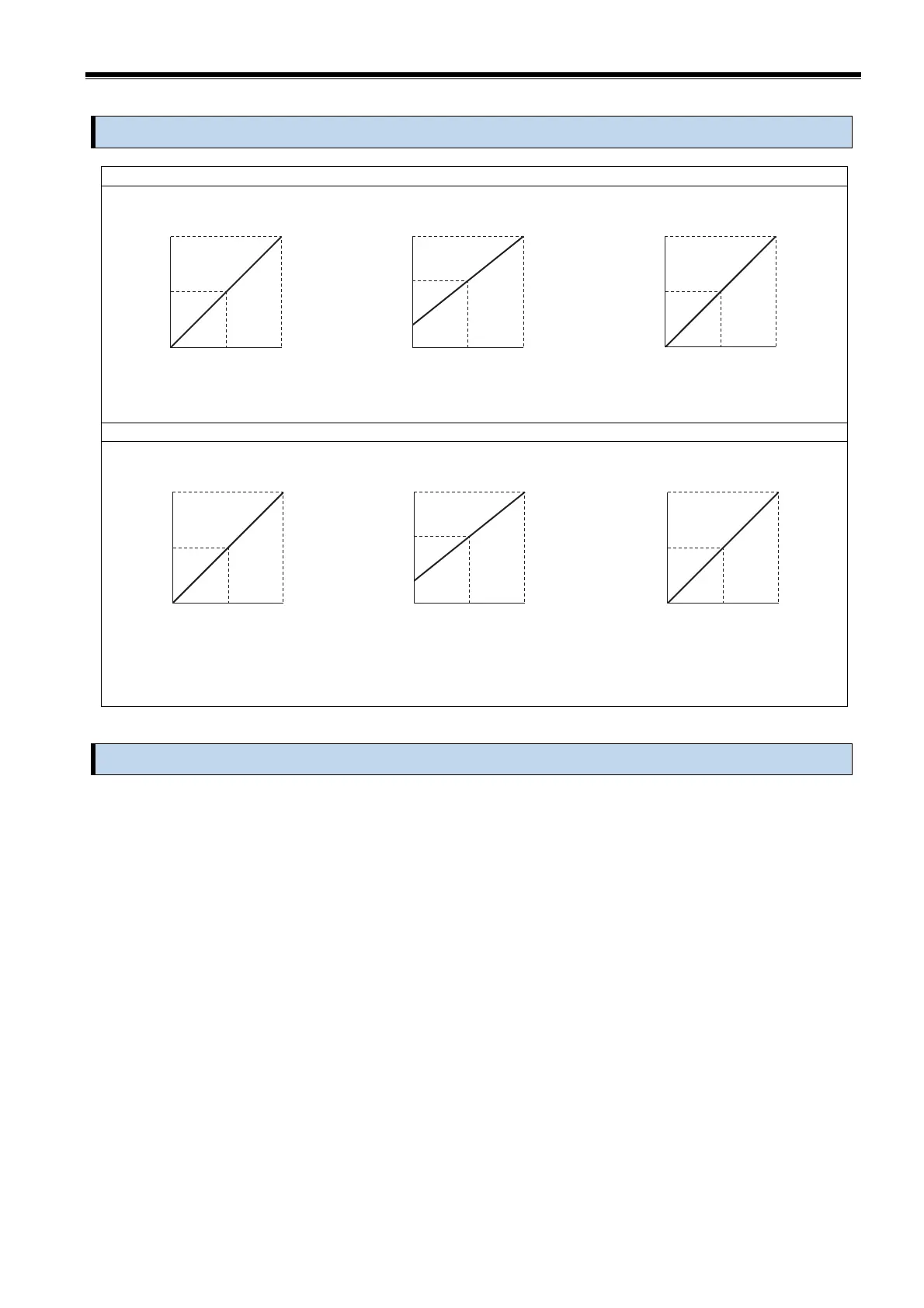
8. Input and output relationship
Power receiving measurement 0 to +P [W]
Power transmission, Power receiving measurement -P to +P [W]
9. Calibration
Because this product is adjusted, there is not need of calibration especially.
However, if discrepancy arises in an output in long-term use, please adjust in the next way.
Remove the terminal cover and VR cap before adjustment, and attach the VR cap and terminal cover after adjustment.
(1) For the output load, connect an actual load (within the output load range indicated on the name plate)
or a simulated load with the same resistance value as the actual load.
(2) Apply the auxiliary power supply (rated) and the input equivalent to 50% of the rated output value,
and energize for 15 minutes.
(3) Enter the lower limit of the rated output range and adjust with BIAS adjustment VR so that the output
becomes the lower limit.
Next, enter the upper limit of the rated output range and adjust the MAX adjustment VR so that the
output reaches the upper limit.
(The screwdriver for adjustment:Tip width of 1.8 to 2.3mm, Phillips-head screwdriver or flat-blade
screwdriver)
[V][mA]
2.5 0.5
OUTPUT
5 1
0 0
[V][mA]
0 0
OUTPUT
5 1
-5 -1
[V][mA]
3 12
OUTPUT
5 20
1 4
0
250 500[W]
0
0.5 1[kW]
0
1 2[kW]
INPUT
0
250 500[W]
0
0.5 1[kW]
0
1 2[kW]
INPUT
0
250 500[W]
0
0.5 1[kW]
0
1 2[kW]
INPUT
-500
0 500[W]
-1 0 1[kW]
-2 0 2[kW]
INPUT
[V][mA]
0 0
OUTPUT
5 1
-5 -1
-500
0 500[W]
-1 0 1[kW]
-2 0 2[kW]
INPUT
[V][mA]
2.5 0.5
OUTPUT
5 1
0 0
-500
0 500[W]
-1 0 1[kW]
-2 0 2[kW]
INPUT
[V][mA]
3 12
OUTPUT
5 20
1 4
Power
transmission
Power
receiving
Power
transmission
Power
receiving
Power
transmission
Power
receiving



 To Next Page