EasyManua.ls Logo

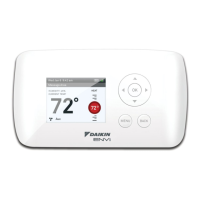
Daikin 668811201 - User Manual

Daikin 668811201
2 pages
Print Icon
To Next Page IconTo Next Page
Loading...
1.Turnoffpowertotheheatingandcoolingsystembyremovingthefuseorswitchingtheappropriate
circuitbreakeroff.
2.Removecoverofoldthermostat.Thisshouldexposethewires.
3.Labeltheexistingwireswiththeenclosedwirelabelsbeforeremovingwires.
4.Afterlabelingwires,removewiresfromwireterminals.
5.Removeexistingthermostatbasefromwall.
6.Refertothefollowingsectionforinstructionsonhowtoinstallthisthermostat.
To Remove Existing Thermostat
WARNING
ELECTRICAL SHOCK HAZARD – Turn off power at the main service panel by removing the fuse or
switching the appropriate circuit breaker to the OFF position before removing the existing thermostat.
Important Safety Information
• Thisthermostatisfor24VACapplicationsonly;donotuseonvoltagesover30VAC
• Donotshortacrossterminalsofgasvalveorsystemcontroltotestoperation;thiswilldamageyour
thermostatandvoidyourwarranty
• Allwiringmustconformtolocalandnationalelectricalandbuildingcodes
• Donotuseairconditioningwhentheoutdoortemperatureisbelow50degrees;thiscandamage
yourA/Csystemandcausepersonalinjuries
• Usethisthermostatonlyasdescribedinthismanual
WARNING
Always turn off power at the main power supply before installing, cleaning, or removing thermostat.
Congurationswitch
Resetswitch
Left(system)
button
Right(fan)
button
Downbutton
Upbutton
Fieldprogrammingpins
RC/RHJumper
Fanswitch
Parts Diagram
Icon Descriptions
Fanoperationicon
Coolingoperationicon
Heatingoperationicon
Specifications
Electrical rating: • 24VAC(18-30VAC)
• 1ampmaximumperterminal
• 3ampmaximumtotalload
Temperature control range: 45°Fto90°F(7°Cto32°C)Accuracy:±1°F(±0.5°C)
System congurations:1-stageheat,1-stagecool,heatpump,gas,oil,electric
Timing:
Anti-shortCycle:
4minutes
BacklightOperation
Terminations:S1,S2,Y,W/O/B,G2,G1,RC,RH,C
Package Contents/Tools Required
Package includes: Daikin 668811101 programmable thermostat and Operation and Application
Guide.
Wiring Diagrams
Hardwired
5-Wire, Single Transformer
WARNING
Be sure exposed portion of wires does not touch other wires.
To Install Thermostat
WARNING
ELECTRICAL SHOCK HAZARD – Turn off power at the main service panel by removing the fuse or
switching the appropriate circuit breaker to the OFF position before removing the existing thermostat.
IMPORTANT: Thermostat installation must conform to local and national building and electrical
codes and ordinances.
Note:Mount the thermostat about ve feet above the oor. Do not mount the thermostat on an
outside wall, in direct sunlight, behind a door, or in an area affected by a vent or duct.
1. Turnoffpowertotheheatingandcoolingsystembyremovingthefuseorswitchingthe
appropriatecircuitbreakeroff.
2. Toremovecover,pullgentlyattheseamatthetop.
3. Putthermostatbaseagainstthewallwhereyouplantomountit(Besurewireswillfeedthrough
thewireopeninginthebaseofthethermostat).
4. Marktheplacementofthemountingholes.
5. Setthermostatbaseandcoverawayfromworkingarea.
6. Usinga3/16”drillbit,drillholesintheplacesyouhavemarkedformounting.
7. Useahammertotapsuppliedanchorsinmountingholes.
8. Alignthermostatbasewithmountingholesandfeedthecontrolwiresthroughslitinthermal
intrusionbarrierandintowireopening.
9. Usesuppliedscrewstomountthermostatbasetowall.
10.For2transformersystems,removeanddiscardRC/RHjumper.
11.Insertstripped,labeledwiresinmatchingwireterminals.
12.Gentlytugwiretobesureofproperconnection.Doublecheckthateachwireisconnectedtothe
properterminal.
13.Turnonpowertothesystematthemainservicepanel.
14.Congurethermostattomatchthetypeofsystemyouhave.
15.Replacecoveronthermostatbysnappingitinplace.
16.Testthermostatoperationasdescribedin“TestingtheThermostat”.
Configuration Mode
OFF
1. VerifythethermostatisintheOFFmode.
PresstheSYS(left)buttonuntiloffmodedisplays.
2. Removethecoverofthethermostatbygentlypullingnearoneofthe
cornersatthetopofthethermostat.
Presstheupordownbuttontochangesettingswithineachscreen.
Down
button
Up
button
Toexitcongurationmode,presstheCONFIGswitchfor1second.
Presstherightbuttontoadvancetothenextscreen.
Note:Pressing the
left
button will return you to the previous screen.
Left
button
Right
button
ThecongurationmodeisusedtosettheDaikinthermostattomatchyourheating/coolingsystem.
Thisthermostatfunctionswithheatpump,airconditioning,gas,oilorelectricheatsystems.
Tocongurethethermostat,performthefollowingsteps:
3. PresstheCONFIGbuttonfor1secondwhilethethermostatisinOFF
mode.
S1 S2 Y W
O/B
G RC RH C
RESET CONFIG
RC
RH
FP
CONFIG
Hardwired
5 or 6-Wire, Single Transformer
Hardwired
5-Wire, Single Transformer
Configuration Mode Settings
2.Temperature Differential (1°Fto5°F)(0.5°Cto2.5°C)
Setthenumberofdegreesbetweenyour“setpoint”temperatureandyour
“turnon”temperature.
Presstheupordownbuttontosetdifferentialvalue.
Presstheright buttontoadvancetothenextscreen.
ThesetupscreensforCongurationModeareasfollows:
1.Temperature Scale (ForC)
ChooseFahrenheitorCelsius.
Presstheupordownbuttontoselect.
Pressthe
right
buttontoadvancetothenextscreen.
3.Deadband (1°F-9°F)(1°C-5°C)
Settheminimumnumberofdegreesbetweenyourheatsetpointandyour
coolsetpointinAutochangeovermode.
Presstheupordownbuttontosetdeadbandvalue.
Presstherightbuttontoadvancetothenextscreen.
Choose System
Reversing Valve
Active
Number of Compressors
or Compressor Stages
Type of
Heat
Heat Pump
HP O 1
HP b 1
Non-Heat
Pump
Heat Gas
Heat Electric
Presstheupordownbuttontoselect.
Presstherightbuttontoadvancetothenextscreen.
4. System –Setforheatpump,non-heatpump,reversingvalveoperationandnumberof
compressorsinyoursystem.
5. Lockout (0-8°,COOL-HEAT)
Selectthenumberofdegreessettemperaturecanbechangedduring
keypadlockout.COOL-HEATlockoutallowsadjustmentoftheset
temperaturestothemaximumheatsettemperatureselectedinStep6and
minimumcoolsettemperatureselectedinStep7.
Note:The mode cannot be changed when the thermostat is locked.
Presstheupordownbuttontoselect.
Presstherightbuttontoadvancetothenextscreen.
6. Maximum Heat Setpoint(45°Fto90°F)(7°Cto32°C)
Adjusttocontrolthemaximumheatsettemperatureallowed.
Presstheupordownbuttontoselect.
Presstherightbuttontoadvancetothenextscreen.
Daikin P/N (668811201)
Installation, Operation & Application Guide
Version B: 10-15-13
Non-Programmable Electronic Thermostat
• Configurable
• Single-Stage Heat/Cool Systems
• Single-Stage Heat Pump Systems
• Two Speed Fan Control
• Large Display With Backlight
• Selectable Fahrenheit or Celsius
• Compatible with Gas, Oil, or Electric
• SimpleSet™ Field Programming
• Status Indicator Light
• Relay Outputs (minimum voltage drop in thermostat)
• Remote Sensor Compatible
• Ideally Suited for:
– Residential (New Construction/Replacement)
– Light Commercial
1 Heat/1 Cool, Auto Changeover, Fan Speed Control, Hardwire
Remote or Outdoor Sensor Installation (Optional)
1. Removecoverfromremotesensorhousing.RequiredDaikin
RemoteSensorPartNo.667720401
2. Selectanappropriatelocationformountingtheremote
sensor.
3. Mountremotesensorunitusinghardwareprovided.
4. Installtwostrandshieldedwirebetweenremotesensorand
thermostat.Shieldedwiremustbeused.Do notrunremote
sensorwireinconduitwithotherwires.
• Wire 1shouldrunbetweentheS1terminalonthe
thermostatandtheS1terminalontheremotesensor
• Wire 2shouldrunbetweentheS2terminalonthethermostatandtheS2terminalontheremotesensor
• ConnecttheshieldingofthewiretotheS2terminalonthethermostat
5. Congurethethermostattooperatewiththeremotesensor(seeCongurationModesetting10).
Note:Remote or outdoor sensor reading can be displayed by simultaneously pressing the
Down and SYS buttons.
Remote Sensor
Question and Answer IconNeed help?

Do you have a question about the Daikin 668811201 and is the answer not in the manual?

Summary

Package Contents and Tools Required

Wiring Diagrams

Heating Only Wiring Diagrams

Diagrams for heating-only systems with single transformer.

Heating;Cooling Wiring Diagrams

Diagrams for heating/cooling systems with single transformer.

Cooling Only Wiring Diagrams

Diagrams for cooling-only systems with single transformer.

Configuration Mode

Configuration Mode Settings

Detailed settings for thermostat configuration.

Parts Diagram

Icon Descriptions

Specifications

Removing the Existing Thermostat

Installing the Thermostat

Optional Remote or Outdoor Sensor Installation

Configuration Mode Settings

Temperature Scale Setting

Select Fahrenheit or Celsius for temperature display.

Temperature Differential Setting

Set the temperature difference for system activation.

Deadband Setting

Set minimum difference between heat and cool setpoints.

System Type Configuration

Configure heat pump, non-heat pump, and compressor stages.

Lockout Setting

Set temperature adjustment limits during keypad lockout.

Maximum Heat Setpoint Setting

Control the maximum allowable heat set temperature.

Minimum Cool Setpoint Setting

Control the minimum allowable cool set temperature.

Room Temperature Offset Setting

Calibrate displayed room temperature to actual temperature.

Maximum Cycles Per Hour Setting

Set the maximum number of system cycles per hour.

Temperature Sensor Setting

Select sensor source: on-board, remote, or average.

Cooling Fan Delay Off Time Setting

Set fan purge time for cooling operation.

Status Indicator Light Setting

Configure the status indicator light behavior.

Operating Modes

OFF Mode Operation

Thermostat is inactive; no heating or cooling devices operate.

Heat Mode Operation

Thermostat controls the heating system.

Cool Mode Operation

Thermostat controls the cooling system.

Auto Changeover Mode Operation

Thermostat automatically switches between heating and cooling.

SimpleSet Field Programming

Mode of Operation Overview

Testing Thermostat Operation

Heat Test Procedure

Verify heating system responds correctly to setpoint changes.

Cool Test Procedure

Verify cooling system responds correctly to setpoint changes.

Fan Test Procedure

Verify the indoor fan operates correctly.

Troubleshooting

Troubleshooting Symptoms and Remedies

Lists common issues and their solutions.

Lockout Feature

Overview

This document describes the Daikin 668811101 Non-Programmable Electronic Thermostat, a versatile control unit designed for various heating and cooling systems. It supports 1 Heat/1 Cool, Auto Changeover, and features fan speed control, making it suitable for both residential and light commercial applications.

Function Description

The thermostat's primary function is to regulate room temperature by controlling heating and cooling equipment. It operates on 24 VAC and is compatible with single-stage heat/cool systems, single-stage heat pump systems, gas, oil, or electric heat systems. Users can select between Fahrenheit or Celsius temperature scales. The auto changeover feature allows the thermostat to automatically switch between heating and cooling modes as needed to maintain a desired temperature range. A status indicator light provides visual feedback on the system's operation.

Usage Features

The thermostat boasts a large display with a backlight for easy readability, even in low-light conditions. Its SimpleSet™ Field Programming feature simplifies setup, allowing installers to configure one "master" thermostat and then quickly transfer those settings to multiple "target" thermostats using a dedicated transfer cable. This is particularly useful for installations involving numerous units, such as in new construction or multi-zone systems.

The device offers four operating modes: OFF, Heat, Cool, and Cool & Heat (Auto Changeover). In OFF mode, the thermostat will not activate heating or cooling devices, though the indoor fan can still be manually operated. In Heat mode, it controls the heating system, displaying a flame icon when active. For heat pumps, a four-minute delay is incorporated before the compressor restarts to protect the equipment. Similarly, in Cool mode, it manages the cooling system, showing a snowflake icon when active, also with a four-minute compressor restart delay for heat pumps. The Cool & Heat mode provides automatic changeover between heating and cooling to maintain comfort.

A key user-friendly feature is the ability to adjust the temperature differential, which sets the number of degrees between the setpoint temperature and the "turn on" temperature, allowing for fine-tuning of system cycling. The deadband setting in Autochangeover mode defines the minimum temperature difference between heat and cool setpoints.

The thermostat supports remote or outdoor sensors, which can be installed to provide more accurate temperature readings or to monitor outdoor conditions. The display can show the remote or outdoor temperature by simultaneously pressing the Down and SYS buttons.

For security and to prevent unauthorized adjustments, the thermostat includes a lockout feature. This allows installers to limit temperature adjustments and prevent changes to the operating mode. The lockout level can be configured, specifying the number of degrees the set temperature can be changed during keypad lockout.

Maintenance Features

The manual emphasizes safety during installation and maintenance, instructing users to always turn off power at the main supply before working with the thermostat. It provides clear instructions for removing an existing thermostat and installing the new Daikin unit, including proper wiring procedures and mounting guidelines.

Troubleshooting tips are included to help diagnose common issues, such as a blank display, inoperative buttons, or incorrect temperature readings. For instance, if the display is blank, users are advised to check for 24 VAC at the thermostat. If all buttons are inoperative, verifying 24 VAC is present is recommended, as the unit locks out without power. If the thermostat cycles too frequently, adjusting the temperature differential is suggested. For inaccurate room temperature, calibration or checking remote sensor connections (if used) are recommended. A reset button is available to reset time and day settings without altering configuration settings.

The SimpleSet™ feature, while primarily for installation, also aids in maintenance by ensuring consistent settings across multiple units, simplifying future troubleshooting or adjustments. The clear wiring diagrams and step-by-step configuration mode settings further contribute to ease of maintenance and setup.

Daikin 668811201 Specifications

General IconGeneral
Model Number668811201
BrandDaikin
DisplayLCD
Power Supply24VAC
CommunicationWired
CompatibilityDaikin systems
Temperature Setting Resolution1°F or 0.5°C

Related product manuals