EasyManua.ls Logo

Daikin 910121750 - User Manual

Daikin 910121750
16 pages
Print Icon
To Next Page IconTo Next Page
Loading...
Installation Operation & Maintenance Data
Group: WSHP
Part Number: 910138061
Date: October 2013
IOM 1178-1
Programmable Touch-Screen Thermostat (Part No. 910121750)
Used With:
Accessory Remote Sensors
▪ Indoor (Part No. 910129095)
Outdoor (Part No. 910129096)
Contents
Introduction ..........................................................................2
Overview ...........................................................................2
Applications ......................................................................2
Safety ....................................................................................3
Installation ............................................................................3
Remove Old Thermostat ...................................................3
Installing New Thermostat ................................................3
Battery Location ................................................................3
Power Stealing Switches ..................................................3
Wiring ...................................................................................4
Thermostat Quick Reference..............................................5
ProgrammingAndCongurationItems .............................6
Installer/Conguration Menu ..............................................7
Operating Your Thermostat ..............................................10
Heating ...........................................................................10
Cooling/Dehumidier ......................................................11
Choose The Fan Setting (Auto or On) ............................11
Choose The System Setting (Cool, Off, Heat, Auto) .......11
Manual Operation For Non-Programmable Mode ..........11
Manual Operation (Bypassing The Program) Programmable
Mode . ..............................................................................11
Program Override (Temporary Override) ........................11
Set Current Time And Day ..............................................11
Automatic Daylight Saving Calculation ...........................12
Enter the Heating Program .............................................12
Enter The Cooling Program ............................................12
Automatic Schedule ........................................................12
Programming .....................................................................13
Wired Remote Temperature Sensing ..............................14
Averaging or Weighing Remote Sensors ........................15
Reset Operation..............................................................16
©2013DaikinApplied•www.DaikinApplied.com•800.432.1342
Question and Answer IconNeed help?

Do you have a question about the Daikin 910121750 and is the answer not in the manual?

Summary

Safety Precautions

Installation Guide

Remove Old Thermostat

Instructions for safely removing the existing thermostat before installing the new unit.

Install New Thermostat

Step-by-step guide for mounting the thermostat base and connecting wires.

Wiring Connections

Provides terminal identification and system operation for connecting the thermostat.

Installer Configuration Menu

Operating Your Thermostat

Heating Mode Operation

Details on operating the thermostat in heating mode, including auxiliary heat stages.

Programming and Schedule Entry

Covers programming tips, entering heating/cooling schedules, and using the automatic schedule feature.

Troubleshooting

Reset Operation

Procedures for resetting the thermostat to factory settings and resolving common issues.

Summary

Safety Precautions

Installation Guide

Remove Old Thermostat

Instructions for safely removing the existing thermostat before installing the new unit.

Install New Thermostat

Step-by-step guide for mounting the thermostat base and connecting wires.

Wiring Connections

Provides terminal identification and system operation for connecting the thermostat.

Installer Configuration Menu

Operating Your Thermostat

Heating Mode Operation

Details on operating the thermostat in heating mode, including auxiliary heat stages.

Programming and Schedule Entry

Covers programming tips, entering heating/cooling schedules, and using the automatic schedule feature.

Troubleshooting

Reset Operation

Procedures for resetting the thermostat to factory settings and resolving common issues.

Overview

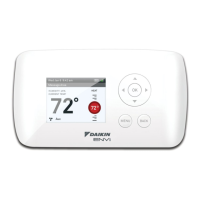
The Daikin Programmable Touch-Screen Thermostat (Part No. 910121750) is a sophisticated control unit designed for use with MicroTech III equipped water source heat pump units. It offers comprehensive control over various environmental parameters, including temperature, humidity, occupancy, fan mode, and system mode. The thermostat also provides alarm annunciation when service is required, ensuring timely maintenance. Its intuitive menu-driven setup, complemented by audio prompts for touch screen entry confirmation, makes programming and operation user-friendly.

Function Description:

The thermostat serves as a central control for water source heat pump systems, managing heating, cooling, and dehumidification. It supports both single-stage (HP1) and two-stage (HP2) compressor systems with electric backup. The device can be configured for various programming modes, including 7-day, 5/1/1-day, or non-programmable modes, with either 4 or 2 program steps per day. It features an Energy Management Recovery (EMR) function that optimizes heating or cooling start times to reach the program setpoint efficiently. Cycle rate selection allows users to choose between fast or slow cycling for heat, cool, heat pump, and emergency heat modes. A compressor lockout feature protects the compressor from short cycling by introducing a 5-minute delay between cooling cycles. The thermostat also supports continuous display lighting, with options for continuous illumination when connected to a common wire or momentary backlight when battery-powered.

Important Technical Specifications:

  • Power: Operates on 24V power for cooling and heating, with a 24V common connection. It also utilizes two "AA" batteries for backup.
  • Temperature Display Adjustment: Allows adjustment of the room temperature display by -5°F to +5°F in 1° steps.
  • Temperature Units: Configurable for Fahrenheit (°F) or Celsius (°C) readout.
  • Temperature Limit Range:
    • Heat: Maximum heat setpoint adjustable from 62°F to 98°F (default 99°F).
    • Cool: Minimum cool setpoint adjustable from 46°F to 82°F (default 45°F).
  • Remote Sensor Compatibility: Supports one indoor (Part No. 910129095) or outdoor (Part No. 910129096) remote temperature sensor with a maximum cable length of 100 meters (300 feet).
  • Remote Sensor Sensing Range:
    • Outdoor: -40°F to 140°F
    • Indoor: 32°F to 99°F
  • Humidity Display Adjustment: Adjustable from -18 (LO) to 20 (HI).
  • Keypad Lockout: Offers total lockout, partial lockout (allowing only temperature adjustment within limits), or temperature limit lockout (preventing changes to temperature limits in the configuration menu).
  • Wiring Terminals: Includes RC, RH, C, Y, Y2, W1, W2, W3, W4, G, DMA/A1, 6, L for various system connections.

Usage Features:

  • System Switch Configuration: Supports Cool-Off-Heat-Auto, Cool-Off-Heat, Off-Heat, or Cool-Off modes.
  • Manual Operation: Allows users to manually adjust temperature settings in both non-programmable and programmable modes (bypassing the program).
  • Program Override (Temporary Override): Enables temporary temperature adjustments for a default period of four hours, adjustable from 15 minutes to 7 days.
  • Automatic Daylight Saving Calculation: Automatically adjusts the Real Time Clock for daylight saving time.
  • Copy Program Feature: Facilitates copying programming schedules from one day or group of days to others.
  • Automatic Schedule: Provides a quick way to program heating and cooling temperatures, setting a comfortable daytime temperature and a lower nighttime temperature (6° lower for heating).
  • Programmable Fan Option: Allows selection of FAN Auto (fan runs only during a call for cool) or FAN Prog (fan runs continuously during a program period).
  • Averaging or Weighing Remote Sensors: When both local and indoor remote sensors are enabled, the thermostat can average or weigh their readings to determine the displayed temperature, with options for high, average, or low weighting.
  • Audible Beeper: Provides audio prompts for touch screen entries, configurable On/Off.

Maintenance Features:

  • Maintenance Reminders: Time-driven displays for "Change Filter," "Change Pad," and "Change UV Lamp" remind users to replace or clean filters/humidity pads or replace the UV lamp.
    • Change UV Lamp: Displays after a set time of UV bulb operation (default 350 days, adjustable in 25-day increments).
    • Change Filter: Displays after a set time of fan operation (default 200 hours, adjustable from 25 to 1975 hours in 25-hour increments).
  • Reset Operation: Allows resetting installer configuration menu settings and programming to factory defaults in case of voltage spikes, static discharge, or erratic operation. This involves removing wires and batteries for 2 minutes.
  • Troubleshooting Guide: The manual provides a comprehensive troubleshooting section for common issues like "No Heat/No Cool/No Fan," "Heat, Cool or Fan Runs Constantly," and "Thermostat Setting & Thermostat Thermometer Disagree," offering possible causes and corrective actions.

Daikin 910121750 Specifications

General IconGeneral
BrandDaikin
Model910121750
CategoryThermostat
LanguageEnglish

Related product manuals