Need help?
Do you have a question about the Daikin 910121748 and is the answer not in the manual?
Steps to safely disconnect and remove the old thermostat unit before installation.
Instructions for mounting the new thermostat base and connecting wires to terminals.
Guide for connecting an optional remote sensor for temperature readings in other locations.
Visual representation of terminal connections for various system types and their descriptions.
Process for setting thermostat parameters to match system requirements and preferences.
Explanation of the thermostat's operating modes: OFF, Heat, Cool, Heat & Cool, and Program.
Description of the purpose and operation of each thermostat button on the control panel.
Description of the OFF mode where neither heating nor cooling devices are activated.
Explanation of how the thermostat controls the heating system operation.
Explanation of how the thermostat controls the cooling system operation.
How the thermostat automatically controls both heating and cooling systems.
How the thermostat operates automatically based on the programmed schedule.
Procedure for setting the current time and day for accurate program scheduling.
Overview of the default programmed schedule provided by the manufacturer.
Template to record custom programmed heating and cooling schedules.
Steps for verifying proper operation of heating, cooling, and fan functions.
Common symptoms and their corresponding remedies for thermostat issues.
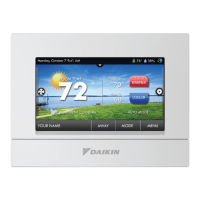
The Daikin 910121748 is a programmable electronic thermostat designed for residential and light commercial HVAC systems. It supports 2-stage heating and 2-stage cooling systems, offering flexible control over indoor climate. The thermostat features a large display with a backlight, making it easy to read in various lighting conditions. Users can choose to display temperatures in either Fahrenheit or Celsius, catering to different regional preferences. A status indicator light provides quick visual feedback on the system's current operation. The device utilizes relay outputs, ensuring reliable communication with HVAC equipment while minimizing voltage drop within the thermostat itself. For enhanced temperature sensing accuracy or placement flexibility, the thermostat is compatible with remote sensors.
The thermostat operates in several modes: OFF, Heat, Cool, Heat & Cool (Auto Changeover), and Program mode. In OFF mode, the thermostat disables both heating and cooling functions. The indoor fan can still be manually activated in any operating mode by pressing the FAN button. In Heat mode, the thermostat exclusively controls the heating system, activating the heating appliance when the room temperature falls below the set heat temperature by a user-defined differential. The flame icon appears on the display when heating is active. Conversely, in Cool mode, the thermostat manages only the cooling system, engaging the cooling device when the room temperature exceeds the set cool temperature by its differential. The snowflake icon indicates active cooling.
The Heat & Cool (Auto Changeover) mode provides automatic switching between heating and cooling as needed, maintaining a comfortable temperature range. In this mode, the display alternates between the current time and the set temperature every 10 seconds. The Program mode allows the thermostat to follow a pre-set schedule, automatically adjusting temperatures throughout the day. This mode can be combined with Heat, Cool, or Heat & Cool functionalities.
The thermostat supports 7-day programming, with options for 5-2-day or 5-1-1-day schedules, allowing users to customize temperature settings for different days of the week. Each day can have four distinct periods: MORN (morning), DAY, EVE (evening), and NITE (night). For each period, users can define a start time, a heat set temperature, a cool set temperature, and a programmable fan option (either off or continuously on). The programmable fan feature is active only in Program mode and helps recirculate air according to the schedule.
A temporary hold feature allows users to override the program schedule by manually adjusting the set temperature. This hold lasts for two hours, after which the thermostat automatically reverts to the programmed schedule. To manually return to the program schedule before the two-hour hold expires, the PROG button can be pressed twice.
The thermostat also includes an anti-short cycle delay of four minutes to protect HVAC equipment from rapid cycling. This delay can be bypassed by returning the thermostat to OFF mode for five seconds. A night set-back override can be activated by simultaneously pressing the UP and DOWN buttons for two seconds, causing the thermostat to output from the "O" terminal for five seconds and displaying "Or". Pressing these buttons simultaneously for five seconds will reset the unit, outputting from the "O" terminal for ten seconds and displaying "rS".
The user interface is designed for straightforward operation. The large display clearly shows the room temperature and current settings. Navigation is managed through a set of intuitive buttons: UP, DOWN, SYS (left), and FAN (right). The UP and DOWN buttons are used to adjust time, set temperatures, and modify configuration settings. The SYS (left) button cycles through the operating modes (OFF, HEAT, COOL, AUTO changeover). The FAN (right) button controls the indoor fan, turning it on or off. The PROG function, which switches between program operation and manual operation, is accessed by simultaneously pressing the SYS and FAN buttons.
For remote temperature monitoring, the thermostat can display the outdoor remote temperature if a compatible sensor is connected, by simultaneously pressing the DOWN and SYS buttons. The UP and DOWN buttons also provide a quick way to override the night set-back or reset the unit.
Configuration mode allows users to customize various thermostat settings to match their specific HVAC system and preferences. These settings include:
The backlight illuminates the display for 10 seconds after a button press, improving visibility in low-light conditions.
The thermostat includes troubleshooting guidance to help users diagnose and resolve common issues. This includes remedies for problems such as no display, inoperative buttons, incorrect program schedule activation, frequent cycling, fan issues, incorrect room temperature readings, and alarm conditions. For instance, if there's no display, users are advised to check for 24 VAC at the thermostat. If all buttons are inoperative, checking for 24 VAC and noting that the unit locks out without power is recommended. Incorrect program activation often points to issues with the time (AM/PM) setting.
The thermostat features a reset switch. Pressing the reset switch will reset the time and day, but configuration and program settings remain unchanged, allowing for a quick refresh without losing personalized settings. If an alarm light is on, it indicates the unit is in an alarm lockout condition, which can often be resolved by pressing the reset button. The manual also provides instructions for testing the thermostat's heating, cooling, and fan functions after installation or configuration to ensure proper operation. This involves adjusting set temperatures to trigger the system and observing the response.
 General
| Model Number | 910121748 |
|---|---|
| Category | Thermostat |
| Compatibility | Daikin HVAC systems |
| Display | LCD |
| Programmable | Yes |


 To Next Page