EasyManua.ls Logo

Daikin 910121746 - User Manual

Daikin 910121746
2 pages
Print Icon
To Next Page IconTo Next Page
Loading...
Specifications
Electrical rating: • 24VAC(18-30VAC)
• 1ampmaximumperterminal
• 3ampmaximumtotalload
Temperature control range: 55°Fto90°F(13°Cto32°C)Accuracy:±1°F(±0.5°C)
System congurations:2-stageheat,2-stagecool
Timing:Anti-shortCycle:4minutes(bypassanti-shortcycledelaybyreturningtoOFFmodefor5seconds)
BacklightOperation:10seconds
Terminations:A,L,S1,S2,R,C,W1,Y1,W2,Y2,G,O
Package Contents/Tools Required
Package includes:910121746thermostatonbase,thermostatcover,wiringlabels,screwsandwallanchors,
Installation,OperationandApplicationGuide
Tools required for installation:Drillwith3/16”bit,hammer,screwdriver
Important Safety Information
WARNING!
:
Always turn off power at the main power supply before installing, cleaning, or removing
thermostat.
• Thisthermostatisfor24VACapplicationsonly;donotuseonvoltagesover30VAC
• Allwiringmustconformtolocalandnationalelectricalandbuildingcodes
• Donotuseairconditioningwhentheoutdoortemperatureisbelow50degrees;thiscandamageyourA/Csystem
andcausepersonalinjuries
• Usethisthermostatonlyasdescribedinthismanual
Icon Descriptions
Coolingoperationicon
Fanoperationicon
Heatingoperationicon
Roomtemperature
offsetactivated
Parts Diagram
Conguration
switch
Resetswitch
Right(fan)button
Downbutton
Upbutton
S1 S2 R C GY1 W2 Y2
RESET CONFIG
To Remove Existing Thermostat
ELECTRICAL SHOCK HAZARD
– Turn off power at the main service panel by removing the fuse
or switching the appropriate circuit breaker to the OFF position before removing the existing
thermostat.
1. Turnoffpowertotheheatingandcoolingsystembyremovingthefuseorswitchingtheappropriatecircuit
breakeroff.
2. Removecoverofoldthermostat.Thisshouldexposethewires.
3. Labeltheexistingwireswiththeenclosedwirelabelsbeforeremovingwires.
4. Afterlabelingwires,removewiresfromwireterminals.
5. Removeexistingthermostatbasefromwall.
6. Refertothefollowingsectionforinstructionsonhowtoinstallthisthermostat.
To Install Thermostat
ELECTRICAL SHOCK HAZARD
– Turn off power at the main service panel by removing the fuse
or switching the appropriate circuit breaker to the OFF position before removing the existing
thermostat.
IMPORTANT: Thermostat installation must conform to local and national building and electrical codes and
ordinances.
Note:Mount the thermostat about ve feet above the oor. Do not mount the thermostat on an outside wall, in
direct sunlight, behind a door, or in an area affected by a vent or duct.
1.Turnoffpowertotheheatingandcoolingsystembyremovingthefuseorswitchingtheappropriatecircuitbreaker
off.
2.Toremovecover,pullgentlyattheseamatthetop.
3.Putthermostatbaseagainstthewallwhereyouplantomountit(Besurewireswillfeedthroughthewireopening
inthebaseofthethermostat).
4.Marktheplacementofthemountingholes.
5.Setthermostatbaseandcoverawayfromworkingarea.
6.Usinga3/16”drillbit,drillholesintheplacesyouhavemarkedformounting.
7.Useahammertotapsuppliedanchorsinmountingholes.
TerminalsS1andS2canbeusedforanindoorremotesensor.
Theindoorremotesensorisusedtoreadtheindoortemperature
inadifferentlocation.Thisisbenecialwhenthethermostatisnot
mountedintheideallocation.TheremotesensorP/Nis910116773.
1. Removecoverfromremotesensorhousing.
2. Selectanappropriatelocationformountingtheremotesensor.
3. Mountremotesensorunitusinghardwareprovided.
4. Installtwostrandshieldedwirebetweenremotesensorand
thermostat.Shieldedwireisrecommended.
Do notrunremotesensorwireinconduitwithotherwires.
• Wire 1shouldrunbetweentheS1terminalonthethermostat
andtheS1terminalontheremotesensor
• Wire 2shouldrunbetweentheS2terminalonthethermostat
andtheS2terminalontheremotesensor
• ConnecttheshieldingofthewiretotheS2terminalonthethermostat
5. Congurethethermostattooperatewiththeremoteindoorsensor(seeCongurationModesetting9).
Remote Sensor Installation (Optional)
Note: Remote or outdoor sensor reading can be
displayed by simultaneously pressing the
Down and SYS buttons.
Remote Sensor:
(Contact Daikin for optional remote sensor.)
8.Alignthermostatbasewithmountingholesandfeedthecontrolwiresthroughslitinthermalintrusionbarrierand
intowireopening.
9.Usesuppliedscrewstomountthermostatbasetowall.
10.Insertstripped,labeledwiresinmatchingwireterminals.
CAUTION!
:Be sure exposed portion of wires does not touch other wires.
11. Gentlytugwiretobesureofproperconnection.Doublecheckthateachwireisconnectedtotheproper
terminal.
12.Turnonpowertothesystematthemainservicepanel.
13.Congurethermostattomatchthetypeofsystemyouhave.
14.Replacecoveronthermostatbysnappingitinplace.
15.Testthermostatoperationasdescribedin“TestingtheThermostat”.
1
ST
Cool 2
ND
Cool 1
ST
Heat 2
ND
Heat
Heat/Cool Y1 YI,Y2 W1 W1,W2
The910121746thermostatiscongurableforallsystems.Thecongurationdirectlyaffectstheoutputs.
Usetheoutputcharttocorrectlycongureandwirethethermostattoyoursystem.
910121746 Output Chart
Configuration Mode
OFF
1. Verifythe910121746isintheOFFmode.
PresstheSYS(left)buttonuntiloffmodedisplays.
2. Removethecoverofthethermostatbygentlypullingnearoneofthecornersat
thetopofthethermostat.
Toexitcongurationmode,presstheCONFIGswitchfor1second.
Presstheupordownbuttontochangesettingswithineachscreen.
Downbutton
Upbutton
Presstherightbuttontoadvancetothenextscreen.
Note:Pressing the
left
button will return you to the previous screen.
Left
button
Right
button
Thecongurationmodeisusedtosetthe910121746tomatchyourheating/coolingsystem.Tocongurethe
910121746,performthefollowingsteps:
3. PresstheCONFIGbuttonfor1secondwhilethe910121746isinOFF mode.
CONFIG
S1 S2 R C W
O/B
GY1 W2 W3Y2
RESET CONFIG
FP
Wiring Diagrams
L
S1
S2
R
C
W1
Y1
W2
Y2
G
A
O
O
G
Y1
Y2
W1
W2
A
R
C
4
3
2
1
5
O
G
Y1
Y2
W1
W2
A
R
C
ICM
Thermostat
Terminal
TB2
TB1
ICM
Thermostat
Terminal

WSHP Main Control Board
Terminals TB1 and TB2
Terminal Designator Descriptions
R–24VAChot
C–24VACcommon
W1–1ststageheat
Y1–1ststagecool
W2–2ndstageheat
Y2–2ndstagecool
G – Fan
A – Alarminput
L – Statusinput
O – Override/reset
Daikin P/N (910121746)
• Configurable
• 2-Stage Heat/2-Stage Cool Systems
• Large Display With Backlight
• Selectable Fahrenheit or Celsius
• Status Indicator Light
• Relay Outputs
(minimum voltage drop in thermostat)
• Remote Sensor Compatible
Installation, Operation & Application Guide
Version B: 10-15-13
2 Heat/2 Cool, Auto Changeover, Hardwired
Non-Programmable Electronic Thermostat
Question and Answer IconNeed help?

Do you have a question about the Daikin 910121746 and is the answer not in the manual?

Summary

Important Safety Information

Package Contents and Tools Required

Thermostat Installation Procedures

To Remove Existing Thermostat

Steps to safely remove the old thermostat from the wall, including turning off power and labeling wires.

To Install Thermostat

Steps for mounting the new thermostat base, marking holes, drilling, and feeding wires.

Wiring Diagrams and Remote Sensor

Wiring Diagrams

Schematics for connecting the WSHP Main Control Board terminals to the thermostat.

Remote Sensor Installation

Instructions for connecting an optional indoor remote sensor to the thermostat for accurate room readings.

Configuration Mode Setup

Configuration Mode

Overview of entering and navigating the thermostat's configuration mode for system matching.

Configuration Mode Settings

Detailed settings for temperature scale, differentials, deadband, setpoints, and sensor selection.

Thermostat Operation and Testing

Operating Modes

Description of available modes: OFF, Heat, Cool, and Cool & Heat (Auto Changeover).

Testing the Thermostat

Procedures for testing Heat, Cool, and Fan functions to ensure proper operation.

Mode of Operation

Explanation of how the thermostat controls heating and cooling based on setpoints and differentials.

Button Functions

Explanation of the UP, DOWN, SYS, and FAN buttons and their functions.

Troubleshooting

Overview

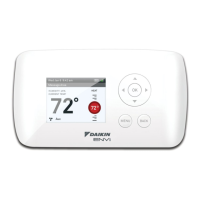
This document describes the Daikin P/N (910121746) Non-Programmable Electronic Thermostat, a hardwired device designed for 2-stage heat/2-stage cool systems with auto changeover.

Function Description:

The 910121746 is a non-programmable, manual or auto changeover thermostat that controls 2-stage heating and 2-stage cooling systems. It allows users to set desired temperatures and manage heating/cooling operations. The thermostat can operate in four modes: OFF, Heat, Cool, and Heat & Cool (Auto Changeover). In OFF mode, heating or cooling devices are not activated, though the indoor fan can be manually turned on. In Heat mode, it controls the heating system, while in Cool mode, it controls the cooling system. In Heat & Cool mode, the thermostat automatically switches between heating and cooling as needed. The thermostat activates the heating appliance when the room temperature falls below the set heat temperature (by the differential temperature) and deactivates it when the call for heat is satisfied. Similarly, it activates the cooling device when the room temperature exceeds the set cool temperature (by the differential temperature) and deactivates it when the call for cooling is satisfied. An optional outdoor sensor can be used to monitor the outdoor temperature, and an indoor remote sensor is also supported to read temperature from a different location, which is beneficial if the thermostat itself is not in an ideal mounting spot.

Important Technical Specifications:

  • Electrical Rating: 24 VAC (18-30 VAC).
  • Current Load: 1 amp maximum per terminal, 3 amp maximum total load.
  • Temperature Control Range: 55°F to 90°F (13°C to 32°C).
  • Accuracy: ±1°F (±0.5°C).
  • System Configurations: Supports 2-stage heat, 2-stage cool.
  • Timing: Anti-short Cycle delay of 4 minutes (can be bypassed by returning to OFF mode for 5 seconds). Backlight operates for 10 seconds.
  • Terminations: A, L, S1, S2, R, C, W1, Y1, W2, Y2, G, O.
  • Remote Sensor: Compatible with Daikin remote sensor P/N 910116773.

Usage Features:

The thermostat features a large display with a backlight for easy readability. It supports selectable Fahrenheit or Celsius temperature scales. A status indicator light provides visual feedback. The device includes relay outputs with minimum voltage drop.

  • Buttons: Up, Down, Right (Fan), and Left (SYS) buttons are used for navigation and setting adjustments. A CONFIG switch is used to enter and exit configuration mode. A Reset switch is also available.
  • Operating Modes: OFF, Heat, Cool, and Heat & Cool (Auto Changeover) modes are accessible via the SYS (left) button. Program mode is accessed by pressing SYS (left) and FAN (right) buttons simultaneously.
  • Configuration Mode: This mode allows users to customize settings to match their specific heating/cooling system. Settings include:
    • Temperature Scale (F or C).
    • 1st Stage Temperature Differential (1°F to 5°F / 0.5°C to 2.5°C).
    • 2nd Stage Temperature Differential (1°F to 5°F / 0.5°C to 2.5°C).
    • Staged Off Outputs (outputs staged off independently or simultaneously).
    • Minimum Deadband (1°F to 9°F / 1°C to 5°C) for Auto Changeover Mode.
    • Maximum Heat Setpoint (55°F to 90°F / 13°C to 32°C).
    • Minimum Cool Setpoint (55°F to 90°F / 13°C to 32°C).
    • Room Temperature Offset (+9°F to -9°F / +4.5°C to -4.5°C) for calibration.
    • Temperature Sensor selection (on-board, remote, or average of both).
  • Remote Sensor Integration: The S1 and S2 terminals are used for an indoor remote sensor. Shielded wire is recommended for connection, and the shielding should be connected to the S2 terminal on the thermostat. The thermostat can be configured to operate with the remote indoor sensor. The remote or outdoor sensor reading can be displayed by simultaneously pressing the Down and SYS buttons.
  • Override/Reset: Pressing the UP and DOWN buttons simultaneously for 2 seconds then releasing them causes the thermostat to output from the "O" terminal for 5 seconds (night set-back override). Pressing them simultaneously for 5 seconds causes the thermostat to output from the "O" terminal for 10 seconds (unit reset).

Maintenance Features:

  • Troubleshooting Guide: The manual provides a troubleshooting table with common symptoms (e.g., no display, inoperative buttons, thermostat turns on/off too frequently, incorrect room temperature) and corresponding remedies (e.g., check 24 VAC, adjust temperature differential, calibrate thermostat, check sensor connections, verify wiring).
  • Safety Information: Users are warned to always turn off power at the main supply before installation, cleaning, or removal. The thermostat is for 24 VAC applications only. All wiring must conform to local and national electrical and building codes. It is advised not to use air conditioning when the outdoor temperature is below 50 degrees to prevent system damage.
  • Installation: The installation process involves mounting the thermostat base, connecting wires to the appropriate terminals (labeled with enclosed wire labels), and then attaching the cover. Proper wire labeling and secure connections are emphasized. The thermostat should be mounted about five feet above the floor, avoiding outside walls, direct sunlight, behind doors, or areas affected by vents/ducts.

Daikin 910121746 Specifications

General IconGeneral
BrandDaikin
Model910121746
CategoryThermostat
LanguageEnglish

Related product manuals