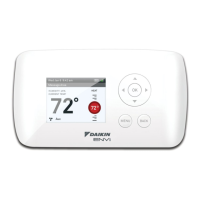
Configuration Mode Settings
ThesetupscreensforCongurationModeareasfollows:
1. Temperature Scale (ForC)
ChooseFahrenheitorCelsius.
Presstheupordownbuttontoselect.
Pressthe
right
buttontoadvancetothenextscreen.
2. 1
st
Stage Temperature Differential(1°Fto5°F)(0.5°Cto2.5°C)
Setthenumberofdegreesbetweenyour“setpoint”temperatureandyour“turnon”
temperature.
Presstheupordownbuttontosetdifferentialvalue.
Presstheright buttontoadvancetothenextscreen.
4. Staged Off Outputs
Selectwhethertheoutputsforheatingandcoolingarestagedoffindependentlyor
aresatisedsimultaneously.
1=outputsstagedoffindependently
0=outputsoffsimultaneously
Presstheupordownbuttontoset.
Presstheright buttontoadvancetothenextscreen.
5. Minimum Deadband(1°Fto9°F)(1°Cto5°C)
SettheminimumseparationbetweenheatsetpointandcoolsetpointinAuto
ChangeoverMode.
Presstheupordownbuttontosetdeadbandvalue.
Presstheright buttontoadvancetothenextscreen.
3. 2
nd
Stage Temperature Differential(1°Fto5°F)(0.5°Cto2.5°C)
Setthenumberofdegreesbetweenwhenstage1turnsonandwhenstage2turnson.
Presstheupordownbuttontosetdifferentialvalue.
Presstheright buttontoadvancetothenextscreen.
6. Maximum Heat Setpoint(55°Fto90°F)(13°Cto32°C)
Adjusttocontrolthemaximumheatsettemperatureallowed.
Presstheupordownbuttontoselect.
Presstherightbuttontoadvancetothenextscreen.
7. Minimum Cool Setpoint(55°Fto90°F)(13°Cto32°C)
Adjusttocontroltheminimumcoolsettemperatureallowed.
Presstheupordownbuttontoselect.
Presstherightbuttontoadvancetothenextscreen.
9. Temperature Sensor(1-3)
1.Onlyon-boardsensordeterminesroomtemperature.
2.Onlyremotesensordeterminesroomtemperature.
3.Averagetemperatureofon-boardandremotesensor.
Note:If there is no remote sensor, option 1 must be selected.
Presstheupordownbuttontoselect.
Pressthecongurationbuttonfortwosecondstoexitconguration.
8. Room Temperature Offset(+9°Fto-9°F)(+4.5°Cto-4.5°C)
Adjusttocalibratedisplayedroomtemperaturetomatchactualroomtemperature.
Note:When not set to 0, will display.
Presstheupordownbuttontoselect.
Presstherightbuttontoadvancetothenextscreen.
Mode of Operation
The910121746isanon-programmable,manualorautochangeover,2-stageheat,2-stagecoolthermostat.An
outdoorsensorcanbeusedtomonitortheoutdoortemperature.
Thethermostatactivatestheheatingappliancewhentheroomtemperatureisbelowthesetheattemperature(by
thedifferentialtemperature).The910121746willstopoutputtingwhenthecallforheathasbeensatised.
Whentheroomtemperatureisgreaterthanthesetcooltemperature(bythedifferentialtemperature),thecooling
deviceisactivated.The910121746willstopoutputtingwhenthecallforcoolingissatised.
The910121746hasfourpossibleoperatingmodes:OFF,Heat,CoolandHeat & Coolmode.Inoffmode,the
thermostatwillnotturnonheatingorcoolingdevices.Themanualfancanbeturnedoninalloperatingmodesusing
thefanbutton.Inheatmode,thethermostatcontrolstheheatingsystem.Inthecoolmode,thethermostatcontrols
thecoolingsystem.Inheat&coolmode,thethermostatcontrolsboththeheatingandcoolingsystems.
PressingtheUPandDOWNbuttonssimultaneouslyfor2secondsthenreleasingthemcausesthethermostatto
outputfromthe“O”terminalfor5seconds.“Or”willshowonthedisplay.Thiswillresultintheunitgoingintoanight
set-backoverride.
PressingtheUPandDOWNbuttonssimultaneouslyfor5secondscausesthethermostattooutputfromthe“O”
terminalfor10seconds.“rS”willshowonthedisplay.Thiswillresultintheunitbeingreset.
Button Functions
UP–Usedtoincreasethetime,settemperaturesandtoadjustconguration
settings.
DOWN–Usedtodecreasethetime,settemperaturesandtoadjust
congurationsettings.
SYS (left)– UsedtochangefromOFF,HEAT,COOLandAUTOchangeover
modes
FAN (right)–Usedtoturnonandofftheindoorfan.
DOWN and SYS–Pressedsimultaneouslytodisplayoutdoorremotetemperatureifremotesensoris
connected.
UP and DOWN– Usedtooverridenightsetbackorresettheunit.
FAN
(right)
Down
button
Up
button
SYStem
(left)
Testing the Thermostat
Oncethethermostatiscongured,itshouldbethoroughlytested.
CAUTION!
:
Donotenergizetheairconditioningsystemwhentheoutdoortemperatureisbelow50
degrees.Itcanresultinequipmentdamageorpersonalinjury.
Heat Test
1.PressSYS(left)buttonuntilheatmodeisdisplayed.
2.Adjustthesettemperaturesoitis5degreesabovetheroomtemperature.
3.Heatshouldcomeonwithinafewseconds.
4.Adjustthesettemperature2degreesbelowtheroomtemperatureandtheheat
shouldturnoff.Theremaybeafandelayonyoursystem.
Cool Test
1.PressSYS(left)buttonuntilcoolmodeisdisplayed.
2.Adjustsettemperaturesoitis5degreesbelowroomtemperature.
3.A/Cshouldcomeonwithinafewseconds.
4.Adjustthesettemperature2degreesabovetheroomtemperatureandtheA/C
shouldturnoff.Theremaybeafandelayonyoursystem.
Fan Test
1. PressFAN(right)button.Fandisplays.IndoorfanturnsON.
2. PressFAN(right)button.IndoorfanturnsOFF.
OFF
Operating Modes
Therearevepossibleoperatingmodesforthe910121746.Off,Cool,Heat,andCool&Heatmodesareaccessed
bypressingtheSYS(left)button.ProgrammodeisaccessedbypressingtheSYS(left)andFAN(right)buttons
simultaneously.
OFF Mode
• Inthismode,thethermostatwillnotturnontheheatingorcoolingdevices
Note:The indoor fan can be turned on manually in every operating mode by
pressing the FAN (right) button. The word FAN shows on the display and
the fan icon
appears when the fan operates.
OFF
Heat Mode
• Inthismode,thethermostatcontrolstheheatingsystem.Whentheheatoutputs,
theameicon
apprearsonthedisplay.
Cool Mode
• Inthismode,thethermostatcontrolsthecoolingsystem.Whenthecooling
outputs,thesnowakeicon apprearsonthedisplay.
Cool and Heat Mode (Auto Changeover)
• Inthismode,thethermostatcontrolsthecoolingandheatingsystems,automatically
changingoverfromonetotheotherasneeded.
• Thetimingdisplayalternateswiththesettemperatureevery10secondsinthecool
andheatmode.
Symptom Remedy
Nodisplay Checkfor24VACatthermostat;displayisblankwhen24VACisnot
present
Allthermostatbuttonsareinoperative Verify24VACispresent;unitlocksoutwhen24VACisnotpresent
Noresponsewithrstbuttonpress Firstbuttonpressactivatesbacklightonly
Thermostatturnsonandofftoo
frequently
Adjusttemperaturedifferential(seeCongurationModeSettings2&3)
Fanrunscontinuously PressFAN(right)buttontoturnfanoff
Statusindicatoron WSHPstatusblinkcode
Roomtemperatureisnotcorrect Calibratethermostat(seeCongurationModeSetting8)
Ifremotesensorisused,checkS1andS2terminalconnections
ondisplayinsteadofroom
temperature
CheckforabadconnectionatS1andS2terminals,ifused
(seeCongurationModeSetting9)
HeatorCoolnotcomingon Verifywiringiscorrect,gentlypulloneachwiretoverifythereisagood
connectionatterminalblock
Alarmlighton Unitinalarmlockoutcondition
Problemnotlistedabove PressResetbuttononce*
* Reset Button Function:
Displayisrefreshedandcongurationsettingsareunchanged.
Troubleshooting
Daikin Training and Development
Now that you have made an investment in modern, efficient Daikin equipment, its care should be a high priority. For
training information on all Daikin HVAC products, please visit us at www.DaikinApplied.com and click on Training,
or call 540-248-9646 and ask for the Training Department.
Warranty
All Daikin equipment is sold pursuant to its standard terms and conditions of sale, including Limited Product
Warranty. Consult your local Daikin Representative for warranty details. Refer to Form 933-430285Y. To find your
local Daikin Representative, go to www.DaikinApplied.com.
Aftermarket Services
To find your local parts office, visit www.DaikinApplied.com or call 800-37PARTS (800-377-2787). To find your
local service office, visit www.DaikinApplied.com or call 800-432-1342. This document contains the most current
product information as of this printing. For the most up-to-date product information, please go to
www.DaikinApplied.com.
Products manufactured in an ISO certified facility.
LIAF179-110-15-13



 To Previous Page
 Loading...