User reference guide
18
BRC0731A4
3P422724-1
Basic Operation Method
Operation Method
Setback should not be enabled when a centralised controller is connected
via the KRP928 Interface adapter for Room Air Conditioner.
1
35°C
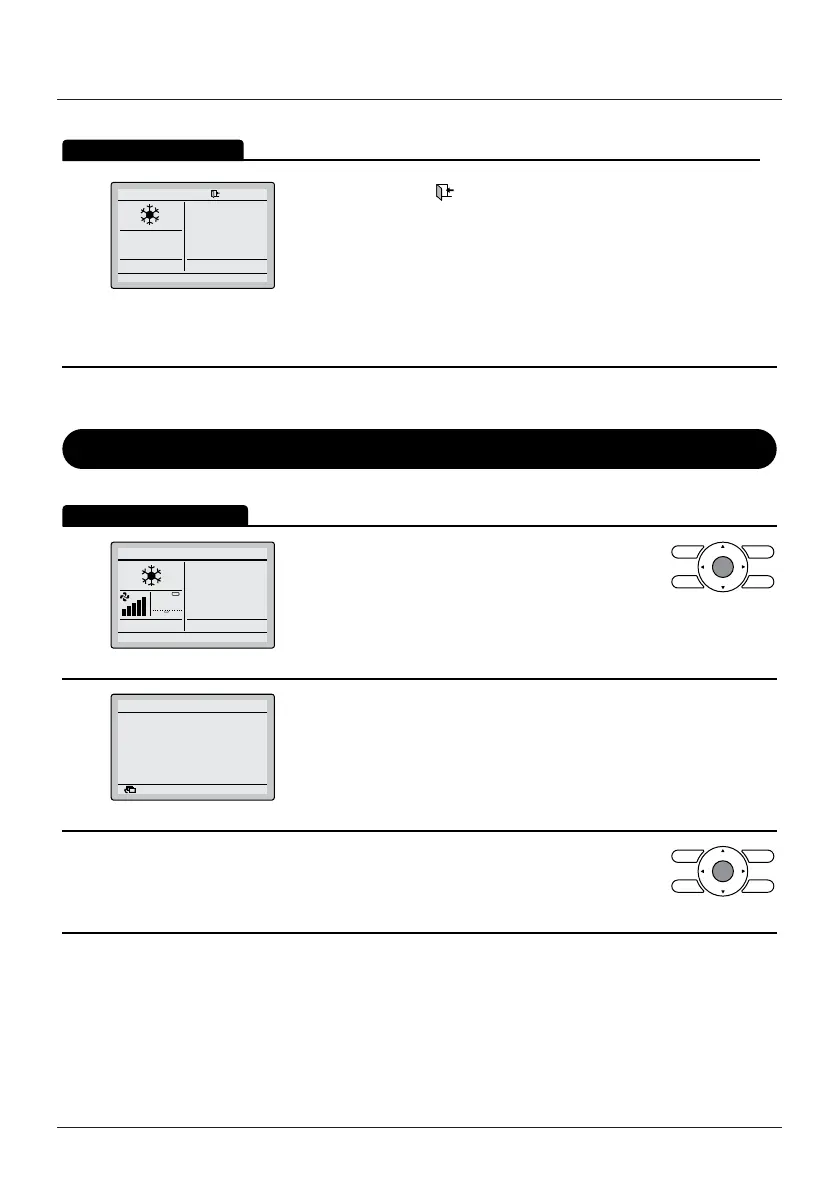
The setback icon " " ashes when the unit is turned ON under
the setback control.
The fan speed cannot be changed when setback is active and,
as a result, the fan speed is not visible.
The airow direction can only be changed through the menu when
setback is active.
Key Lock
Operation Method
Disable the use of all buttons.
1
28°C
• Press the Menu/Enter button for at least
4 seconds. (During backlight lit)
2
Buttons have been locked.
Press the menu button
for 4 seconds to release.
Return
• All buttons are disabled when the keys are locked.
• When one of the buttons is pressed, the message
on the left is displayed.
3
• To cancel the key lock, continue pressing the
Menu/Enter button for at least 4 seconds. (During
backlight lit)


 To Next Page