User reference guide
44
BRC0731A4
3P422724-1
Reference Information
Phenomenon Explanation
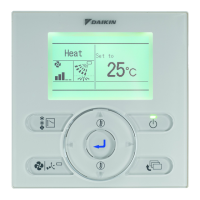
On the wired user
interface
The status of some
functions (e.g. ECONO
mode, powerful mode,
indoor unit quiet
operation, outdoor unit
quiet operation, humidify)
is not shown on the wired
user interface display.
The wired user interface does not support the handling of these
functions.
In case one of these functions (e.g. ECONO mode, powerful mode,
indoor unit quiet operation, outdoor unit quiet operation, humidify) is
set on the wireless user interface, the activation is not shown on the
wired user interface.
ECONO mode set by wireless user interface
Not indicated on the wired user interface.
Stopping the unit by the wired user interface will cancel the ECONO
mode.
Powerful mode set by wireless user interface
Not indicated on the wired user interface.
Setpoint and fan speed change on the wired user interface will only
become valid when the powerful mode is stopped.
Stopping the unit or changing the operation mode on the wired user
interface will cancel the powerful mode.
Indoor unit quiet operation set by wireless user interface
Not indicated on the wired user interface, but auto fan speed is shown.
Changing the fan speed on the wired user interface will cancel the
indoor unit quiet operation mode.
Outdoor unit quiet operation set by wireless user interface
Not indicated on the wired user interface.
The outdoor unit quiet operation will never be cancelled by an action
on the wired user interface.
Comfort airow operation set by wireless user interface
Not indicated on the wired user interface.
Changing the airow direction on the wired user interface will cancel
the comfort fan operation.
“URURU” HUMIDIFY operation set by wireless user interface
No humidify symbol is indicated on the wired user interface, but
heating operation mode without heating setpoint is shown.
Changing the operation mode on the wired user interface will cancel
the “URURU” HUMIDIFY operation.
HUMID HEATING operation set by wireless user interface
Not indicated on the wired user interface, but heating operation mode
and setpoint are shown.
Changing the operation mode on the wired user interface will cancel
the HUMID HEATING operation.


 To Next Page