36
Setback Condition
1
Retur etti
er y a i ptio s
er y a i list
etpoi t ra e set
et ac co ditio
e si e sor (low)
e si e sor (stop)
etpoi t Auto Reset
12
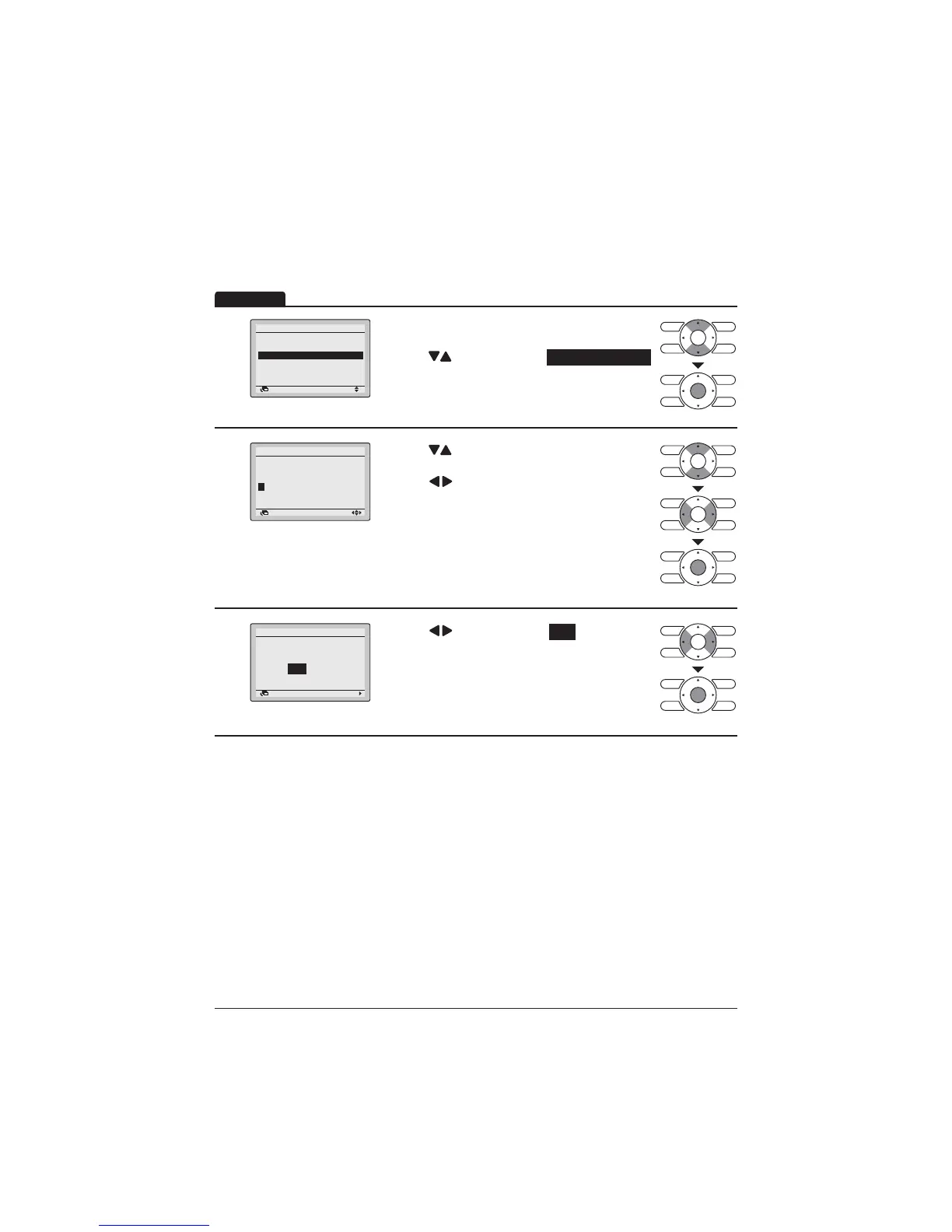
Display the Energy Saving Options screen (Refer
to page 34).
Press "
" buttons to select Set back condition .
Press Menu/Enter button to display the Set back
condition screen.
2
Return Setting
Set back condition
Recovery Differential
Cool Heat
+2°C
-2°C
Press " " buttons to change the temperature
differential of the Setback.
Press " " buttons to move the cursor.
Press Menu/Enter button after selecting the item.
7KHFRQ¿UPDWLRQVFUHHQZLOODSSHDU
3
etti
a e the setti s
et ac co ditio
es o
Retur
Press " " buttons to select Yes .
3UHVV0HQX(QWHUEXWWRQWRFRQ¿UPWKHVHWWLQJV
and return to the Basic screen.
Operation



 To Next Page