English 23
Air Flow Direction
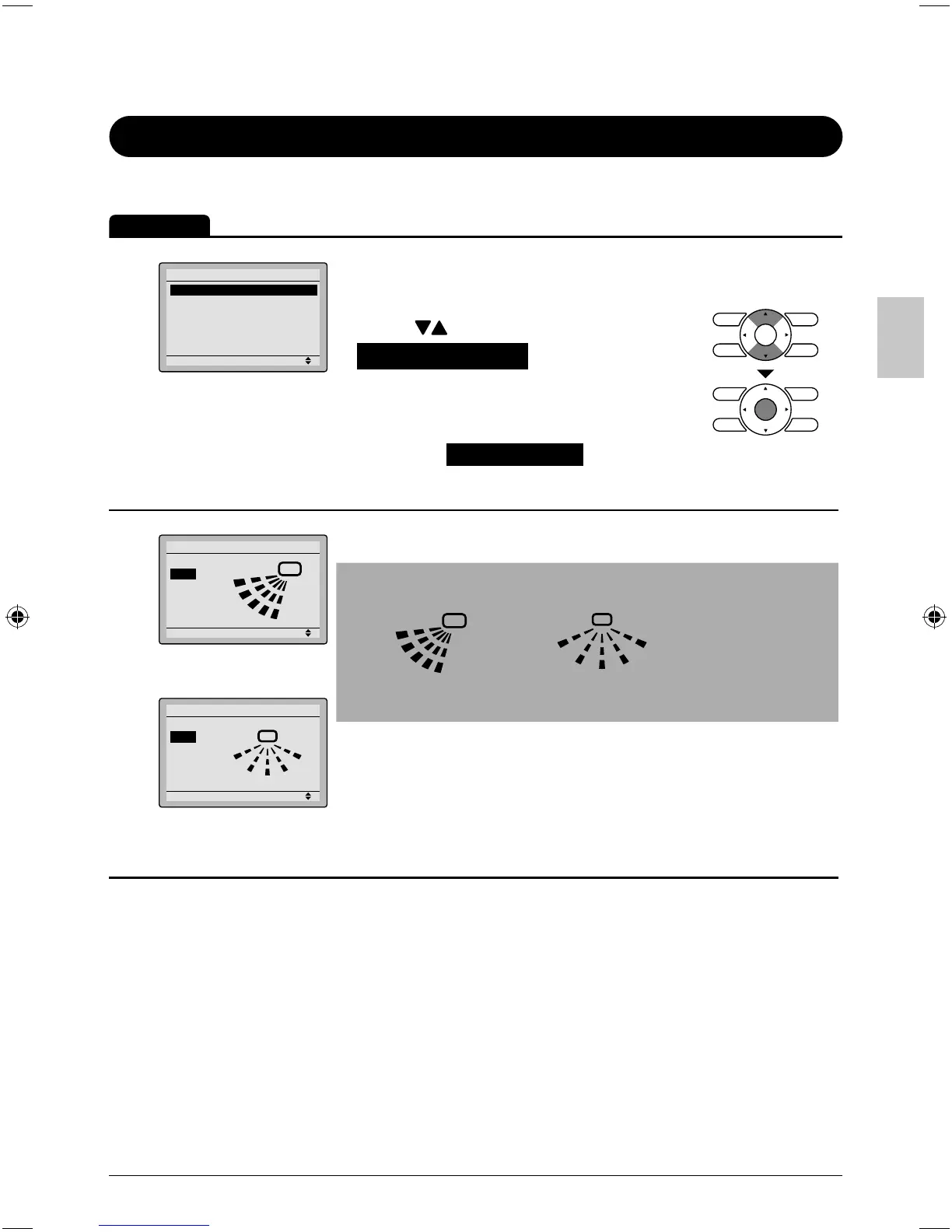
Confi guring Air Flow Direction
Operation
1
Setting
Main Menu
Air Flow Direction
Ventilation
Schedule
Off Timer
Celsius / Fahrenleit
Maintenance Information
1/2
Display the main menu screen. ●
(See page 22.)
Press ● buttons to select
Air Flow Direction on the main
menu screen and press the Menu/
OK button.
(For models with no airfl ow direction
adjustment, Air Flow Direction will not be
displayed on the main menu screen.)
2
Setting
Air Flow Direction
Swing
Air Flow Direction
(up/down)
Setting
Swing
Air Flow Direction
Air Flow Direction
(left/right)
The air fl ow direction screen will appear. ●
Note
Air fl ow direction appears on the screen as below. ●
1
2
3
0
Up/down direction
0
1
3
4
Left/right direction
0 : Position 0
1 : Position 1
2 : Position 2
3 : Position 3
4 : Position 4
01_EN_3P243520-2C.indd 2301_EN_3P243520-2C.indd 23 8/27/2009 1:48:47 PM8/27/2009 1:48:47 PM



 To Next Page