5 | Operation
User reference guide
25
FTXTP-M_FTXTP-N
Daikin room air conditioners
4P728152-3 – 2023.03
3 To cancel the setting, press .
Result: and the time setting disappear from the LCD and the timer lamp goes
off.
5.9.3 To combine OFF timer and ON timer
1 To set the timers, refer to "5.9.1To start/stop OFF timer operation"[424] and
"5.9.2To start/stop ON timer operation"[424].
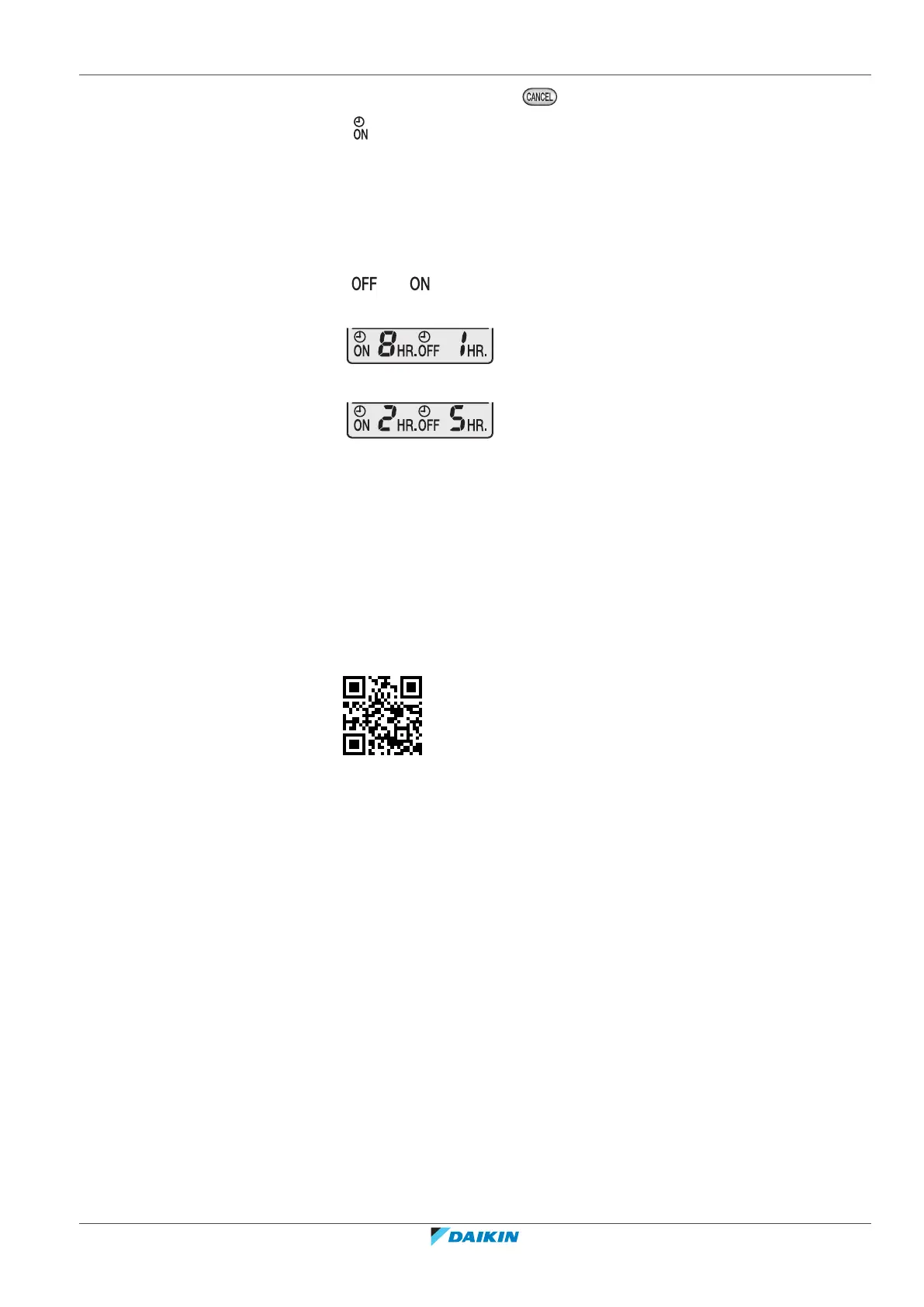
Result: and are displayed on the LCD.
Example:
2 If is set when the unit is operating.
Result: Operation stops in 1 hour and then starts 7 hours later.
3 If is set when the unit is NOT operating.
Result: Operation starts in 2 hours and then stops 3 hours later.
5.10 Wireless LAN connection
Simply connect your unit to your home network and download the app to change
the thermostat, set temperature schedules, review your energy consumption and
more.
For details on specifications, setting methods, FAQ, troubleshooting tips, visit
app.daikineurope.com.
The customer is responsible for providing:
▪ Smartphone or tablet with minimum supported version of Android or iOS,
specified on app.daikineurope.com.
▪ Internet line and communication device, such as a modem, router, etc.
▪ Wireless LAN access point
▪ Installed free ONECTA application
5.10.1 Precautions when using the wireless LAN
Do NOT use near:
▪ Medical equipment. E.g. persons using cardiac pacemakers or defibrillators. This
product may cause electromagnetic interference.
▪ Auto-control equipment. E.g. automatic doors or fire alarm equipment. This
product may cause faulty behaviour of the equipment.
▪ Microwave oven. It may affect wireless LAN communications.




 To Next Page