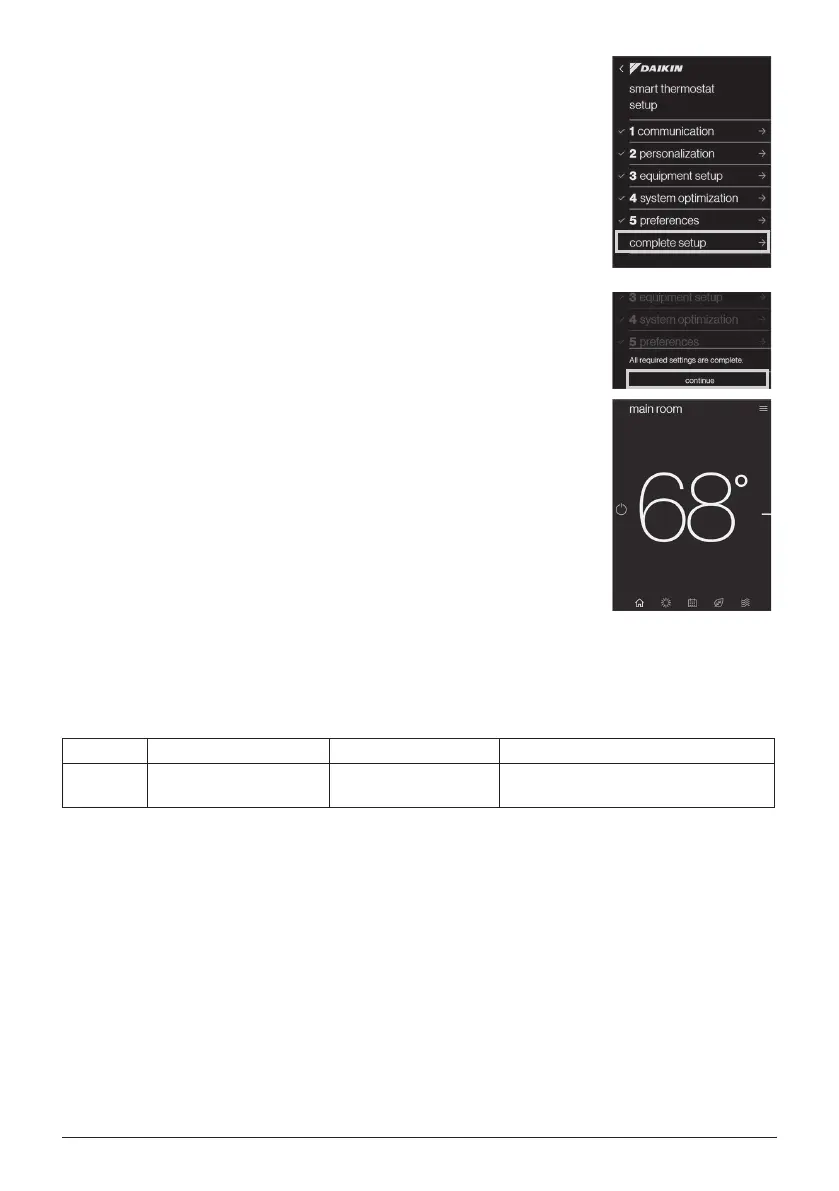
18. Go back to the main smart thermostat setup
menu and choose “complete setup”.
19. Last, click “continue” to nish all the setting. It will
go back to “HOME” screen.
7-SEGMENT DISPLAY
SCREEN 3 (SETTING MODE 1)
Setting No. Contents Setting Installer/Service Notes
7 Dehumidication Select
0:STD 2:A 4:C
1:OFF 3:B
This setting can be set with Daikin One+ Smart Thermostat or 7-segment.
Please adjust the setting according to customer request.
16 English
01-FITQ AOR_DTA119A71_IM_EN.indd 16 2020/12/16 15:07:54


 To Next Page