11 | Configuration
Installer reference guide
162
ERLA11~16D + EBBH/X11+16D
Daikin Altherma 3 R W
4P643603-1B – 2022.05
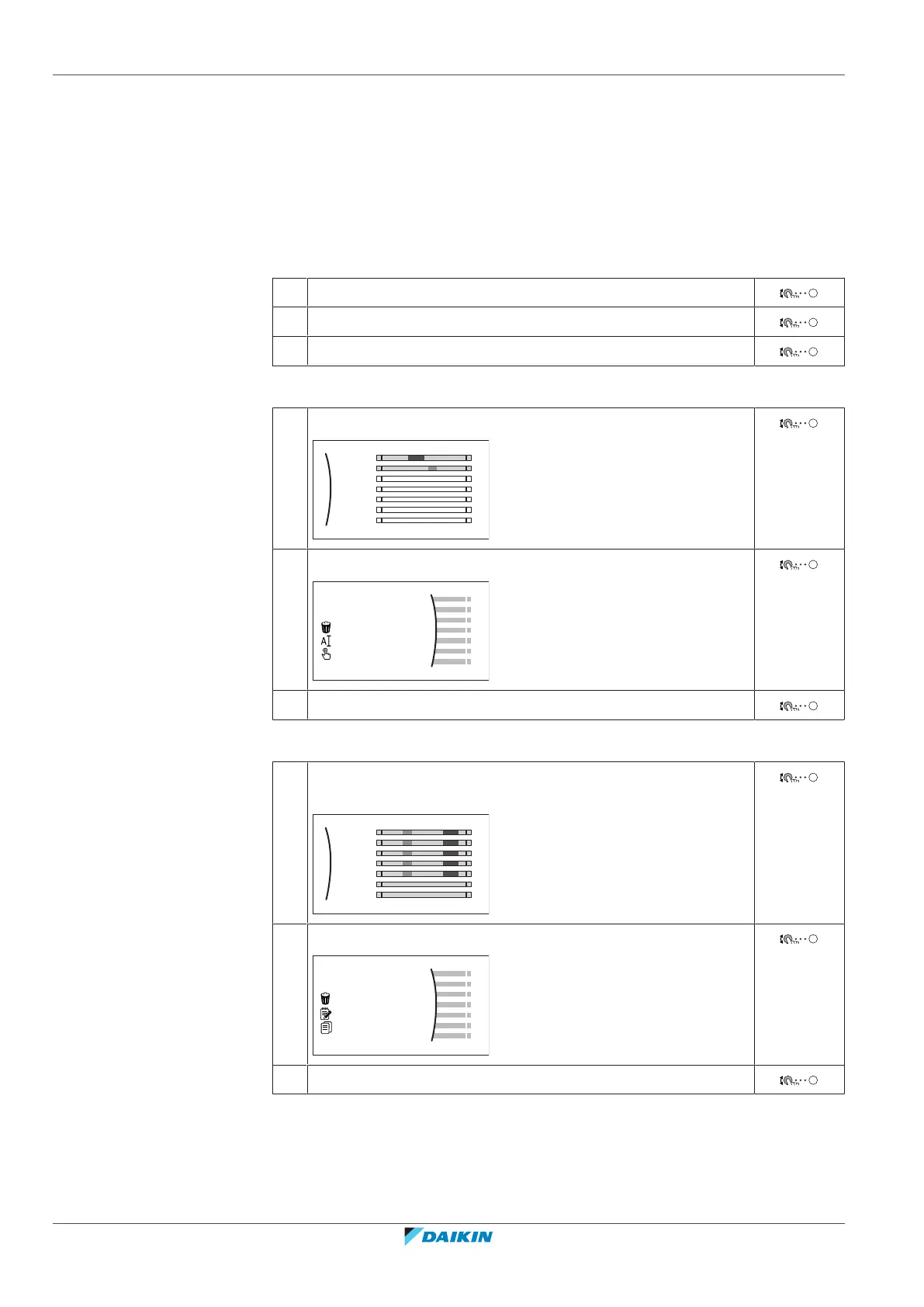
2 (optional) Clear the content of the whole week schedule or the content of a
selected day schedule.
3 Program the schedule for Monday.
4 Copy the schedule to the other weekdays.
5 Program the schedule for Saturday and copy it to Sunday.
6 Give the schedule a name.
To go to the schedule
1 Go to [1.1]: Room > Schedule.
2 Set scheduling to Yes.
3 Go to [1.2]: Room > Heating schedule.
To clear the content of the week schedule
1 Select the name of the current schedule.
Mon
Sat
Wed
Fri
Thu
Tue
Sun
User defined 1
2 Select Delete.
3 Select OK to confirm.
To clear the content of a day schedule
1 Select the day of which you want to clear the content. For
example Friday
Mon
Sat
Wed
Fri
Thu
Tue
Sun
User defined 1
C
2 Select Delete.
3 Select OK to confirm.



 To Next Page