4 Operation
User reference guide
15
EHBH/X04~16CB + EHVH/X04~16S18+26CB
Daikin Altherma – Low temperature split
4P384964-1 – 2015.01
Advantage:
▪ Before and after your holiday, your normal schedule will be used.
▪ During your holiday, you save energy and prevent your house
from freezing.
Usage example: You come home during your holiday
If you are in the following situation:
▪ You configured and activated the holiday mode (Away).
▪ During your holiday, you come home for a few hours and want to
use your normal schedule.
Then you can do the following:
1 Deactivate the holiday mode.
2 When you go away again, activate the holiday mode again.
Advantage:
You do NOT have to change your schedule or holiday configuration.
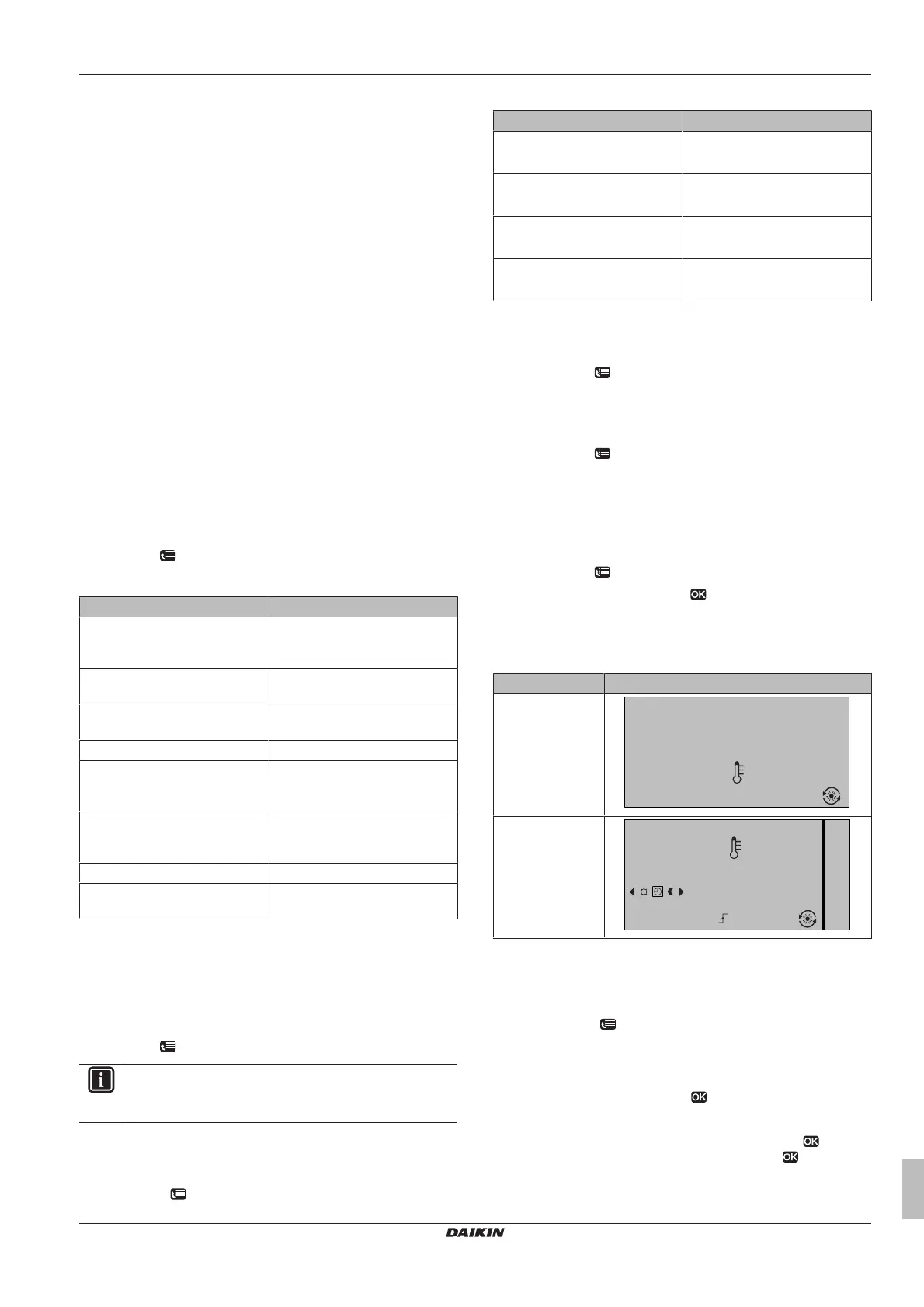
4.6.4 Reading out information
To read out information
Prerequisite: You switched the permission level to Advanced end
user.
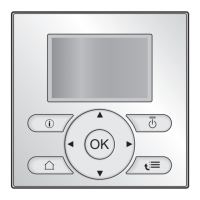
1 Go to [6]: > Information.
Possible read-out information
In menu… You can read out…
[6.1] Sensor information Room, tank or DHW, outside,
and leaving water temperature.
(If applicable)
[6.2] Energy metering Produced energy, consumed
electricity, and consumed gas.
[6.3] Error handling Error history and contact/
helpdesk number.
[6.4] User permission level Current user permission level.
[6.5] Actuators Status/mode of each actuator.
Example: Domestic hot water
pump ON/OFF.
[6.6] Operation modes Current operation mode.
Example: Defrost/oil return
mode.
[6.7] Running hours Running hours of the system.
[6.8] Version Version information about the
system.
4.6.5 Configuring date, time, units of
measurement, contrast and backlight
To configure time and date
Prerequisite: You switched the permission level to Advanced end
user.
1 Go to [1]: > Set time/date.
INFORMATION
Switch to Adv. end user to change daylight saving time and
12/24h notation.
To configure units of measurement
Prerequisite: You switched the permission level to Advanced end
user.
1 Go to [7.6]: > User settings > Unit of measurement.
Possible units of measurement settings
Setting Possible units of measurement
Decimal point ▪ Dot
▪ Comma
Temperature ▪ °C
▪ °F
Produced energy ▪ kWh
▪ MBtu
Flow ▪ l/min
▪ GPM
To configure the contrast of the user interface
Prerequisite: You switched the permission level to Advanced end
user.
1 Go to [7.1.1]: > User settings > Display > Contrast.
To configure the backlit LCD time of the user interface
Prerequisite: You switched the permission level to Advanced end
user.
1 Go to [7.1.2]: > User settings > Display > Backlit LCD time.
4.6.6 Configuring user profile and home pages
To set a user profile
Prerequisite: You switched the permission level to Advanced end
user.
1 Go to [7.1.3]: > User settings > Display > User profile.
2 Select a user profile and press .
Possible user profiles
If user profile = Detailed, you can see and do more on the home
pages.
User profile Example
Basic
15:20
20.0°C
Mon
Room
Actual temperature
Detailed
15:20
20.0°C
17:30
Actual temperature
Room
Scheduled
Mon
Tue
To configure which home pages are made available to the
enduser
Prerequisite: You switched the permission level to Advanced end
user.
1 Go to [7.1.4]: > User settings > Display > Available home
pages.
Result: The home pages that are possible for your system
layout are listed.
2 Select a home page and press .
3 Do one of the following:
▪ To display the home page, select Yes and press .
▪ To hide the home page, select No and press .


 To Next Page