4 Operation
User reference guide
4
EHBH/X04~16CB + EHVH/X04~16S18+26CB
Daikin Altherma – Low temperature split
4P384964-1 – 2015.01
INFORMATION
The indoor unit and the domestic hot water tank (if
installed) can be separated or integrated depending on the
indoor unit type.
4 Operation
4.1 Overview: Operation
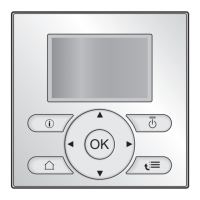
You can operate the system via the user interface. This part
describes how to use the user interface:
Part Description
At a glance ▪ Buttons
▪ Status icons
Basic usage Information about:
▪ Home pages, where you can read out
and change settings that are meant for
daily usage
▪ Menu structure, where you can read out
and configure settings that are NOT
meant for daily usage
▪ ON/OFF controls
Space heating/cooling
control
How to control space heating/cooling:
▪ Setting the space operation mode
▪ Controlling the temperature
Domestic hot water
control
How to control domestic hot water:
▪ Reheat mode
▪ Scheduled mode
▪ Scheduled + reheat mode
Advanced usage Information about:
▪ Quiet mode
▪ Holiday mode
▪ Reading out information
▪ Date, time, units of measurement,
contrast and backlight
▪ User profile and home pages
▪ Locking and unlocking buttons and
functions
Preset values and
schedules
▪ How to use preset values
▪ How to select and program schedules
▪ Overview of predefined schedules
Menu structure Overview of menu structure
Installer settings table Overview of installer settings
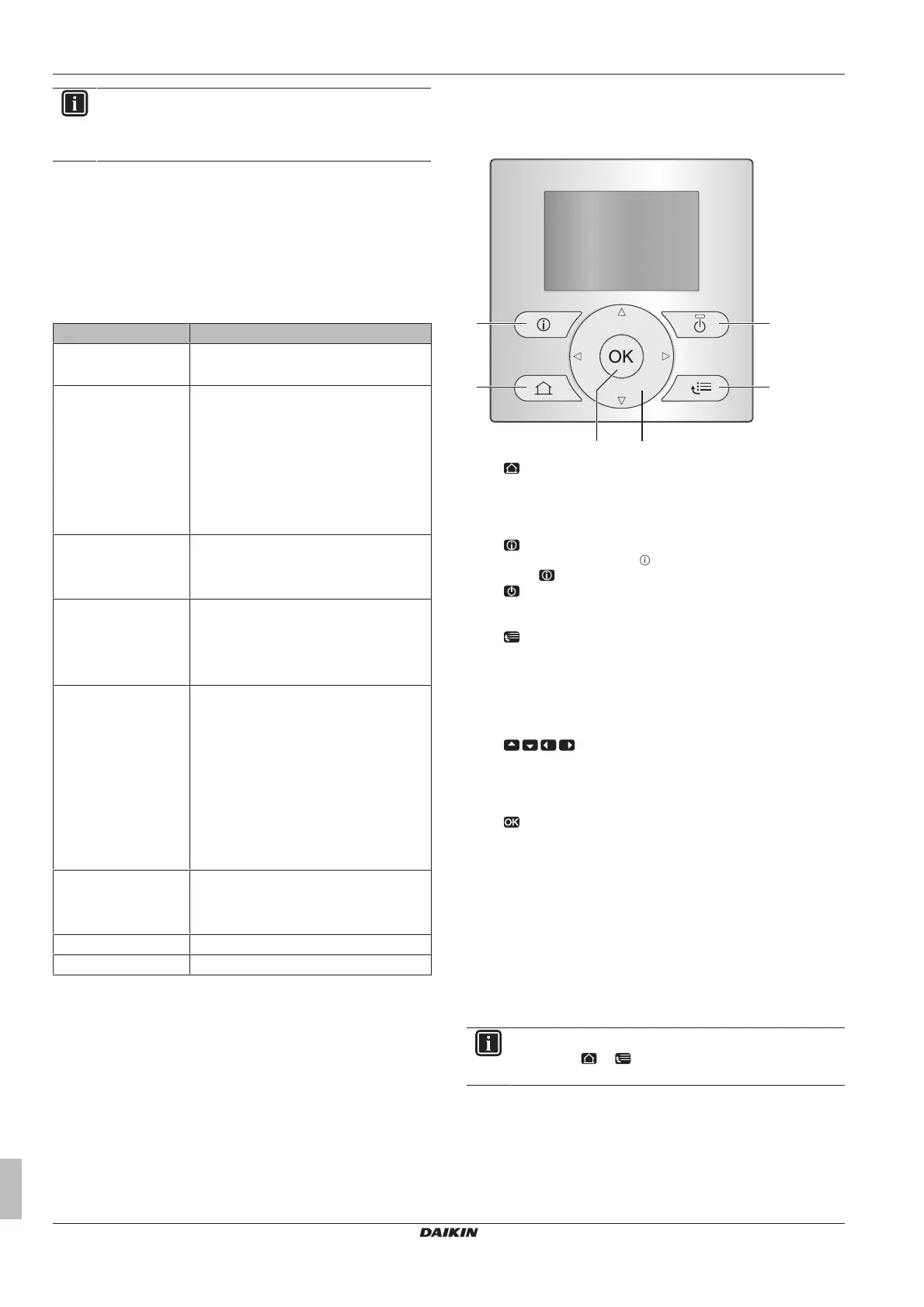
4.2 The user interface at a glance
4.2.1 Buttons
a
HOME PAGES
▪ Switches between home pages (when you are on a home
page).
▪ Goes to the default home page (when you are in the menu
structure).
b
MALFUNCTION INFORMATION
If a malfunction occurs,
is displayed on the home pages.
Press to display more information about the malfunction.
c
ON/OFF
Turns ON or OFF one of the controls (room temperature,
leaving water temperature, DHWtank temperature).
d
MENU STRUCTURE/BACK
▪ Opens the menu structure (when you are on a home
page).
▪ Goes up a level (when you are navigating through the
menu structure).
▪ Goes back 1step (example: when you are programming a
schedule in the menu structure).
e
NAVIGATING/CHANGING SETTINGS
▪ Navigates the cursor on the display.
▪ Navigates through the menu structure.
▪ Changes settings.
▪ Selects a mode.
f
OK
▪ Confirms a selection.
▪ Enters a submenu in the menu structure.
▪ Switches between displaying actual and desired values, or
between displaying actual and offset values (if applicable)
on the home pages.
▪ Goes to the next step (when you are programming a
schedule in the menu structure).
▪ Enables you to activate or deactivate child lock if pressed
for more than 5seconds on a home page.
▪ Enables you to activate or deactivate a function lock if
pressed for more than 5seconds in the main menu of the
menu structure.
INFORMATION
If you press or while changing settings, the changes
will NOT be applied.


 To Next Page