4 Operation
User reference guide
16
EHBH/X04~16CB + EHVH/X04~16S18+26CB
Daikin Altherma – Low temperature split
4P384964-1 – 2015.01
4.6.7 Locking and unlocking buttons and
functions
About locking and unlocking
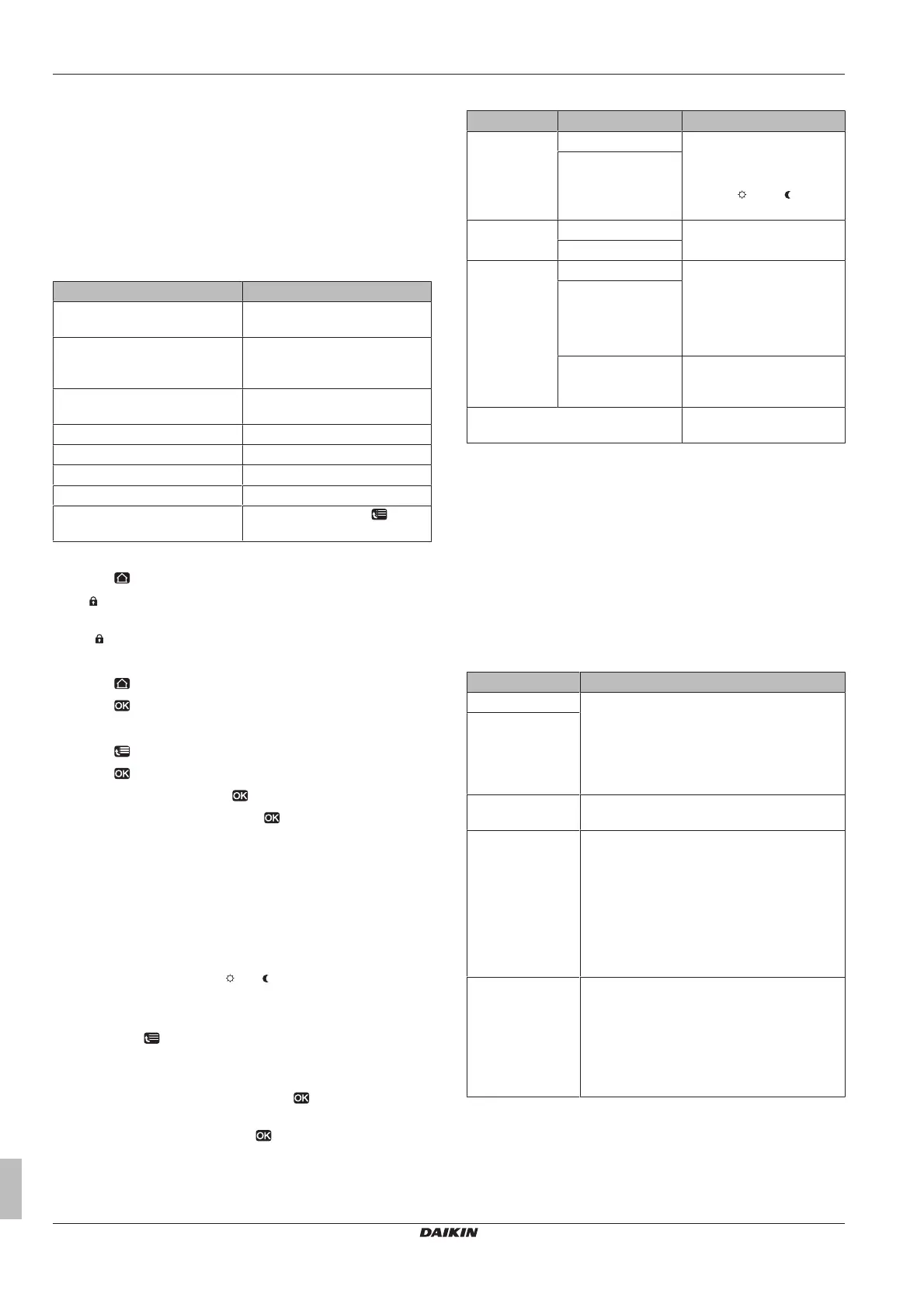
You can use the following locking modes:
▪ Child lock: Locks all buttons to prevent children from changing
settings.
▪ Function lock: Locks a specific function to prevent people from
changing its settings.
Possible function locks
Lock If active, people cannot…
Room On/OFF Turn ON or OFF the room
temperature control.
LWT On/OFF Turn ON or OFF the leaving
water temperature (main +
additional) control.
Tank On/OFF Turn ON or OFF the domestic
hot water control.
Temperature up/down Adjust temperatures.
Quiet mode Use quiet mode.
Holiday Use holiday mode.
Operation mode Set the space operation mode.
User settings Change settings in [7]: > User
settings.
To check if locking is active
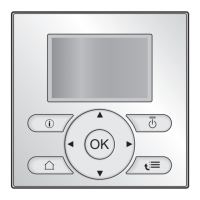
1 Press to go to one of the home pages.
2 If is displayed, child lock is active.
Note: If you are on a home page and try to use a function that is
locked, is displayed for 1second.
To activate or deactivate child lock
1 Press to go to one of the home pages.
2 Press for more than 5seconds.
To activate or deactivate a function lock
1 Press to go to the menu structure.
2 Press for more than 5seconds.
3 Select a function and press .
4 Select Lock or Unlock, and press .
4.7 Preset values and schedules
4.7.1 Using preset values
About preset values
You can define preset values for multiple controls. Preset values
make it easy to use the same value in many places (schedules and
room temperature home page ( and )). If you later want to change
the value, you only have to do it in one place.
To define preset values
1 Go to [7.4]: > User settings > Preset values.
2 Select for which control you want to define a preset value.
Example: Room temperature.
3 Select a preset value and press . Example: Comfort
(heating).
4 Select a temperature and press .
Possible preset values
Control Preset value Where used
Room
temperature
Comfort ▪ Room temperature
schedules
▪ Room temperature home
page ( and ) if user
profile = Detailed
Eco
LWT main Comfort Main leaving water
temperature schedules
Eco
Tank
temperature
Storage comfort DHWtank temperature
schedule if DHWtank mode
is
▪ Scheduled
▪ Scheduled + reheat
Storage eco
Reheat DHWtank temperature
schedule if DHWtank mode
= Scheduled + reheat
Quiet level Used when quiet mode is
set to On
4.7.2 Using and programming schedules
About schedules
Depending on your system layout and installer configuration,
schedules (predefined and/or user‑defined) for multiple controls may
be available.
You can:
▪ Select which schedules you currently want to use.
▪ Program your own schedules if the predefined schedules are not
satisfactory. The actions you can program are control specific.
Possible actions per control
Control Possible actions
Room temperature Program when to heat up or cool down a
space:
▪ Comfort (preset value)
▪ Eco (preset value)
▪ [Custom temperature]
Main leaving water
temperature
Additional leaving
water temperature
Program when the additional leaving water
temperature is turned ON and OFF.
(Only for EHVH/X
and EHBH/X in
combination with
an optional
domestic hot
water tank)
DHWtank
temperature
Program when to heat up the DHWtank. The
possible actions depend on an installer setting.
Possible actions1:
▪ Storage comfort (preset value)
(a)
▪ Storage eco (preset value)
(a)
▪ Storage stop
(b)
(Only for EHBH/X
in combination
with an optional
domestic hot
water tank)
Booster heater
allowance
Program when the booster heater can operate.
Example: Only allow the booster heater to
operate during the night.


 To Next Page