33
Troubleshooting
Sounds can be heard
Phenomenon Check points
Whistling and uttering sound during
operation
• Is there a buildup of dust on the pre-lter?
¼
Clean this part.
►
Page 23
• Is the dust collection lter clogged up?
¼
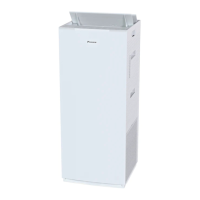
Depending on usage conditions, the dust collection filter may become
clogged up, shortening its service life.
►
Page 6
Replace the dust collection filter.
►
Page 28
Operating sound is loud • Is the dust collection lter properly attached?
¼
If it is not properly attached, operating sounds may become louder.
►
Page 28
Indicator lamps
Phenomenon Check points
The water supply lamp turns on and
off repeatedly
• Even after the water supply lamp has turned on, depending on the FAN
setting, water in the humidifying tray may ripple and move the oat causing
the water supply lamp to turn on and off repeatedly.
(This is because the on/off status of the water supply lamp is dependent on
oat position.)
¼
Stop operation of the unit and unplug the power supply, then ll the
water tank with water.
►
Page 13
Indicator lamps do not light up
Indicator lamps turn off about 10
seconds after the unit is turned on
• Is indicator lamp brightness set to OFF?
¼
If indicator lamp brightness is set to OFF, all lamps except the ON/OFF
lamp and water supply lamp will remain off.
¼
If indicator lamp brightness is set to OFF, after the unit is turned on, the
brightness of the indicator lamps will be DIM for about 10 seconds and
then turn OFF.
►
Page 19
All the FAN lamps ( (Quiet), (Low),
(Standard), and (Turbo)) blink
together
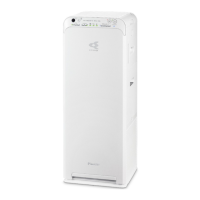
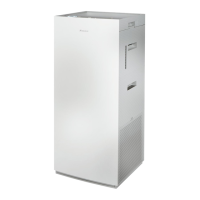
• Are the pre-lter, outow grille, dust collection lter, humidifying lter
unit, humidifying tray, and water tank attached?
These lamps may blink if the unit is operated without a part attached.
[If one or more parts are not attached]
¼
Unplug the power supply, re-attach the parts and then turn the unit on
again.
[If all the parts are attached]
An electrical component is faulty.
¼
Contact the place of purchase.
• Is there a buildup of dust on the pre-lter?
[If there is dust buildup]
►
Page 23
¼
Unplug the power supply, clean the pre-filter and then turn the unit on
again.
[If there is no dust buildup]
An electrical component is faulty.
¼
Contact the place of purchase.
• Is the air outlet blocked?
[If the air outlet is blocked]
¼
Remove any obstacles blocking the air outlet and then turn the unit on again.
[If the air outlet is not blocked]
An electrical component is faulty.
¼
Contact the place of purchase.
• These lamps may blink if there is a sudden voltage uctuation.
The lamps will return to their previous condition once voltage returns to
normal.
Voltage range protection: 180V-264V
Troubleshooting
01_EN_3P595628-1.indd 33 2019/12/13 15:57:13



 To Next Page