Program DRY Operation
Program DRY is a function that alternates between weak cooling and stopping the unit to remove humidity from
the air, in order to prevent the room temperature from dropping and becoming too cold.
•
The microcomputer automatically controls the temperature and fan strength, so these cannot be set using the remote
controller.
•
This function is not available if the room temperature is 16°C or lower.
FOR SYSTEMS WITHOUT COOL/HEAT CHANGEOVER REMOTE CONTROLLER
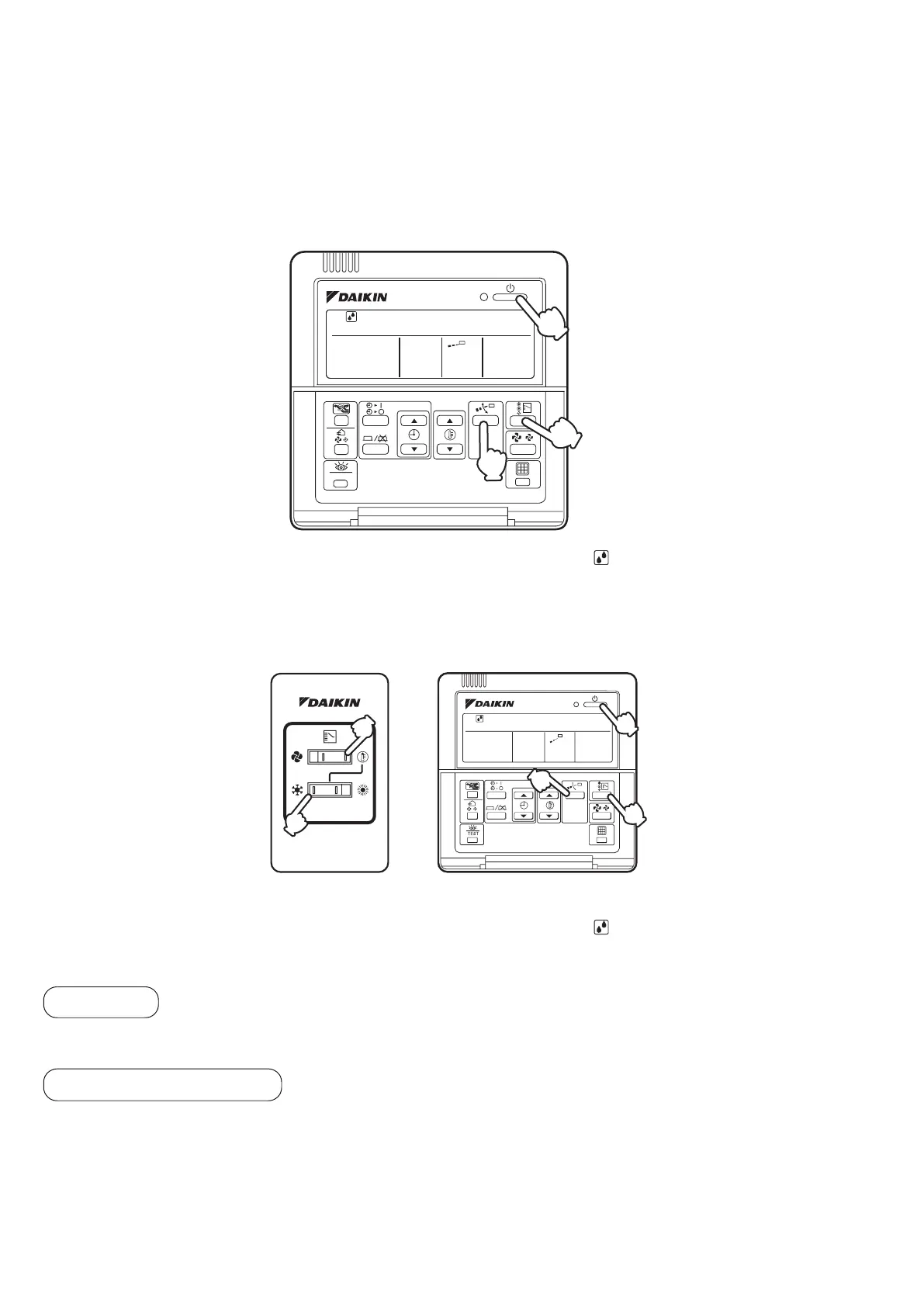
1.
Press OPERATION MODE SELECTOR button several times and select “ ” (PROGRAM DRY Operation).
2.
Press ON/OFF button.
OPERATION lamp lights up and system starts OPERATION.
FOR SYSTEMS WITH COOL/HEAT CHANGEOVER REMOTE CONTROLL
ER (Only for the heat pump)
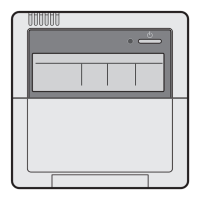
1.
Select cooling operation mode with the cool/heat changeover remote controller.
2.
Press OPERATION MODE SELECTOR button several times and select “ ” (PROGRAM DRY Operation).
3.
Press ON/OFF button.
OPERATION lamp lights up and system starts OPERATION.
4.
Press AIR FLOW DIRECTION ADJUST button.
(only for FXCQ, FXFQ, FXHQ, FXAQ)
Refer to page 11 for details.
5.
Press ON/OFF button again.
OPERATION lamp goes off, and the system stops OPERATION.
ATTENTION:
• Do not turn OFF power immediately after the unit stops. Then, wait on no less than 5 minutes. Water is leaking or there
is something else wrong with the unit.
TEST
2·5
4
1
BRC1C62
1
1
3-5
2
4
BRC1C62
Adjustment
STOPPING THE SYSTEM
10



 To Next Page