18 Energy saving and optimum operation
Installer and user reference guide
49
RXYSQ4~6T8V/YB
VRV IV-S system air conditioner
4P482277-1 – 2017.04
17.5 Setting the master user interface
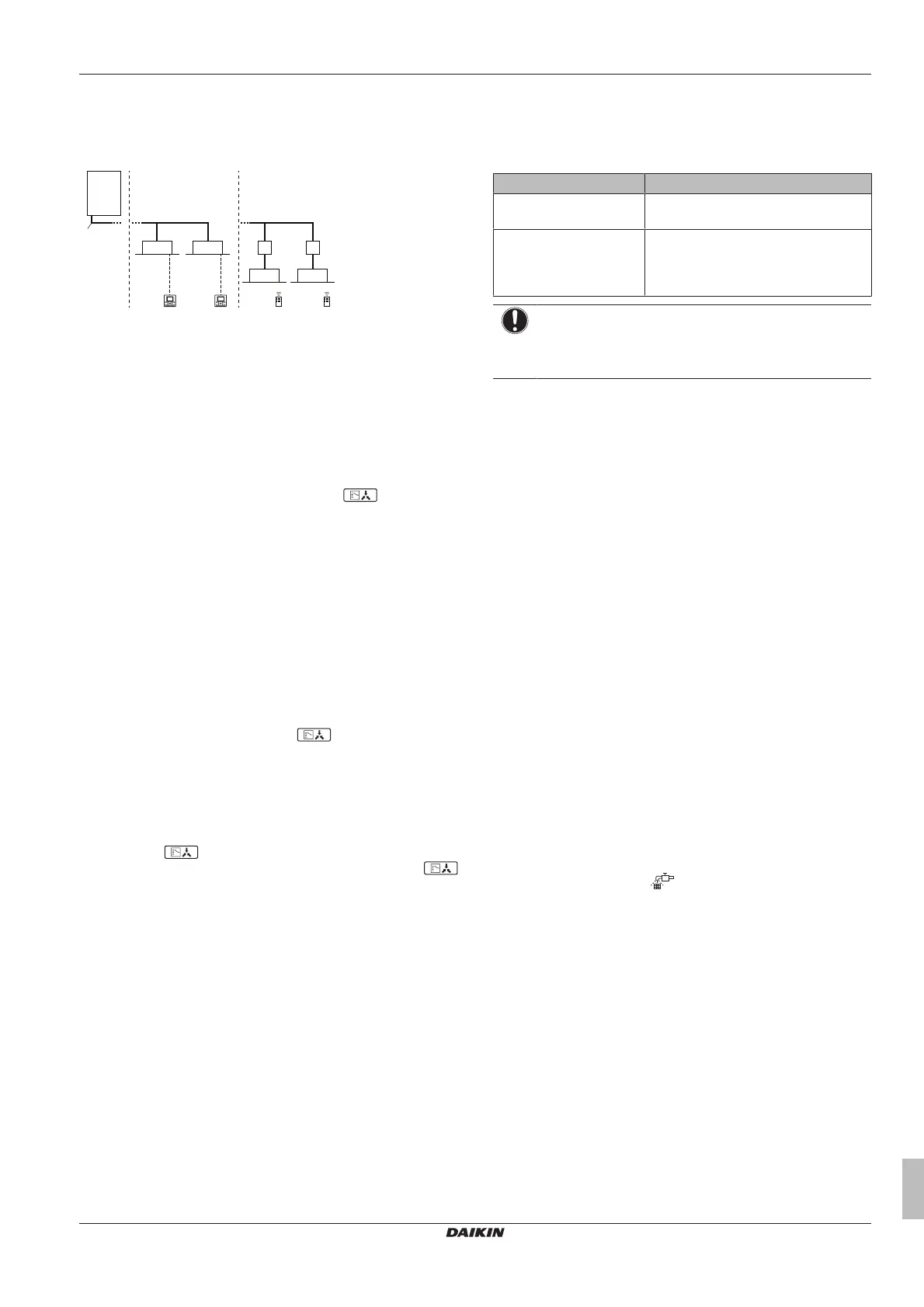
17.5.1 About setting the master user interface
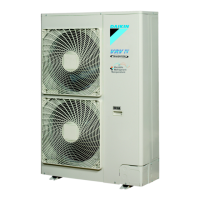
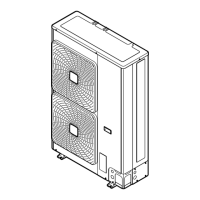
a VRV IV-S Heat pump outdoor unit
b Refrigerant piping
c VRV direct expansion (DX) indoor unit
d User interface (dedicated depending on indoor unit type)
e BP box (required to connect Residential Air (RA) or Sky Air
(SA) direct expansion (DX) indoor units)
f Residential Air (RA) direct expansion (DX) indoor units
g User interface (wireless, dedicated depending on indoor
unit type)
When the system is installed as shown in the figure above, it is
necessary to designate one of the user interfaces as the master user
interface.
The displays of slave user interfaces show
(change-over
under centralised control) and slave user interfaces automatically
follow the operation mode directed by the master user interface.
Only the master user interface can select heating or cooling mode.
17.5.2 To designate the master user interface
(VRV DX)
In case only VRV DX indoor units are connected to the VRV IV-S
system:
1 Press the operation mode selector button of the current master
user interface for 4 seconds. In case this procedure was not yet
performed, the procedure can be executed on the first user
interface operated.
Result: The display showing (change-over under
centralised control) of all slave user interfaces connected to the
same outdoor unit flashes.
2 Press the operation mode selector button of the controller that
you wish to designate as the master user interface.
Result: Designation is completed. This user interface is
designated as the master user interface and the display
showing (change-over under centralised control)
vanishes. The displays of other user interfaces show
(change-over under centralised control).
17.5.3 To designate the master user interface
(RA DX)
In case only RA DX indoor units are connected to the VRV IV-S
system:
1 Stop all indoor units.
2 When the system is not operating (all indoor units thermo OFF),
you can define the master RADX indoor unit by addressing that
unit with infrared user interface (instruct thermo ON in desired
mode).
The only way to change the master unit is by repeating the previous
procedure. A cool/heat switchover (or opposite) is only possible by
changing the operation mode of the defined master indoor unit.
17.5.4 About control systems
This system provides two other control systems beside individual
control system (one user interface controls one indoor unit). Confirm
the following if your unit is of the following control system type:
Type Description
Group control system 1 user interface controls up to 16 indoor
units. All indoor units are equally set.
2 user interface control
system
2 user interfaces control 1 indoor unit (in
case of group control system, 1 group of
indoor units). The unit is individually
operated.
NOTICE
Contact your dealer in case of changing the combination or
setting of group control and 2 user interface control
systems.
18 Energy saving and optimum
operation
Observe the following precautions to ensure the system operates
properly.
▪ Adjust the air outlet properly and avoid direct air flow to room
inhabitants.
▪ Adjust the room temperature properly for a comfortable
environment. Avoid excessive heating or cooling.
▪ Prevent direct sunlight from entering a room during cooling
operation by using curtains or blinds.
▪ Ventilate often. Extended use requires special attention to
ventilation.
▪ Keep doors and windows closed. If the doors and windows remain
open, air will flow out of your room causing a decrease in the
cooling or heating effect.
▪ Be careful not to cool or heat too much. To save energy, keep the
temperature setting at a moderate level.
▪ Never place objects near the air inlet or the air outlet of the unit. It
may cause deterioration in the effect or stop the operation.
▪ Turn off the main power supply switch to the unit when the unit is
not used for longer periods of time. If the switch is on, it consumes
electricity. Before restarting the unit, turn on the main power
supply switch 6 hours before operation to ensure smooth running.
(Refer to "Maintenance" in the indoor unit manual.)
▪ When the display shows
(time to clean the air filter), ask a
qualified service person to clean the filters. (Refer to
"Maintenance" in the indoor unit manual.)
▪ Keep the indoor unit and user interface at least 1 m away from
televisions, radios, stereos, and other similar equipment. Failing to
do so may cause static or distorted pictures.
▪ Do not place items under the indoor unit, they may be damaged
by water.
▪ Condensation may form if the humidity is above 80% or if the
drain outlet gets blocked.
This heat pump system is equipped with advanced energy saving
functionality. Depending on the priority, emphasises can be put on
energy saving or comfort level. Several parameters can be selected,
resulting in the optimal balance between energy consumption and
comfort for the particular application.
Several patterns are available and roughly explained below. Contact
your installer or dealer for advice or to modify the parameters to the
needs of your building.



 To Next Page