1 General safety precautions
Installer and user reference guide
3
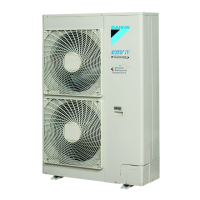
RXYSQ4~6T8V/YB
VRV IV-S system air conditioner
4P482277-1 – 2017.04
11 Troubleshooting 39
11.1 Overview: Troubleshooting........................................................ 39
11.2 Precautions when troubleshooting ............................................ 39
11.3 Solving problems based on error codes.................................... 39
11.3.1 Error codes: Overview ................................................ 39
12 Disposal 40
13 Technical data 41
13.1 Service space: Outdoor unit ...................................................... 41
13.2 Piping diagram: Outdoor unit..................................................... 43
13.3 Wiring diagram: Outdoor unit .................................................... 44
For the user 46
14 About the system 46
14.1 System layout............................................................................ 46
15 User interface 46
16 Before operation 46
17 Operation 46
17.1 Operation range ........................................................................ 46
17.2 Operating the system ................................................................ 47
17.2.1 About operating the system ........................................ 47
17.2.2 About cooling, heating, fan only, and automatic
operation ..................................................................... 47
17.2.3 About the heating operation........................................ 47
17.2.4 To operate the system (WITHOUT cool/heat
changeover remote control switch) ............................. 47
17.2.5 To operate the system (WITH cool/heat changeover
remote control switch)................................................. 47
17.3 Using the dry program............................................................... 48
17.3.1 About the dry program ................................................ 48
17.3.2 To use the dry program (WITHOUT cool/heat
changeover remote control switch) ............................. 48
17.3.3 To use the dry program (WITH cool/heat changeover
remote control switch)................................................. 48
17.4 Adjusting the air flow direction................................................... 48
17.4.1 About the air flow flap ................................................. 48
17.5 Setting the master user interface .............................................. 49
17.5.1 About setting the master user interface ...................... 49
17.5.2 To designate the master user interface (VRV DX)...... 49
17.5.3 To designate the master user interface (RA DX)........ 49
17.5.4 About control systems................................................. 49
18 Energy saving and optimum operation 49
18.1 Available main operation methods ............................................ 50
18.2 Available comfort settings ......................................................... 50
19 Maintenance and service 50
19.1 Maintenance after a long stop period ........................................ 50
19.2 Maintenance before a long stop period ..................................... 50
19.3 About the refrigerant.................................................................. 50
19.4 After-sales service and warranty ............................................... 51
19.4.1 Warranty period .......................................................... 51
19.4.2 Recommended maintenance and inspection.............. 51
19.4.3 Recommended maintenance and inspection cycles... 51
19.4.4 Shortened maintenance and replacement cycles....... 51
20 Troubleshooting 52
20.1 Error codes: Overview............................................................... 52
20.2 Symptoms that are NOT system malfunctions .......................... 53
20.2.1 Symptom: The system does not operate .................... 53
20.2.2 Symptom: Cool/Heat cannot be changed over ........... 53
20.2.3 Symptom: Fan operation is possible, but cooling and
heating do not work..................................................... 53
20.2.4 Symptom: The fan strength does not correspond to
the setting ................................................................... 53
20.2.5 Symptom: The fan direction does not correspond to
the setting ................................................................... 53
20.2.6 Symptom: White mist comes out of a unit (Indoor
unit) .............................................................................. 53
20.2.7 Symptom: White mist comes out of a unit (Indoor
unit, outdoor unit) ......................................................... 53
20.2.8 Symptom: The user interface display reads "U4" or
"U5" and stops, but then restarts after a few minutes.. 54
20.2.9 Symptom: Noise of air conditioners (Indoor unit)......... 54
20.2.10 Symptom: Noise of air conditioners (Indoor unit,
outdoor unit)................................................................. 54
20.2.11 Symptom: Noise of air conditioners (Outdoor unit) ...... 54
20.2.12 Symptom: Dust comes out of the unit .......................... 54
20.2.13 Symptom: The units can give off odours...................... 54
20.2.14 Symptom: The outdoor unit fan does not spin ............. 54
20.2.15 Symptom: The display shows "88"............................... 54
20.2.16 Symptom: The compressor in the outdoor unit does
not stop after a short heating operation ....................... 54
20.2.17 Symptom: The inside of an outdoor unit is warm
even when the unit has stopped .................................. 54
20.2.18 Symptom: Hot air can be felt when the indoor unit is
stopped ........................................................................ 54
21 Relocation 54
22 Disposal 54
23 Glossary 54
1 General safety precautions
1.1 About the documentation
▪ The original documentation is written in English. All other
languages are translations.
▪ The precautions described in this document cover very important
topics, follow them carefully.
▪ The installation of the system, and all activities described in the
installation manual and the installer reference guide must be
performed by an authorized installer.
1.1.1 Meaning of warnings and symbols
DANGER
Indicates a situation that results in death or serious injury.
DANGER: RISK OF ELECTROCUTION
Indicates a situation that could result in electrocution.
DANGER: RISK OF BURNING
Indicates a situation that could result in burning because of
extreme hot or cold temperatures.
DANGER: RISK OF EXPLOSION
Indicates a situation that could result in explosion.
WARNING
Indicates a situation that could result in death or serious
injury.
WARNING: FLAMMABLE MATERIAL
CAUTION
Indicates a situation that could result in minor or moderate
injury.
NOTICE
Indicates a situation that could result in equipment or
property damage.



 To Next Page