33
DISPLAY
SOUNDS
CONFIGURATION
INFOS
AUTO PICK-UP
OPEN BUTTON
TIME
LANGUAGE
Handset display
in standby mode
RADIO LINK
HANDSET
ACCESS
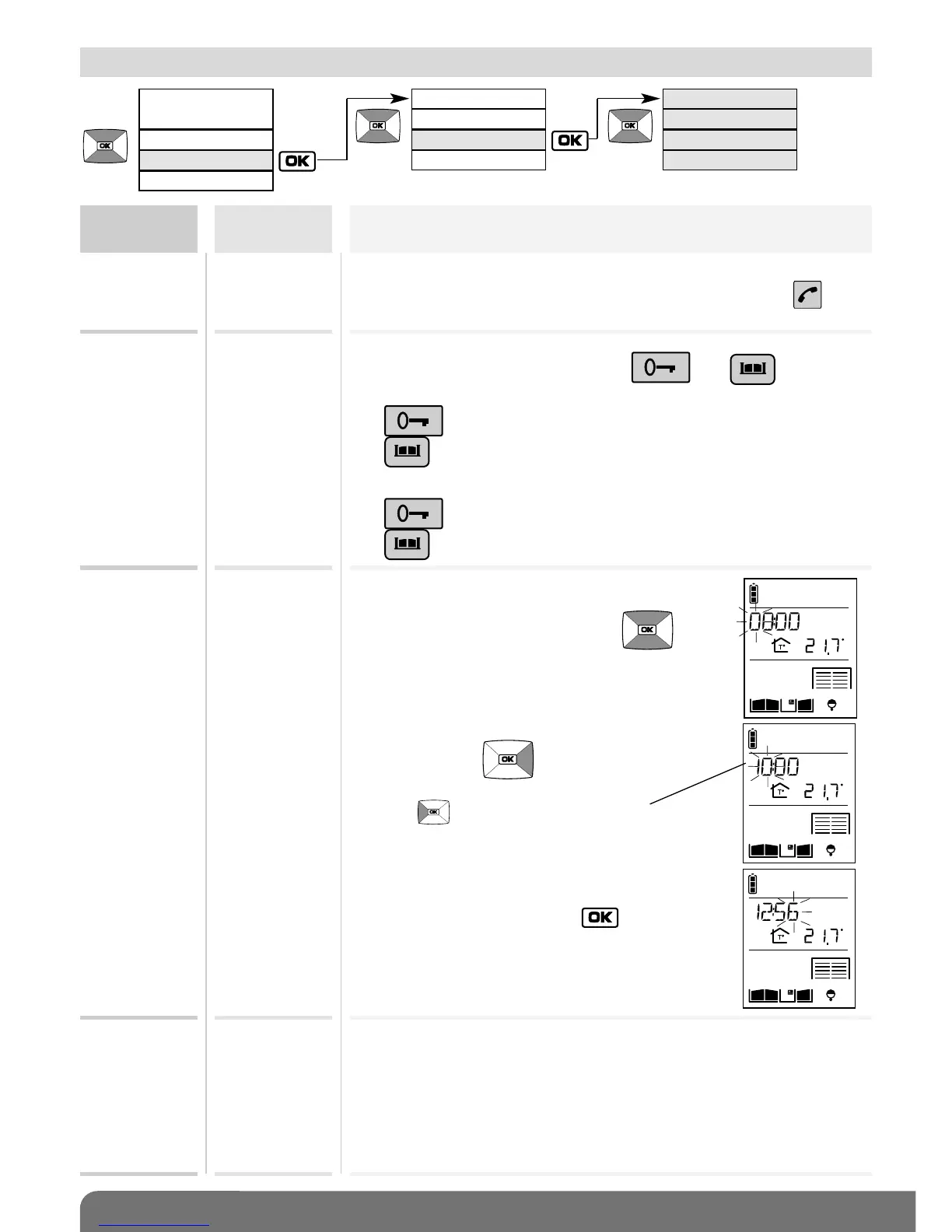
12.4 Modifying use options
Menu
Setting
possible
Using the setting
AUTO
PICK-UP
ACTIVE
INACTIVE
Factory: ACTIVE
Factory:
ELECTRIC STRIKE
Factory: 00:00
Factory: ENGLISH
Can be used to automatically establish communication when
the handset is picked up off the base without pressing .
TIME Can be used to set the time displayed
on the handset
1. Set the 1
st
digit using the keys .
2. Move on to the next digit
using the key .
3. Perform steps 1 and 2 again to set the
minutes then, once the chosen time has
been programmed, press .
OPEN
BUTTON
Can be used to change
the commands associated with the and keys.
When the ELECTRIC STRIKE command is selected (factory):
The key controls electric strike opening.
The key controls gate opening.
When the GATE command is selected:
The key controls gate opening.
The key controls electric strikeopening.
LANGUAGE ENGLISH
FRANCAIS
ITALIANO
ESPANOL
DEUTSCH
NEDERLANDS
Can be used to set the handset language.
The key selects the previous character.



 To Next Page