9
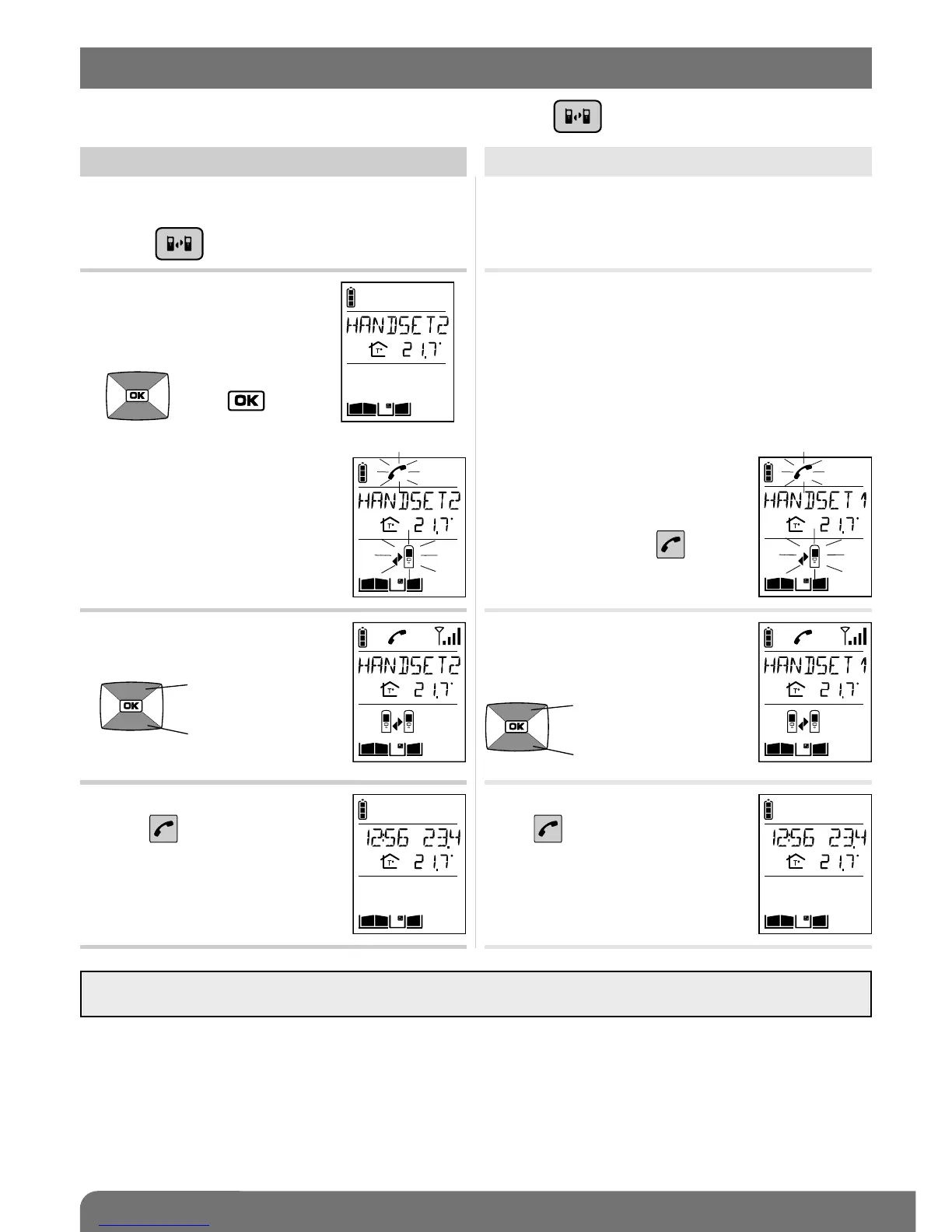
You can communicate with another handset using the key .
Handset making the call
1. Pick up the handset (if it is on the base),
open the flip cover and quickly
press .
Handset being called
2. If you have more than
2 handsets,
select the handset to be
called using the keys
then .
2. If you have 2 handsets,
the inter-handset
communication function is
activated.
3. You can talk and adjust the
volume using the keys
Open the flip cover and talk,
adjusting the communication
volume using the keys
4. At the end of communication,
press and/or put the
handset back on the base.
At the end of communication,
press and/or put the
handset back on the base.
The handset rings (unless it is in
silent mode) and the
backlighting flashes. If the
handset is on the base, pick it
up. Otherwise, press .
IMPORTANT: if a call is triggered by an outdoor caller unit during inter-handset communication, the outdoor
caller unit sounds engaged.
(1)
(1) The name of the handset can be customised (see Modifying handset operating options).
volume +
volume –
volume +
volume –
5. Inter-handset communication function



 To Next Page