GB
Example: The system is in Armed Partial 2 mode but the siren has a battery fault. When the
“system status query” order is sent from the keypad or remote control, the control panel and
siren issue the following vocal messages:
“Bip, Armed Partial 2,
bip, Fault, System”
2. Preparing the siren
2.1 Tooling required
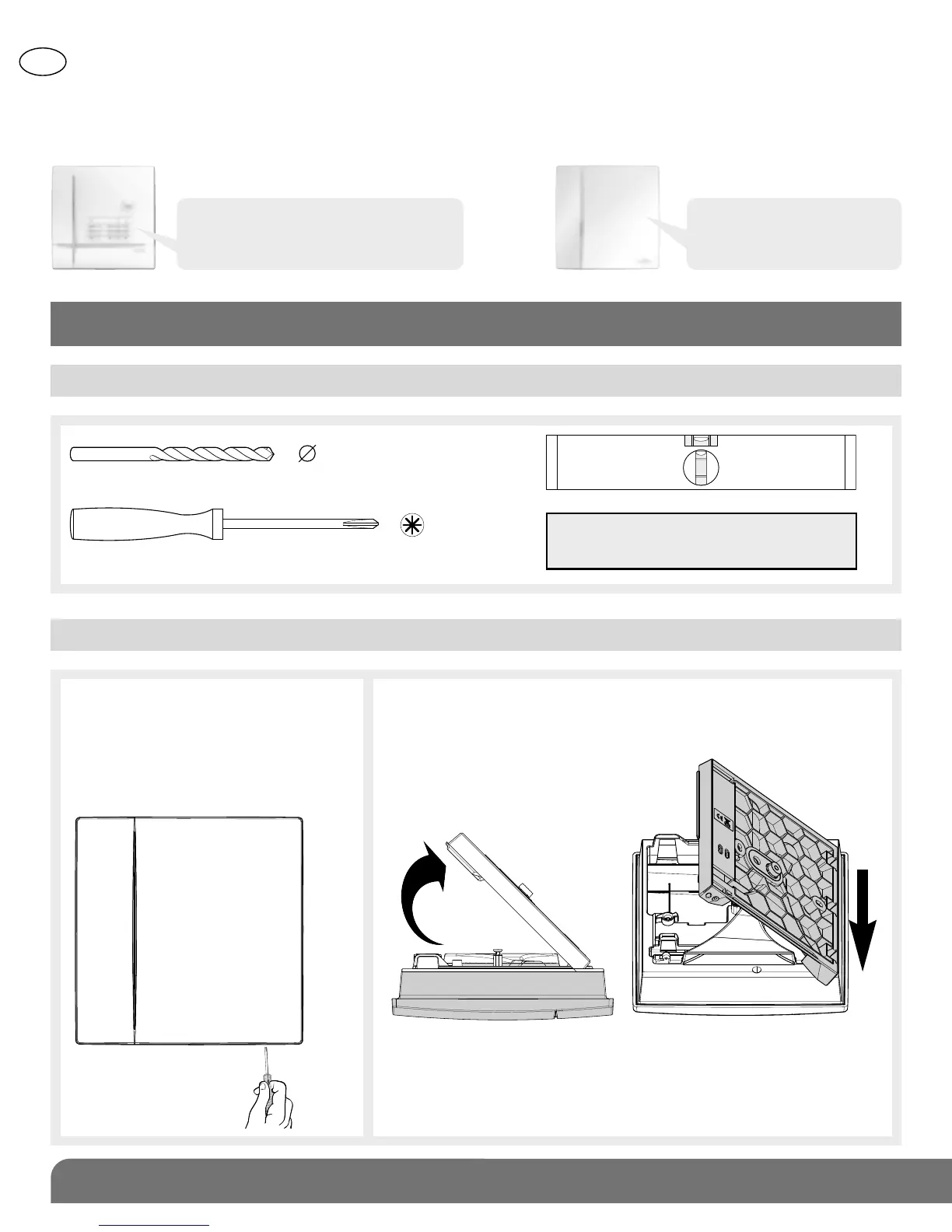
2.2 Opening the siren and connecting the power supply
IMPORTANT: the fixing screws
and wall plugs are not supplied.
6 mm
PZ 2
1. Insert a screwdriver into the
bottom right-hand corner
between the base and the
siren and apply pressure to
open the siren.
2. Place the siren on a flat surface, remove the base
by inclining it at a 45° angle (A) and pull it
downwards (B).
Bip, System_status, Armed Partial 2,
bip, 12/03 at 12:00, Fault, Voltage,
Remote_Control_Unit 1”
A
45°
B


 To Next Page