Need help?
Do you have a question about the DAITEM SH640AX and is the answer not in the manual?
Details the LED status and their meanings for keypad operation and error reporting.
Lists voice messages issued by the keypad for commands, status, and faults.
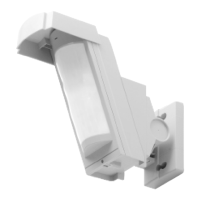
Explains the infrared detector's operation, detection zones, and triggering modes.
Lists necessary tools and details power supply connection steps for the keypad.
Procedure for switching the keypad between installation, test, and user modes.
Steps to program the control panel to recognize the keypad and infrared detector.
Configure speech synthesis language and voice message sound level.
Set the number of digits for access codes and modify the master code.
Procedure to change the installer code for system installation and maintenance.
Program, enable, disable, and restrict user codes for specific functions.
Add, remove, and verify registered RFID tags for system access.
Manage tag status and set restricted access to commands or groups.
Assign specific commands to keypad buttons for user convenience.
Adjust the alarm level or disable the infrared detector function.
Activate or deactivate warning beeps and voice messages on the keypad.
Control the keypad's back-lighting and blue indicator light features.
Procedure to view current parameter settings on the keypad.
Delete specific parameters, all access codes, or reset to factory settings.
Set up the temperature monitoring function for technical alarms.
Guidance on selecting optimal locations for keypad installation.
Procedure to test and ensure adequate radio communication range.
Step-by-step instructions for physically mounting the keypad.
Final step to activate the keypad for normal operation after setup.
Describes fault indicators and voice messages for system issues.
Detailed steps for replacing the keypad's battery pack.
 General
| Brand | DAITEM |
|---|---|
| Model | SH640AX |
| Category | Security System |
| Language | English |

 To Next Page