8.1
When the AUTO mode is selected, the
unit will automatically select the
functioning mode (heat/cool/fan)
depending on the temperature
assignment and the interior room
temperature.
The unit will control the temperature
automatically depending on the
temperature assigned by the user.
If the AUTO mode is not comfortable for
you, you can manually select the
conditions that you prefer.
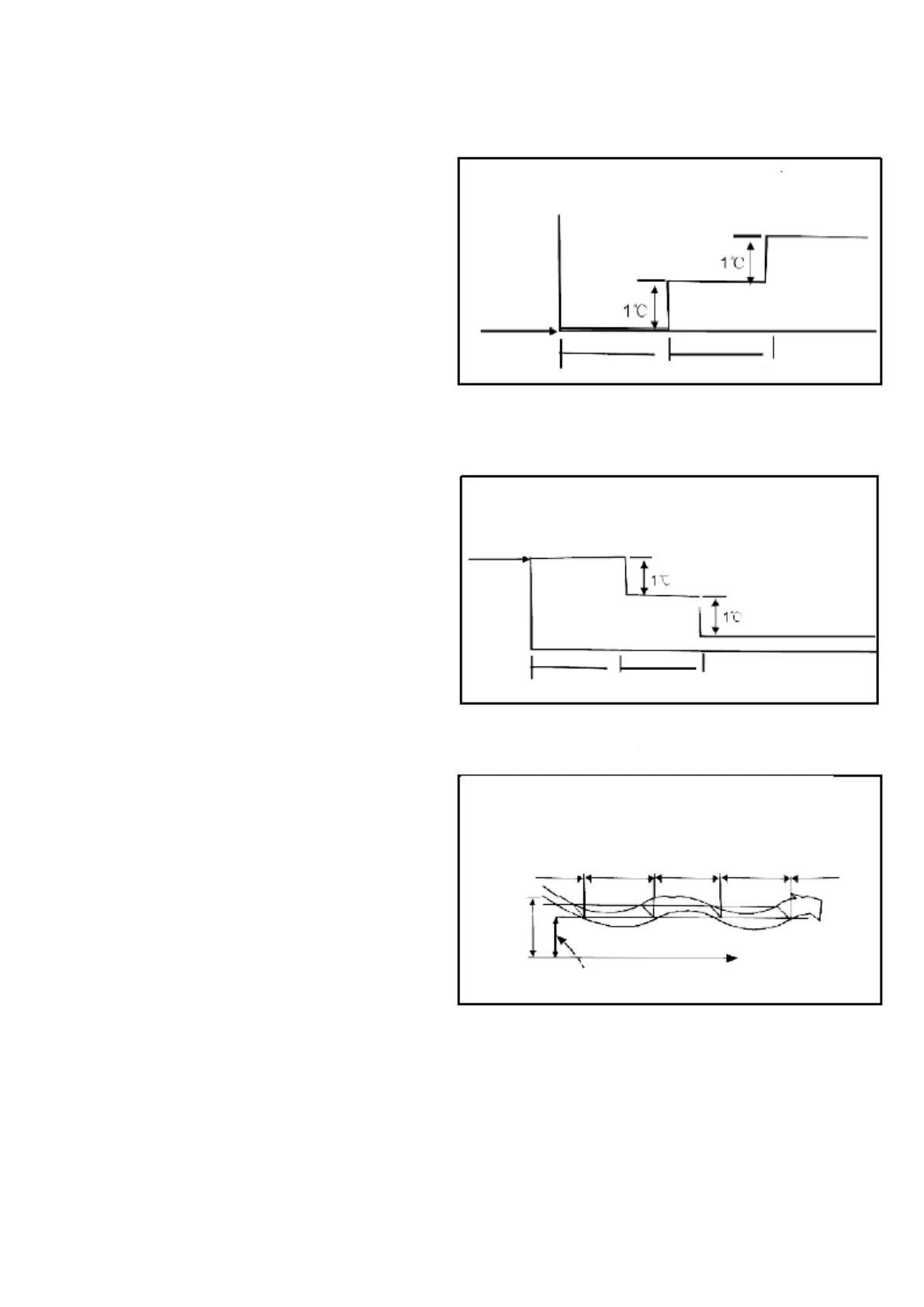
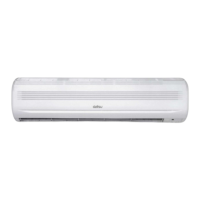
8.2 SLEEP mode
When pressing the SLEEP button on the
remote controller while the unit is on
automatic mode, cool or heat, the unit
will increase (in cool mode) or decrease
(in heat mode) automatically by 1 C per
hour.
The temperature assigned will remain
constant for two hours after. The
function will run the unit for seven hours.
The fan speed will be automatically
controlled. This characteristic allows you
to maintain the temperature within a
comfortable range and save energy.
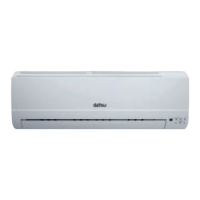
8.3 Dehumidifier mode
The temperature and dehumidifying will
be controlled by turning the cool and fan
mode on and off.
The fan speed indicator will remain on
AUTO and will use the low speed.
SLEEP mode (refrigeration)



 To Next Page