41
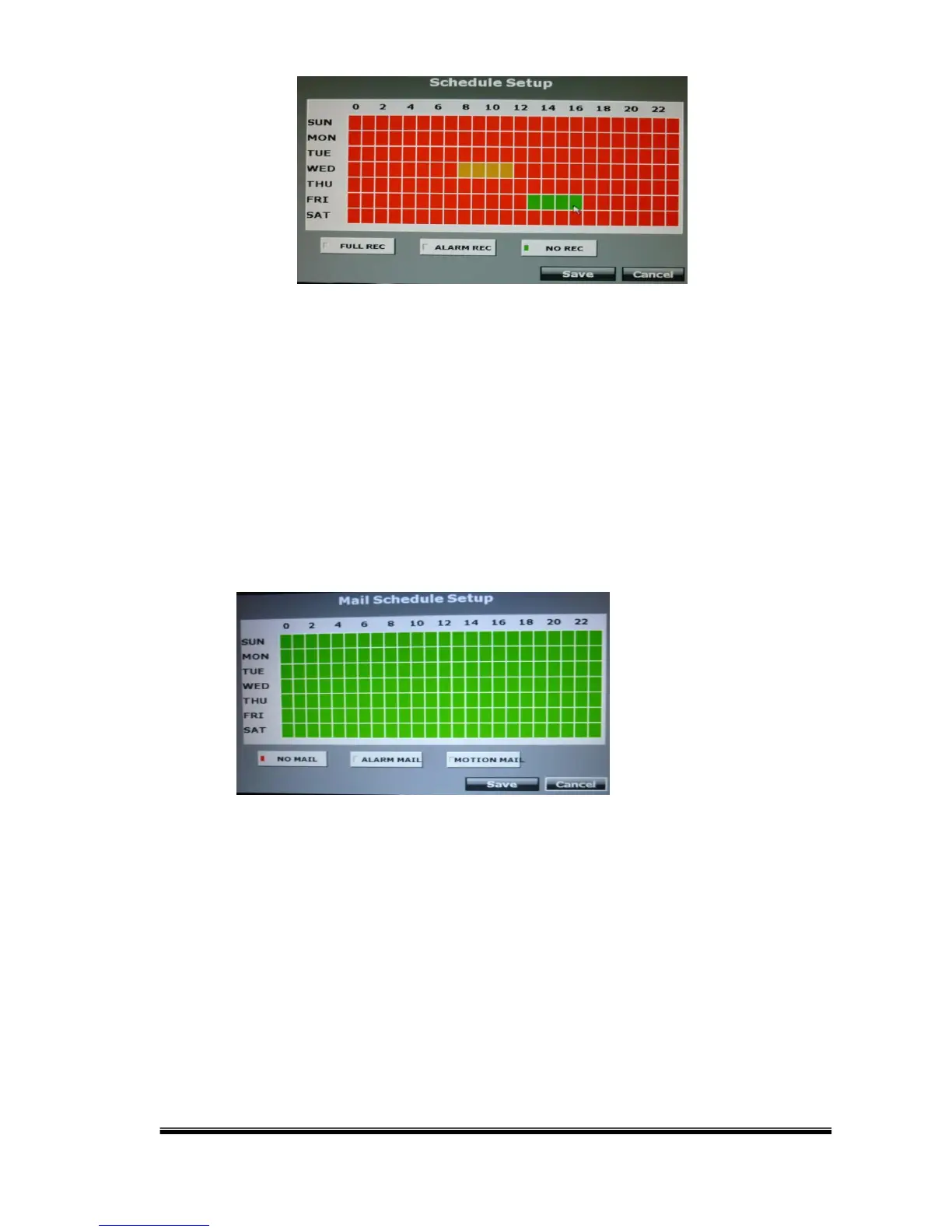
Click the tag “Full Recording”(Red) / “Alarm Recording”(Yellow) / “No
Recording”(Green), and then draw on the calendar. The recording type will
follow the schedule.
The tag “Alarm Recording” includes all the alarm types.
b. Mail Schedule Setup:
Select the time that the recording video is sent to the mail address. No mail
will be sent during the “NO MAIL” time period even if the motion detection is
triggered.
The tag “ALARM MAIL” refers to both external alarm and DI from camera.
c. FTP Schedule Setup:



 To Next Page