94
C. Time Search
The user can select the time by pressing “Time Search” for playback.
D. Event Search
The user can select the event item by pressing “Event Search” for playback.
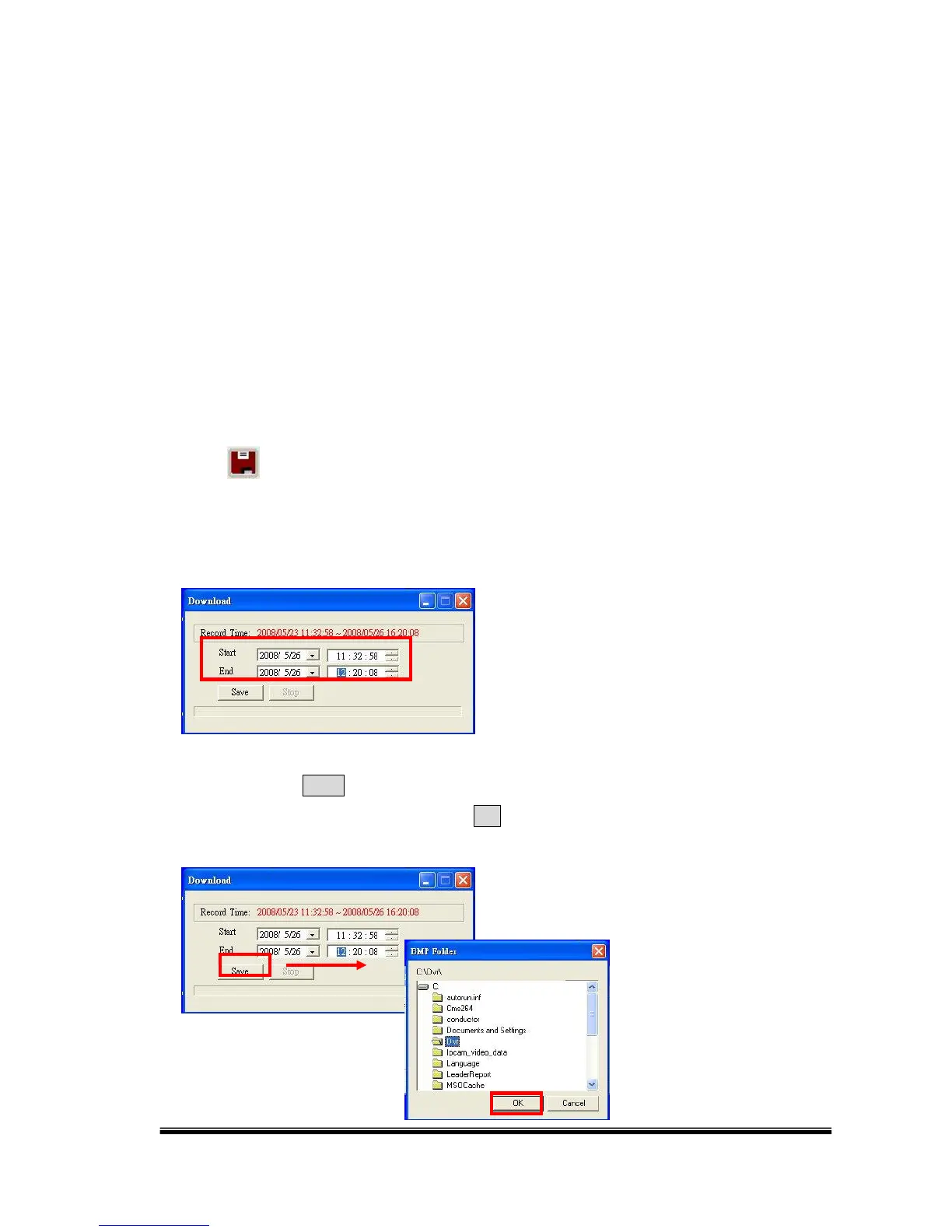
TIME-POINT BACKUP
Click to operate the Time-Point backup.
First, select the Start and End backup time.
Then, click the Save button to select the path on the PC where the user is going to
backup the data. After that, press the OK button to start the backup.



 To Next Page